60 53 362 D3472
D3472.201.10.20.02 07.2016
65
Sirona Dental A/S 5Operation DAC UNIVERSAL ADVANCED
Operating Instructions DAC UNIVERSAL 5.1Regular activities
båÖäáëÜ
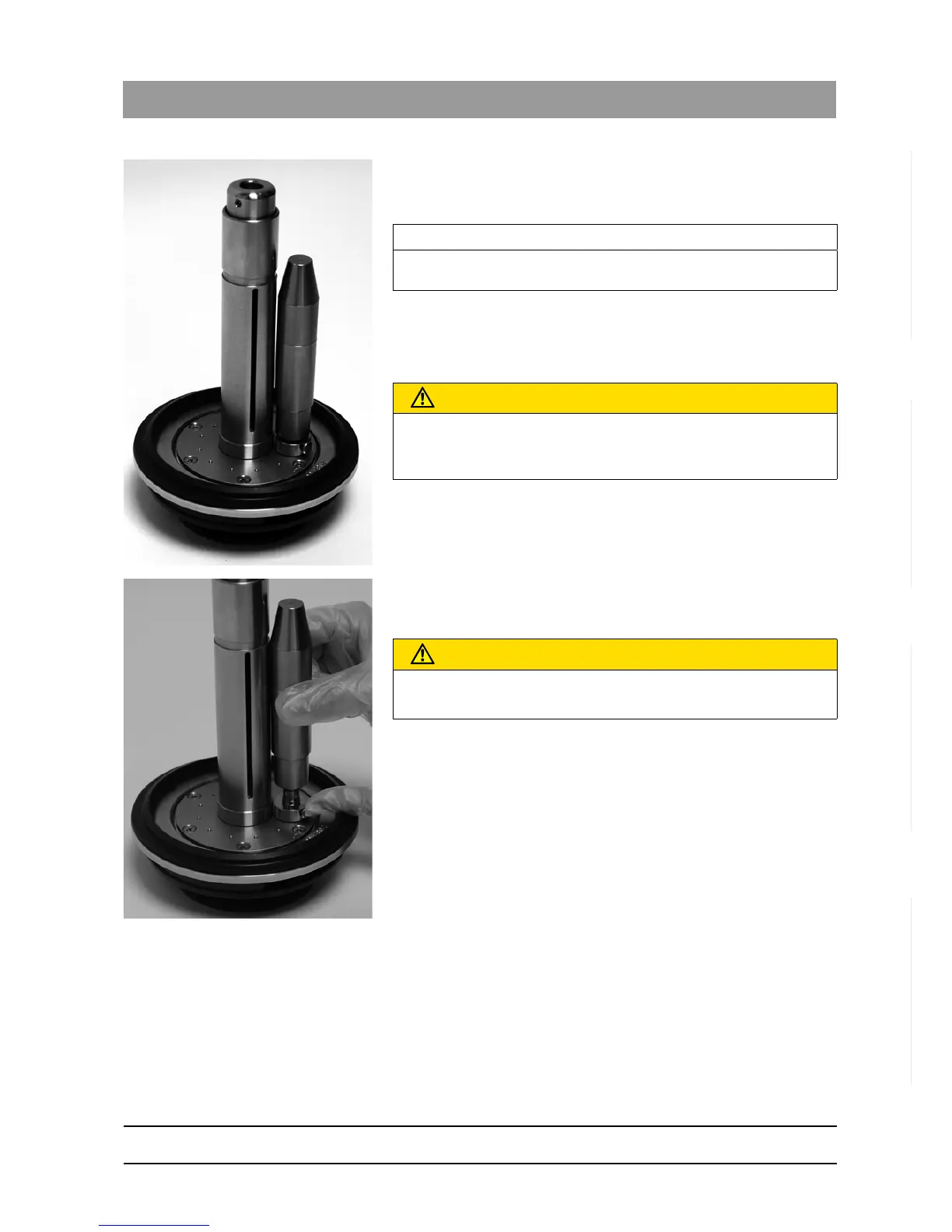
7. Press the PCD test device onto the ISO/ INTRAmatic adapter until
you hear and feel a slight click.
8. Put instruments into the other 5 adapters as usual.
9. Pull lightly on the instruments to ensure that they are firmly attached
to the adapters.
10. Start a standard cycle, see reprocessing with the STANDARD lid for
details of the procedure.
11. Remove the PCD test device from the adapter by pressing the small
button at the bottom of the adapter while pulling on the PCD test
device.
12. Unscrew the PCD test device counterclockwise and remove the
chemical indicator.
13. Evaluate the chemical indicator according to the manufacturer's
instructions.
IMPORTANT
Select a situation typical for your daily routine. This usually means that
you attach instruments to all six adaptors.
CAUTION
Danger of burning!
Allow the extremely hot instruments to cool down after the end of the
cycle.
CAUTION
Danger of burning!
The PCD test device may be hot.














 To Next Page