Objet1000 Plus User Guide 6 Operating and Maintaining the Objet1000 Plus 3DPrinter
DOC-06810 Rev.B 6-36
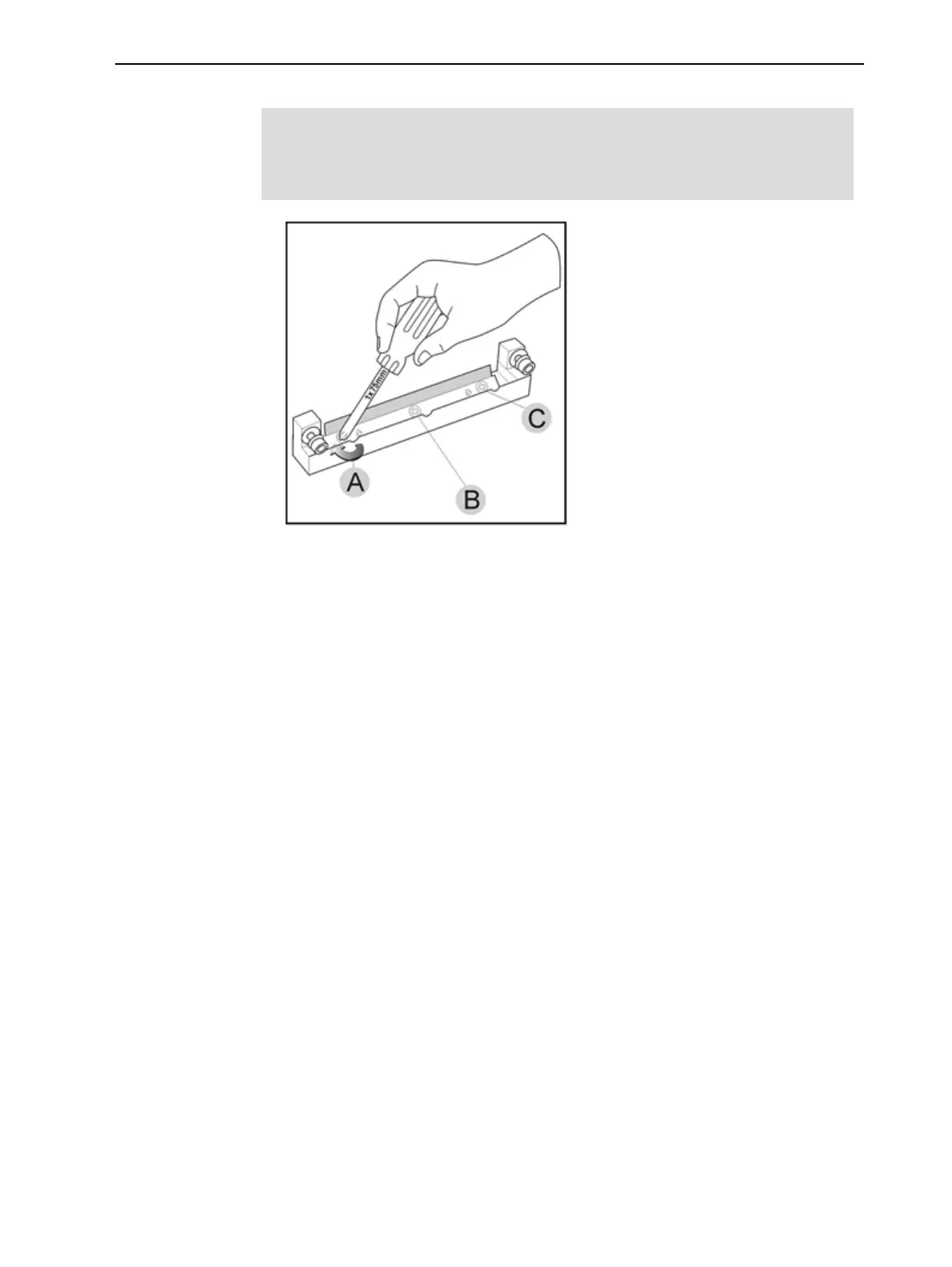
7. Insertandtightentherollerscraperbladescrews.
Important:
l TightenthescrewsintheordershowninFigure6-42.
l Usethenewscrewssuppliedinthereplacementkit
Figure6-42Tighteningtherollerscraperscrews
8. Aftertighteningthescrews,inspectthebladeandmakesurethatitis
straight.Ifnecessary,loosenthescrewsandtightenthemagain,evenly.
9. ReturntherollerwastecollectorassemblyandtherightUVlamptothe
printblock.(Seesteps5to7onpage6-31in"CleaningtheRollerWaste
CollectorandInspectingtheRollerScraper".)
Aligning the
Print Heads
Youshouldcheckthealignmentoftheprintheads—
•onceamonth
•afterreplacingoneormoreheads
•ifmodelqualityisnotacceptableevenaftercleaningtheorificeplateon
thebottomoftheprintblock(see"CleaningthePrintHeads,Rollerand
Wiper"onpage6-27).
Thisproceduretakesabout20minutes.
Tocheckthealignmentoftheprintheads:
1. Prepare—
❒ atransparencysheet,A-4orLettersize
❒ anytypeofadhesivetape,tofastenthetransparencysheettothebuild
tray
2. StarttheHeadAlignmentwizardfromtheOptionsmenu.
3. ClickNexttobegin,andclosethecover.
4. Inthewizardscreen,selectthecheckboxtoconfirmthatthecoveris
closed,andclickNext.













 To Next Page