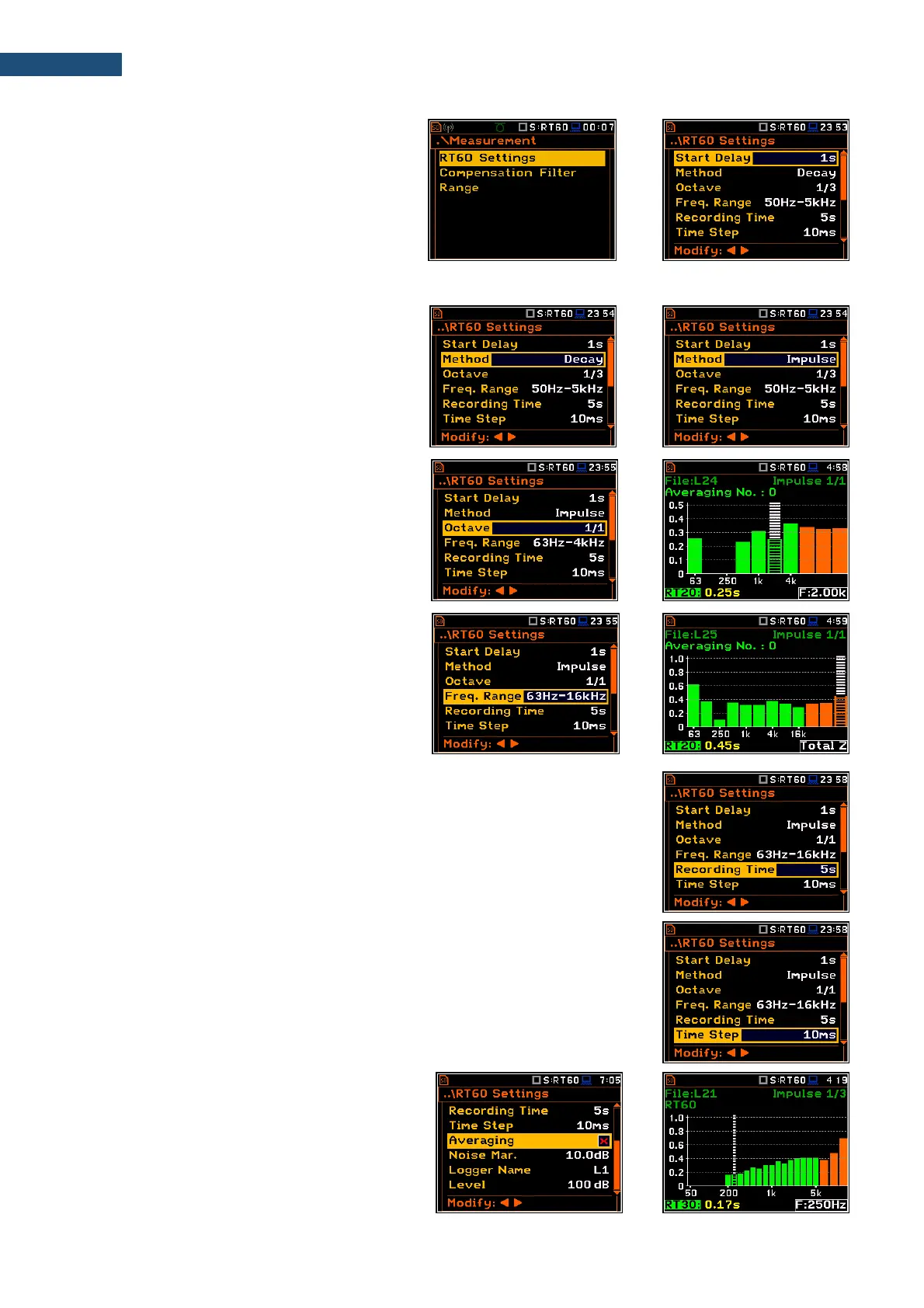
The RT60 Settings list allows to select the
method for RT60 calculations, define the
name of the file, where the registered data will
be collected, and other parameters for RT60
calculations.
The Start Delay parameter defines the delay
period from the moment the <Start/Stop> key
is pressed to the start of the actual
measurement.
The Method parameter allows to choose the
method for RT60 calculations: Decay or
Impulse. Both methods are described in
Appendix E.
The Octave parameter defines for which
bands (1/1 or 1/3) the RT60 analysis will be
performed.
The Freq. Range parameter defines the
frequency range for 1/1 or 1/3-octave
calculations:
- for 1/1-octave: 63Hz-4kHz (7 bands) or
63Hz-16kHz (9 bands).
- for 1/3-octave: 50Hz-5kHz (21 bands) or
50Hz-20kHz (27 bands).
The Recording Time parameter defines the recording time of the measurement
data (sound pressure level decay curve). Data registration starts in the moment
of the trigger condition appearance. Recording time can be set in the range
1 ÷ 30 s.
The Time Step parameter defines the time-step of data registration (sound
pressure level) in the file. The parameter value can be selected from the set:
2, 5, 10, 20, 50, 100 ms.
The Averaging parameter defines the
averaging of the reverberation time results
from several measurements.
When this option is switched on the
Averaging position appears on the RT60 bar
plot.



 To Next Page