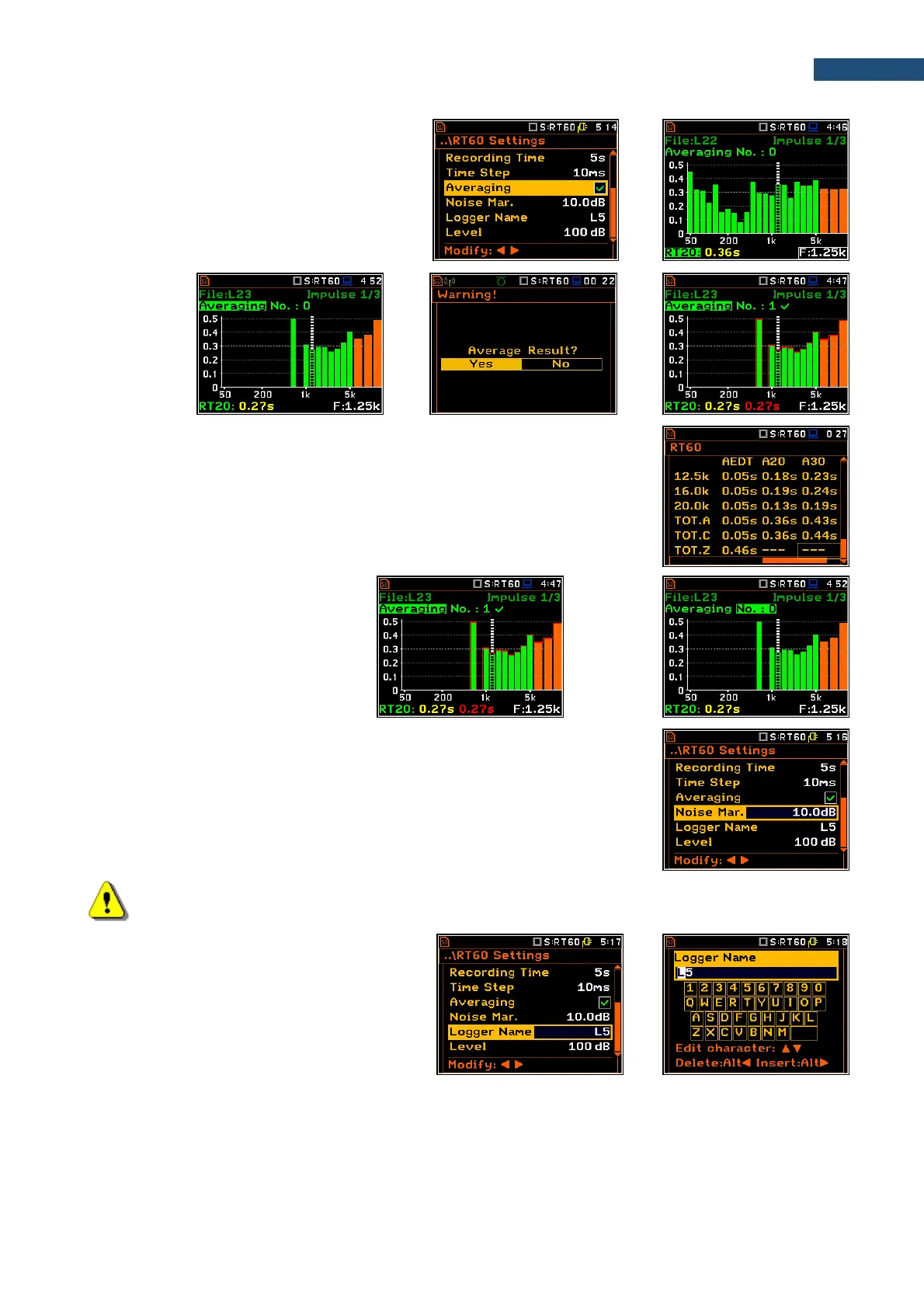
To make averaging of the new results with the
results calculated earlier, select the field
Averaging and press <ENTER>, select in the
confirmation screen Yes and press <ENTER>
again. In the field No.: x, the value x will be
increased by one and the symbol will inform
that the results have been averaged.
When the averaging is On the additional columns appear in the RT60 result
table, named: AEDT, A20, A30 and A.User.
To clear averaging, select the field
No.: x and press <ENTER>, select in
the confirmation screen Yes and
press <ENTER> again.
The Noise Mar. parameter defines the margin value to the calculated noise
level (for more detail see Appendix E). This parameter can be set in the range
0.0 dB ÷ 20.0 dB with 0.1 dB step (default value is 10.0 dB).
Note: If the measurement must fulfil the ISO 3382 standard requirements the noise margin is required
to be set to 10 dB (or higher).
The Logger Name position allows to define
the name of the logger file in which data of the
RT60 analysis will be recorded. The name can
be up to eight characters long. After pressing
the ◄ / ► key, the special screen with text
editor is opened.



 To Next Page