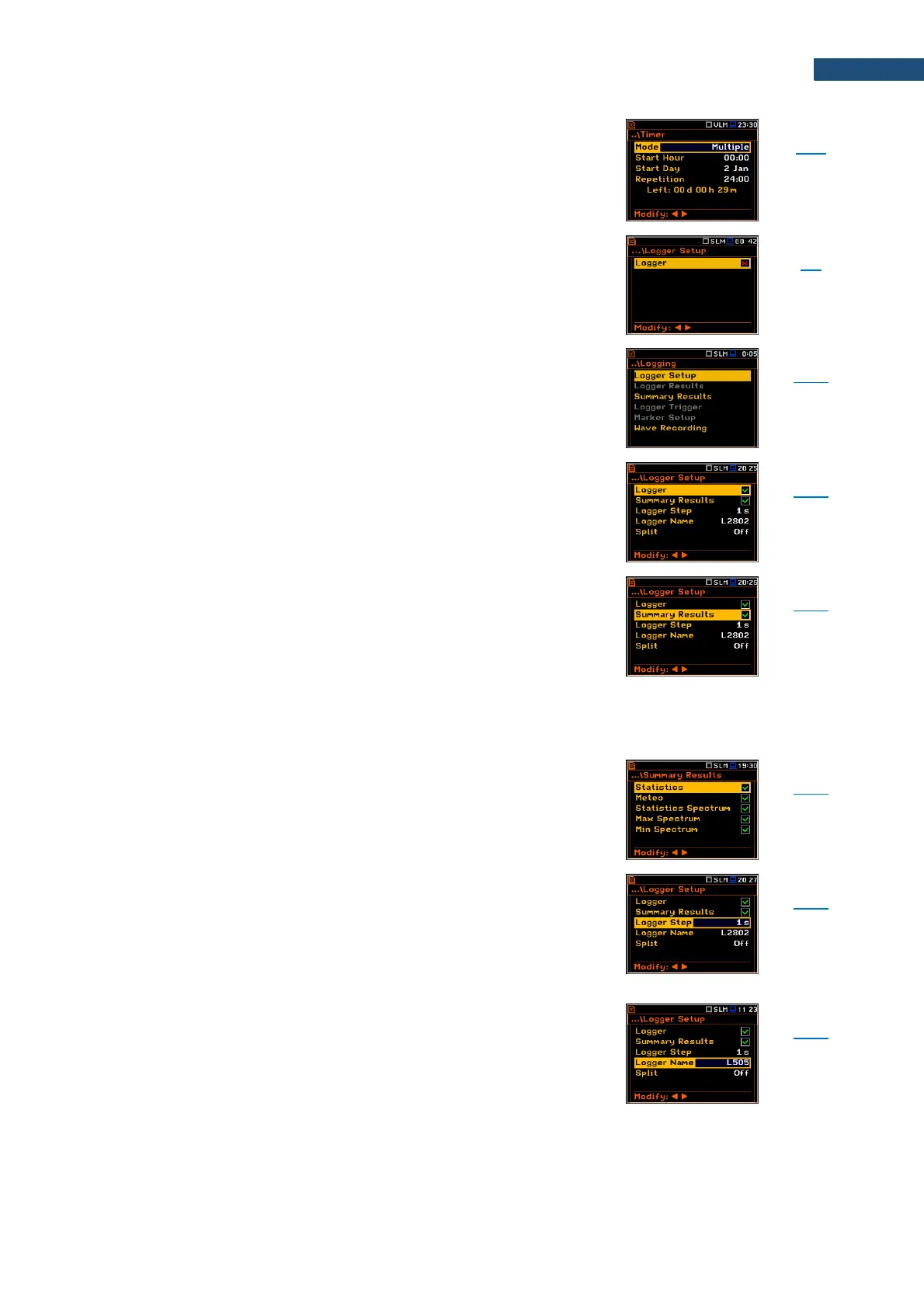
Screen that enables configuring automatic switching On
the instrument and performing the measurement on the
programmed time with defined setup. Timer can be
Single or repeatable (Multiple).
After every timer cycle, the instrument automatically
switches itself off.
Screen that enables switching the logger function on and
setting the main logging parameters: Logger,
Summary Results, Logger Step, Logger Name and Split.
Screen that enables setting the main logging parameters:
Logger, Summary Results, Logger Step, Logger Name
and Split.
Position in the Logger Setup list that switches on or off
the Logging function.
If Logger is switched off only Wave Recording is
available.
Position in the Logger Setup list that switches on or off
saving of the summary results measured with the
Integration Period step: Spl, Leq, Sel, LEPd, Ltm3, LTeq,
10xLnn, Ovl, Peak, Max, Min, EX, SD, NC, NR, 2xLR for
sound measurements and RMS, Ovl, Peak, P–P for
vibration measurements. Summary Results are
measured, displayed and saved in a logger file as
records as many times as defined by the
Repetition Cycles parameter. They are renewed at the
display every second when the measurement is running.
Screen in the Logging list enabling configuring of the
Summary Results structure which may include also:
results from the meteorological station (Meteo),
Statistics, statistics for 1/1 and 1/3 octaves (Statistics
Spectrum), spectra for max and min results
(Max Spectrum and Min Spectrum).
Time of measuring/integrating Logger Results and
recording them to the logger file (same meaning as
Integration Period for Summary Results). Logger Step
can be selected from the set: 2 ms, 5ms, 10ms, 20ms,
50ms, 100ms, 200ms, 500ms or from 1 second to
59 seconds with 1-second step or from 1 minute to
59 minutes with 1-minute step and up to 1 hour.
Position in the Logger Setup screen that enables defining
the name of file in which Logger Results,
Summary Results and Markers will be saved.



 To Next Page