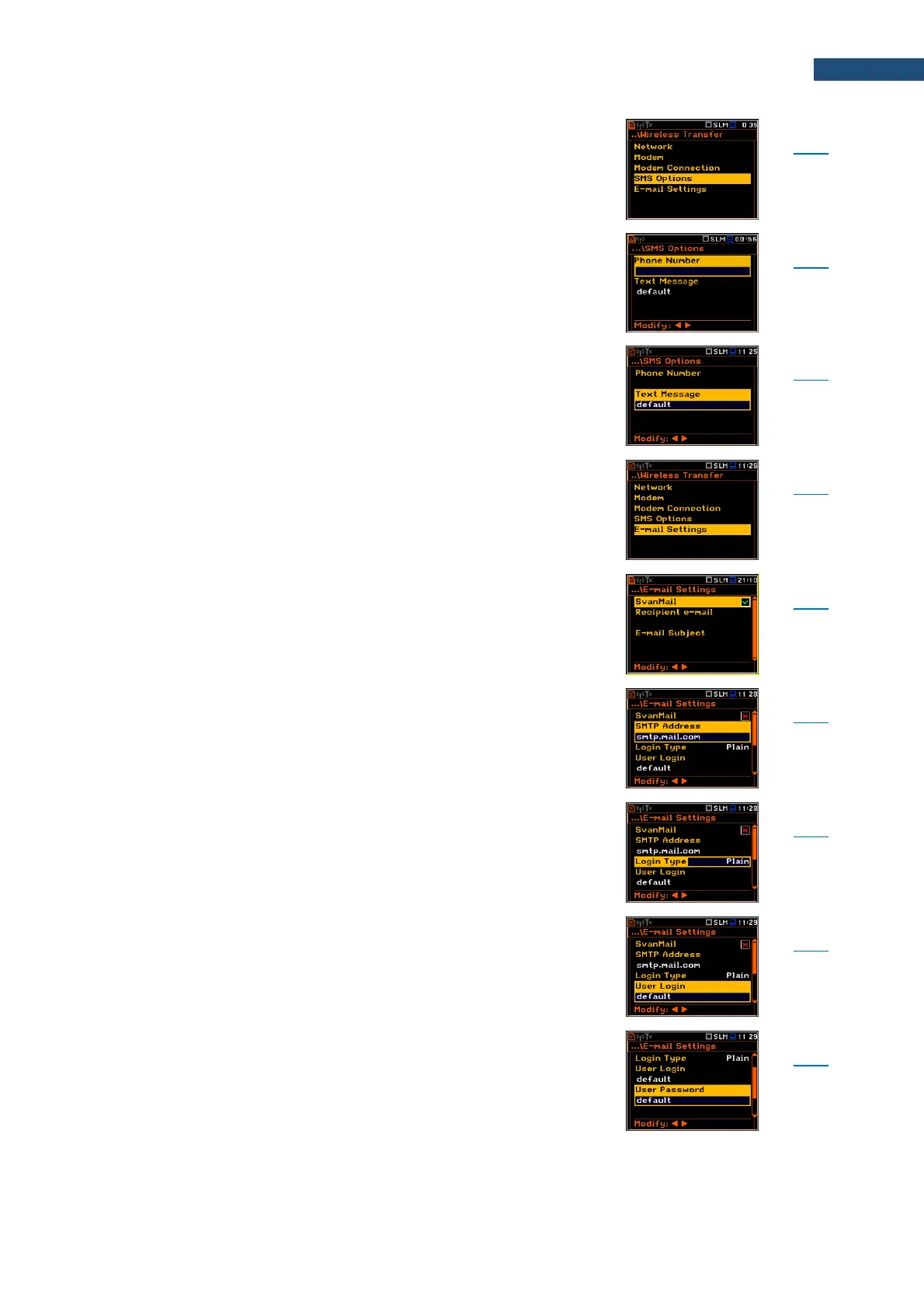
Screen that enables configuring SMS service used for
alarm notification: Phone Number and Text Message.
Parameter of the SMS Option screen defining the phone
number where the text messages will be sent.
Parameter of the SMS Option screen defining additional
text, which will be appended into a standard alarm
message template.
Screen that enables configuring parameters of the E-mail
service used for alarm notification: SvanMail,
SMTP Address, Login Type, User Login,
User Password, Sender e-mail, Recipient e-mail, E-
mail Subject, E-mail Message, SSL Encryption,
Default Port and Port.
Parameter of the E-mail Settings screen switching the
option that allows sending e-mails without additional
parameters, simplifying the process of configuring alarm
notifications.
Parameter of the E-mail Settings screen defining SMTP
server address used for sending e-mail messages.
Parameter of the E-mail Settings screen defining
authentication method, which depends on the SMTP
server used for sending e-mails: None, Login, Plain or
Cram.
Parameter of the E-mail Settings screen defining user
login used to establish verified connection with SMTP
server.
Parameter of the E-mail Settings screen defining user
password used to establish verified connection with
SMPT server.



 To Next Page