4.1.9.3.2 Replace the node
Before replacing the node, please note the firmware version that is currently installed.
When replacing the node, please make sure to have the encoders properly connected to the same encoder
port.
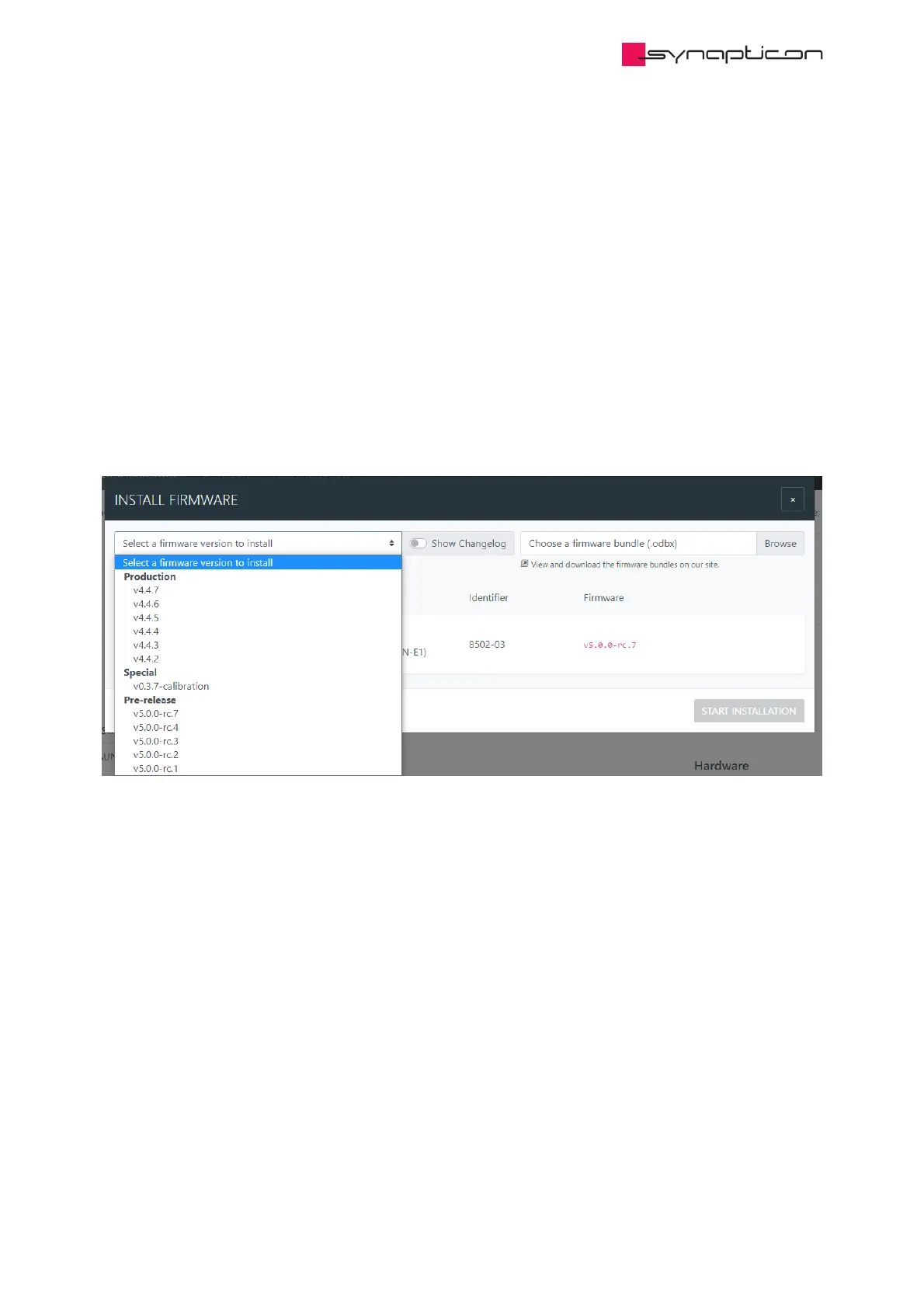
4.1.9.3.3 Update firmware
A firmware needs to be installed before the first commissioning of a new SOMANET drive. Please make sure
to have the same or compatible firmware version installed as before.
The firmware update can be done online if the Virtual machine or the OBLAC BOX have internet connection,
or it can be done offline through the firmware bundles that can be downloaded here
4.1.9.3.4 Load the configuration file



 To Next Page