1.5.3.3.4 Grounding and connecting a brake
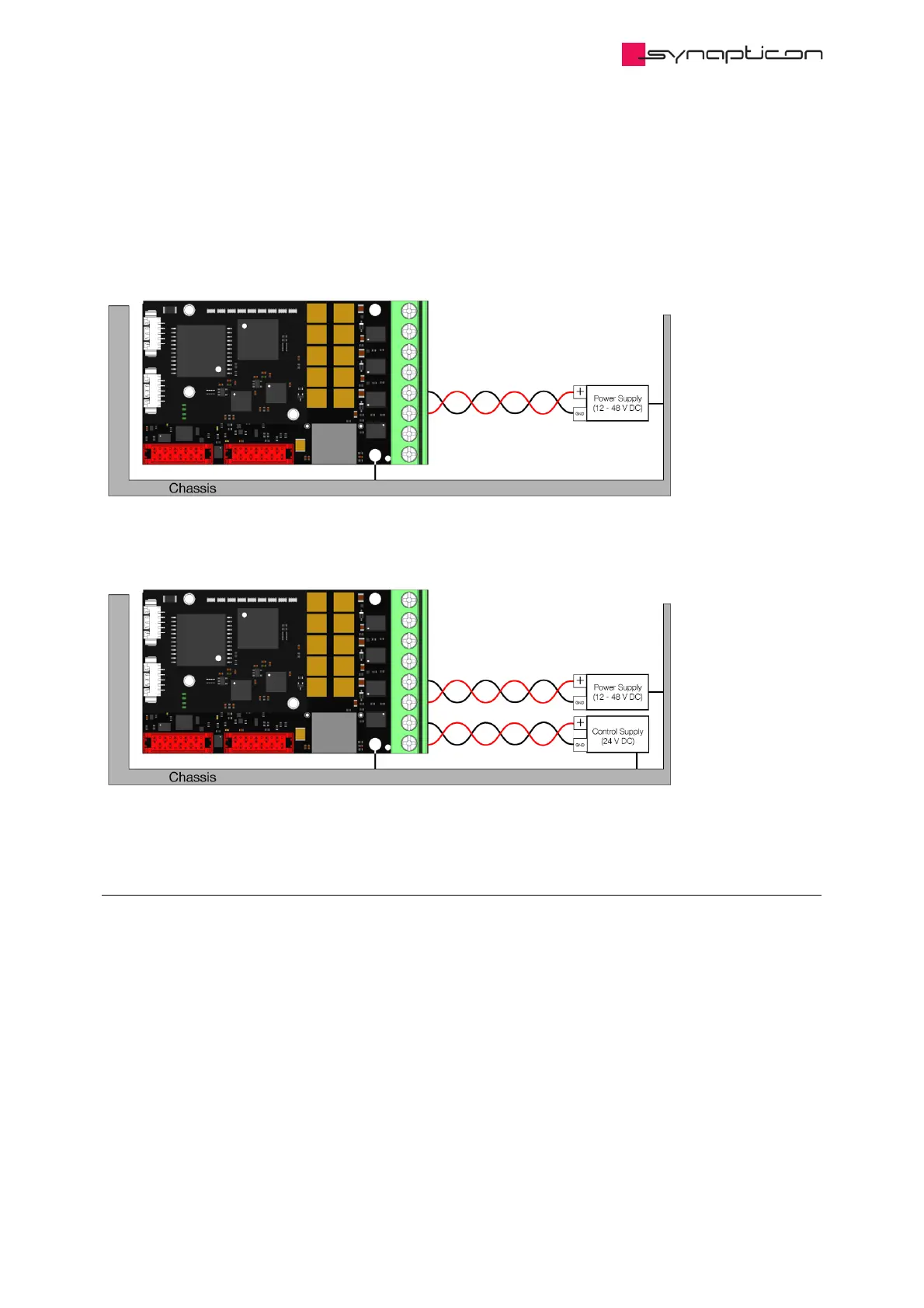
Please make sure you ground the board properly.
Your configuration will look like this:
In case you have additional Logic Supply, please wire your module like this:
1.5.3.3.4.1 Connecting a Brake
If your system has an attached brake, please connect the brake cables to Phase D and Ground. These two
threads should be twisted together or at least be paired to have a minimum area between them.
By default, Logic Supply is deactivated, it is therefore recommended to use Logic Ground (pin 7 of the Main
Supply Connector) for the brake.



 To Next Page