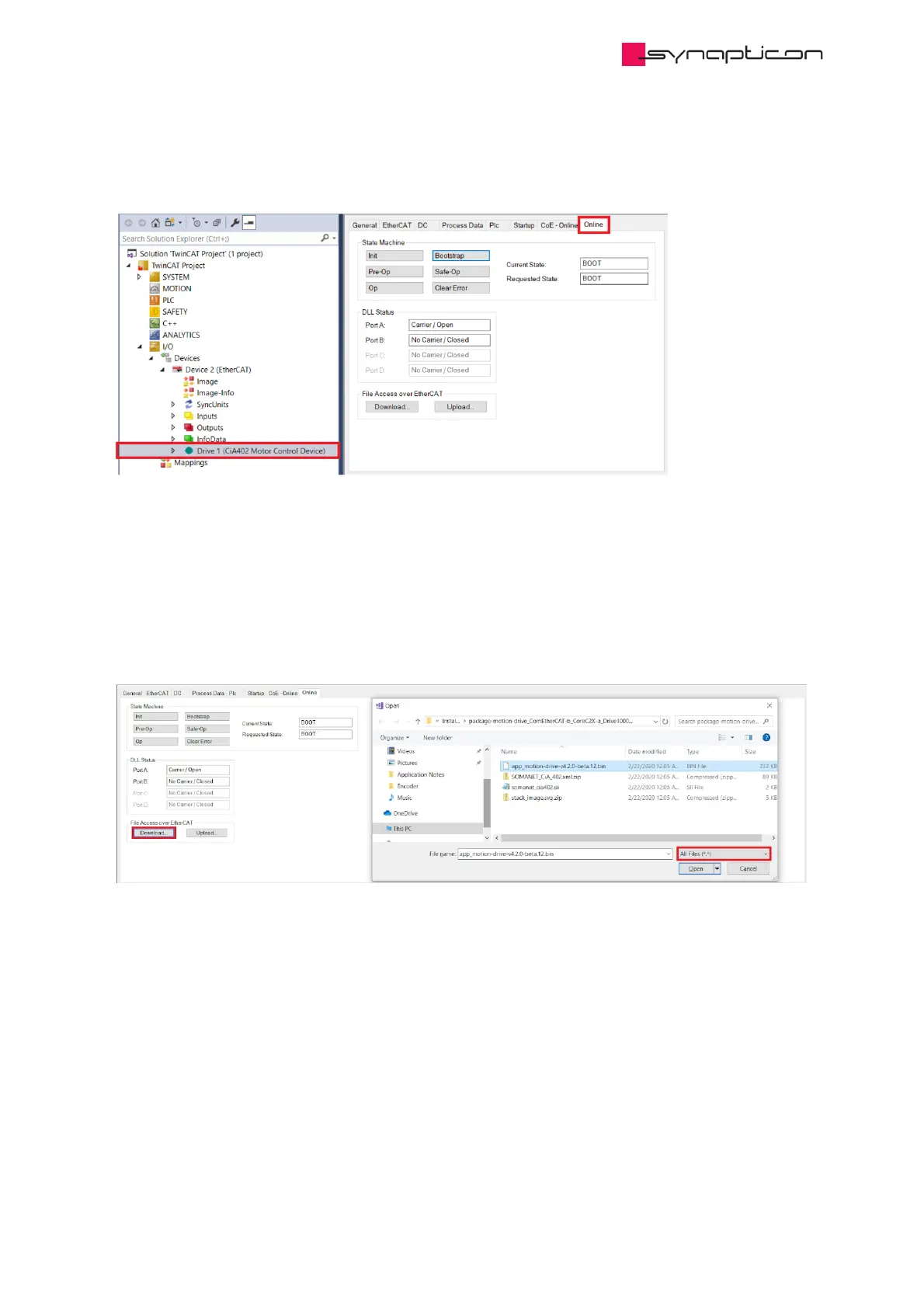
2. Switch the drive EtherCAT state to BOOT. In TwinCAT 3, the access (clicking “Bootstrap”) can be found as
shown in Figure 2 together with the FOE access.
Figure 2: Accessing the slave operation in TwinCAT 3
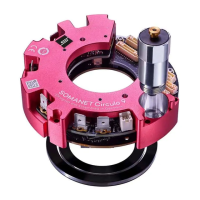
3. In BOOT state, upload the firmware binary file to the drive memory through FOE, with the FOE name
edited as “app_xyz.bin”. In TwinCAT 3 the operations are shown in Figure 3-4.
This prompts the bootloader to flash the firmware.
Figure 3: Choose the file to be uploaded to the slave



 To Next Page