1.2.2.3.2.2.1 Starting the Internal Encoder Calibration
Download and install a special calibration version of the firmware (x.y.z-calibration) which can be found in
the Update firmware section of OBLAC Drives.
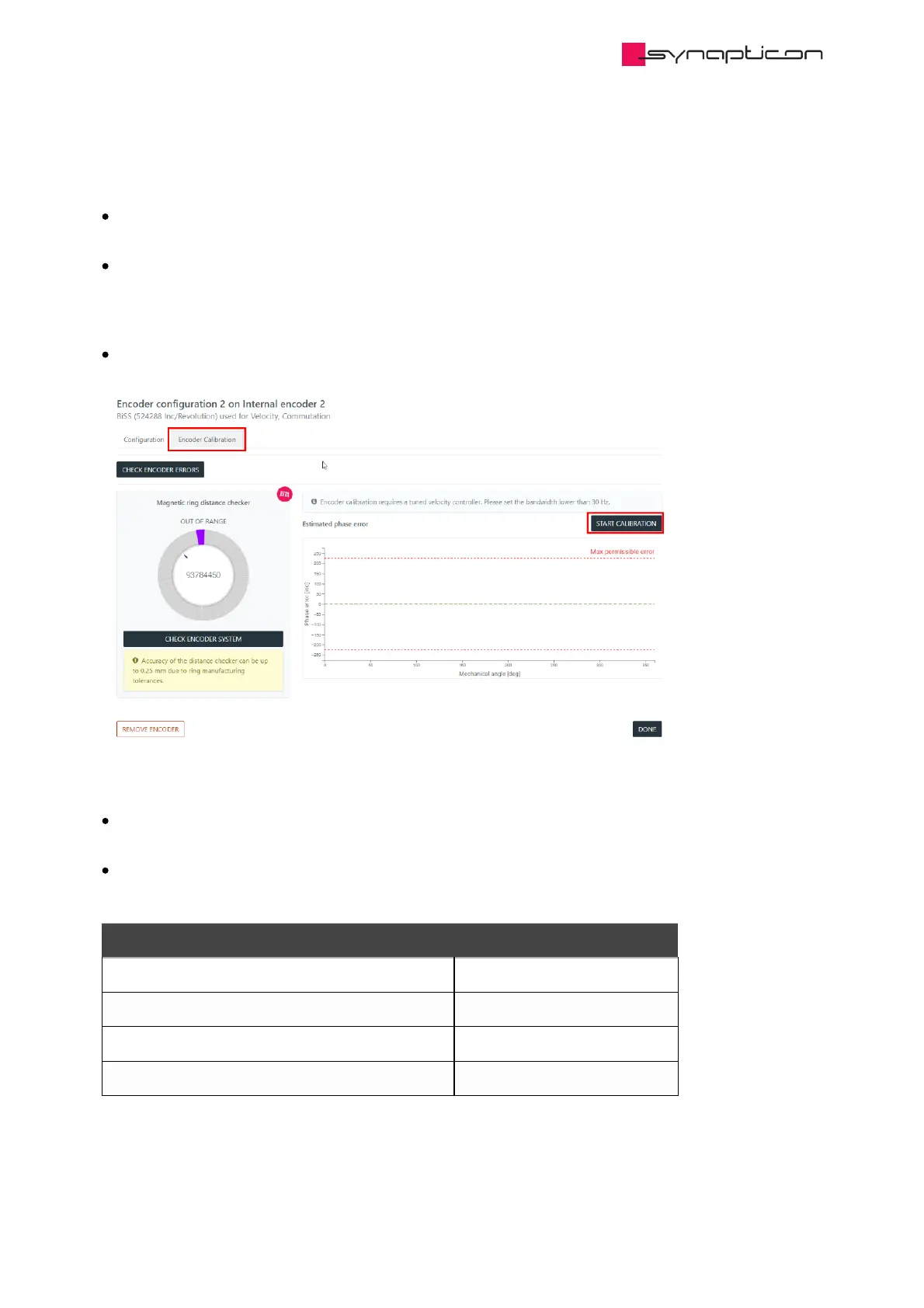
In order to reliably execute the calibration procedure, the velocity should be tuned softly. Go to the
velocity tuning section and set the Bandwidth slider lower than 30 Hz (the changed parameters will not be
saved to the Drive memory). Make sure the velocity control mode is functional by running some slow
motion profile: the rotor doesn’t stop during motion and doesn’t vibrate due to overturning.
Go to the encoder configuration of the motor shaft encoder and open the Encoder Calibration tab.
The calibration requires mechanical rotation of the motor with an attached encoder (see table below).
The encoder will perform several revolutions in the positive direction and then will return to the original
position. This will be repeated several times.
Each iteration requires approximately 10 seconds.
Motion during calibration:
Encoder Revolutions, speed
Circulo 7, Internal encoder 1 (Inner ring) max 2 revolutions,15 RPM
Circulo 7, Internal encoder 2 (Outer ring) max 19 revolutions, 180 RPM
Circulo 9, Internal encoder 1 (Inner ring) max 2 revolutions, 15 RPM
Circulo 9, Internal encoder 2 (Outer ring) max 10 revolutions, 90 RPM



 To Next Page