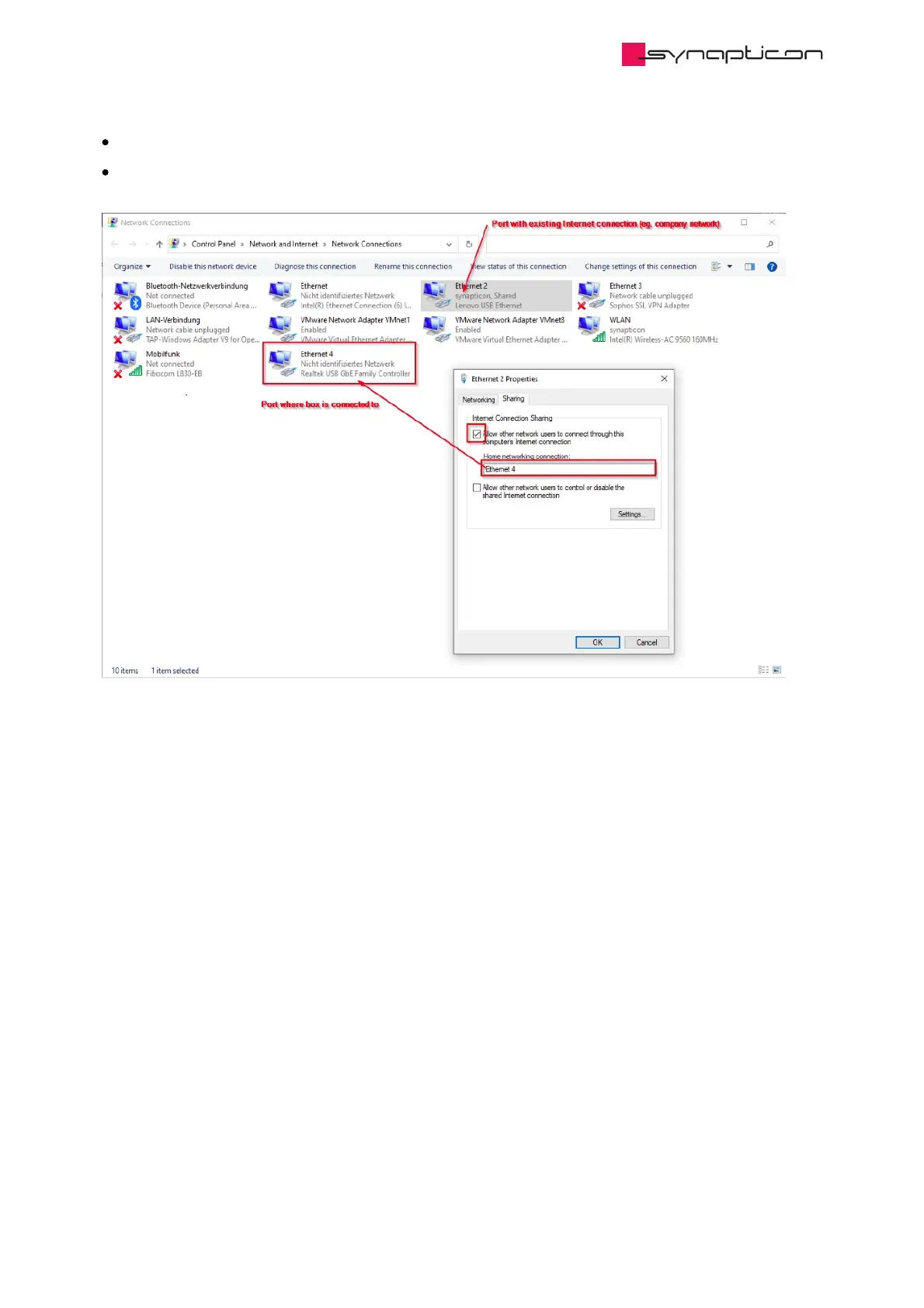
Enable the first check box.
Select the Ethernet port your OBLAC box is connected to.
Now you can connect to the box and open OBLAC drives out of the browser by connecting to http://oblac-
drives-xxxxxxxx.local. You find the box specific address on the label on your box.
The first time after activating the ICS, it might take up to one minute till the bridging is done and you can
connect to OBLAC drives.
The ICS is not working if the IP-address is manually set to a fixed address in the PC. Please ensure that the
port is configured to “obtain IP address automatically”.



 To Next Page