Setting and resetting of password
133
Chapter 5
1
2
3
4
5
6
7
8
9
10
11
10. Setting and resetting of password
10-1. To change password (Functional Limit of Password)
The password is set to "0000" at shipment.
When you forget the password, install the software. The password will return to "0000". Regarding software
installation, refer to the separate "System Handling Manual".
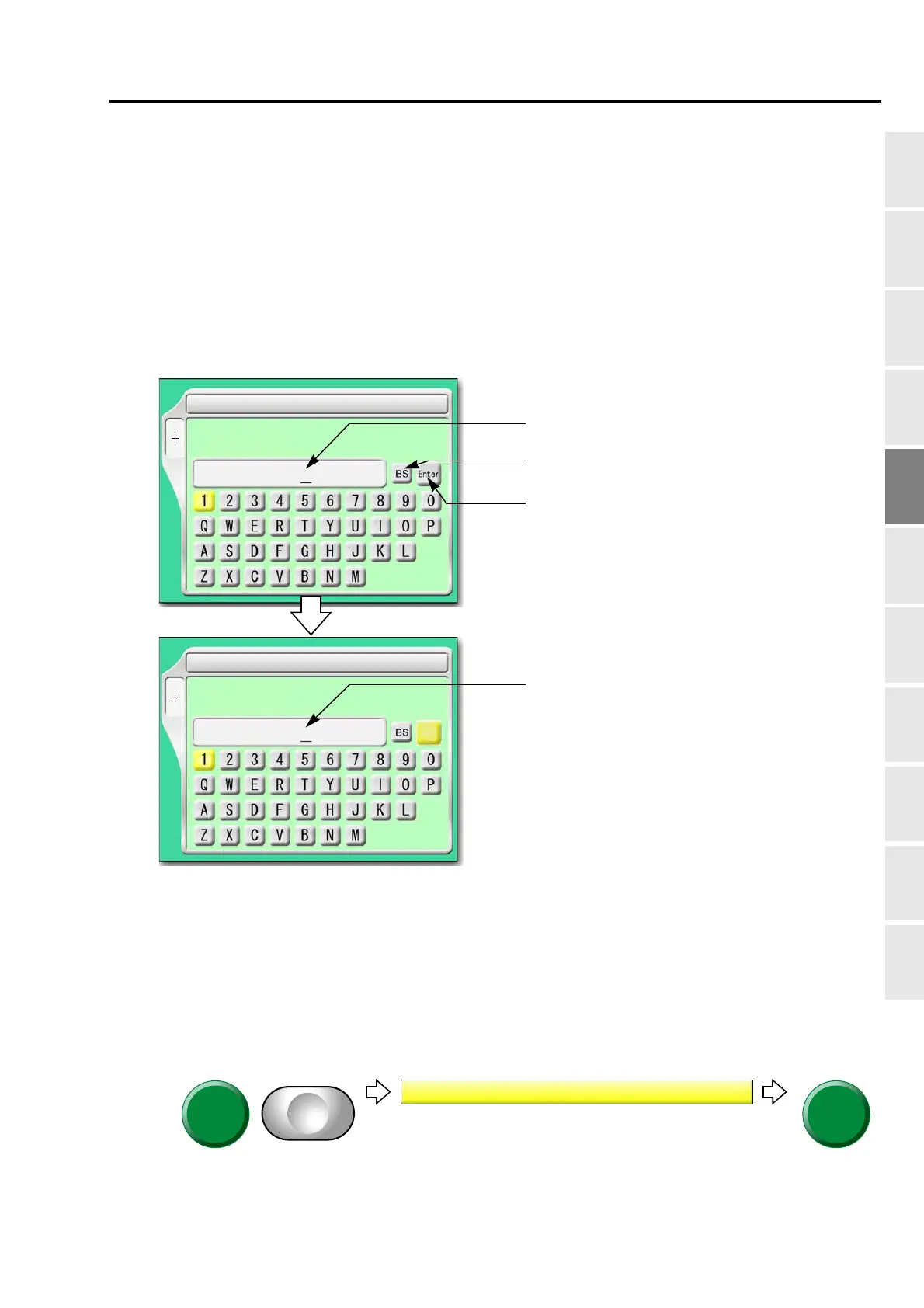
10-1-1. Screen
10-1-2. How to operate
The following is an example that the password is changed from "0000" to "ZY98".
(1) Set to main screen.
(2) Press F1 key while pressing SET key, and press SET key further.
SET
1 Password (Functional Limit)
F1
Password:
Return the cursor or delete the character.
Determine the input character and numeric value.
Inputting column of current password
SET
1 Password (Functional Limit)
F1
New Password:
Inputting column of password after change
Enter
(4 to 8 characters)
(4 to 8 characters)
)
1 Password (Functional Limit)



 To Next Page