Functions concerning optional device
209
Chapter 8
1
2
3
4
5
6
7
8
9
10
11
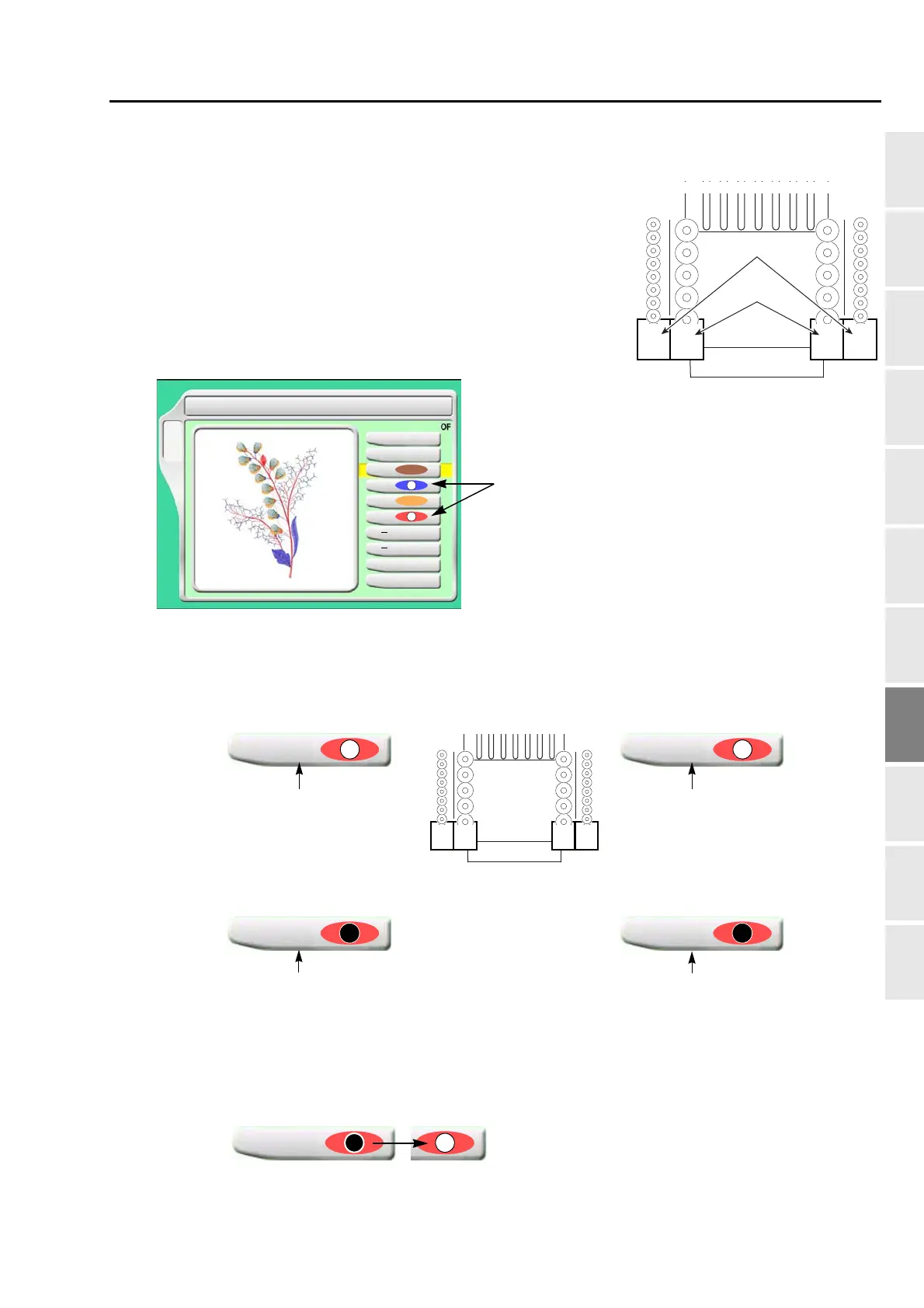
3-3. To change color by using DST design in sequin III (Needle bar selection)
This setting enables color change on Sequin device III
(corresponding to sequin code Sequin_O and Sequin_O_2) by
using DST design (corresponding only to sequin code
Sequin_O) that is originally used for single color. After inputting
data of DST design, sequin code (Sequin_O) will be allocated to
"1" in the right figure. It is possible to switch "1" and "2" in unit of
step by this operation.
3-3-1. Explanation on the screen
[a] Setting example of color change
When saving data after change to the USB memory, display of "Needle Selection" on the
operation panel will be switched as shown below figure. At the same time, the design data (the
machine memory) will be also edited automatically, and sequin code in the design will switch
from "Sequin_O" to "Sequin_O_2".
Sequin_O
Sequin_O_2
1212
Left side Right side
2 Needle Bar Selection
1
2
3
4
5
6
5
B
1
8
1
[a]
Setting for color change of device
Left side
In case of sewing by left side
device "1"
Left side
In case of sewing by left side
device "2"
4
12
Select the last
needle
4
12
Select the last needle
Right side
In case of sewing by left side
device "1"
Right side
In case of sewing by left side
device "2"
4
1
Select the first
needle
4
1
S
elect the first
needle



 To Next Page