Screen display
28
Chapter 3
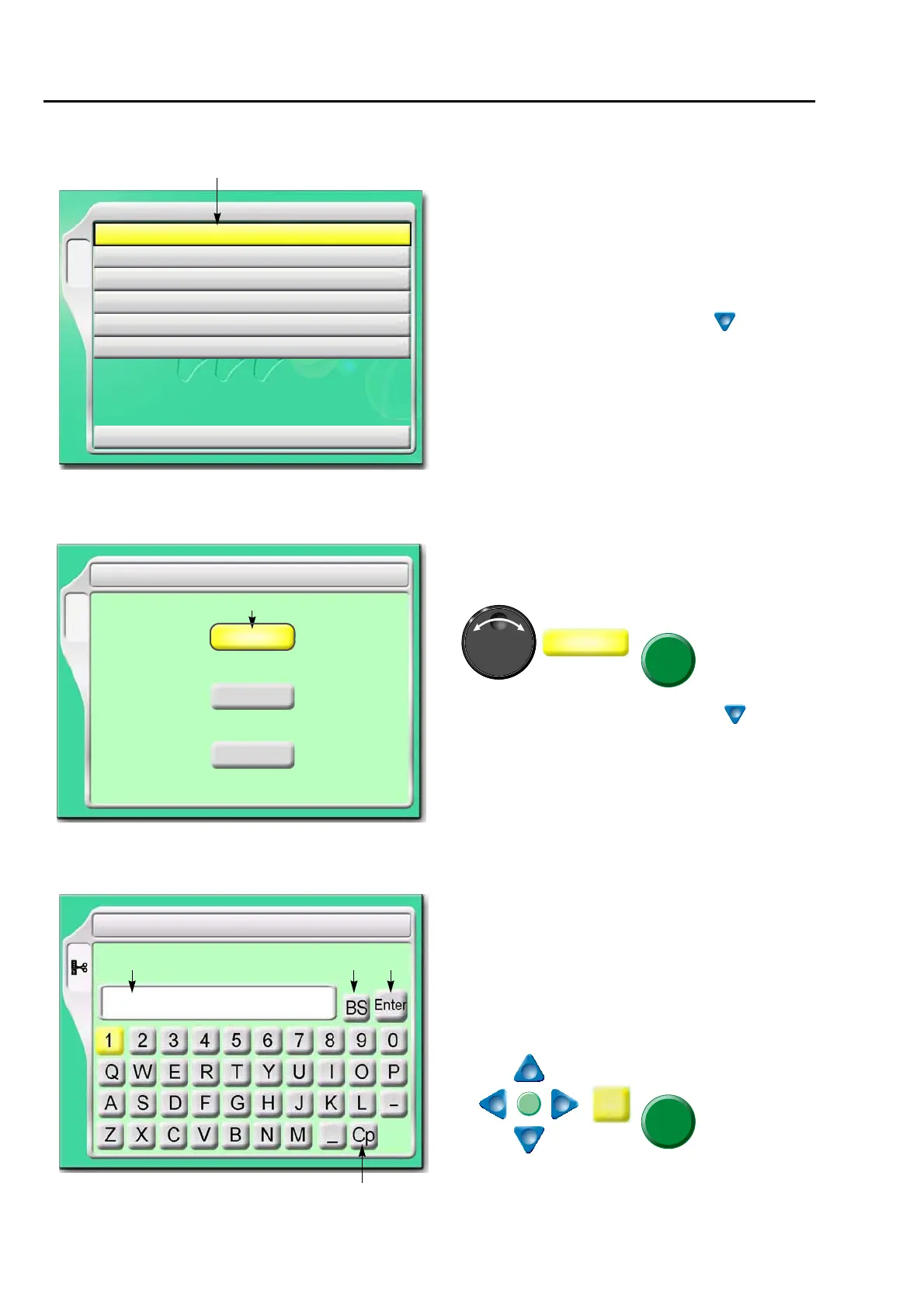
1-2. List screen
1-3. Setting screen
1-4. Character/numeric value input screen
The screen shown left will be displayed if B key is
pressed.
1. Cursor
Selected item will be displayed in yellow.
To lower the cursor, press B key or
Pressing [SET] will switch to "Setting screen".
B
YES
1 Auto Color Change (AC) / Auto Start (AS)
2 Needle Bar Selection
3 Data Conversion
4 Repeat
5 Automatic offset
6 A.S. after Auto Data Set
10 Needle Bar Color
1
1. Select YES/NO by using the jog dial and press
SET key.
To lower the cursor, press set key or .
To return the screen, press E key.
6(7
B
AC YES/NO
AS YES/NO
YES/NO
NO
NO
NO
1
1 Auto Color Change (AC) / Auto Start (AS)
Same Color(AS)
1. File name (up to 8 characters)
2. Return the cursor or delete the character.
3. Determine the input character and numeric
value.
4. Switching of large letter/small letter
[How to input]
After finishing input, press Enter and SET key.
6(7
6 Changing design name
G0012
1 2 3
4



 To Next Page