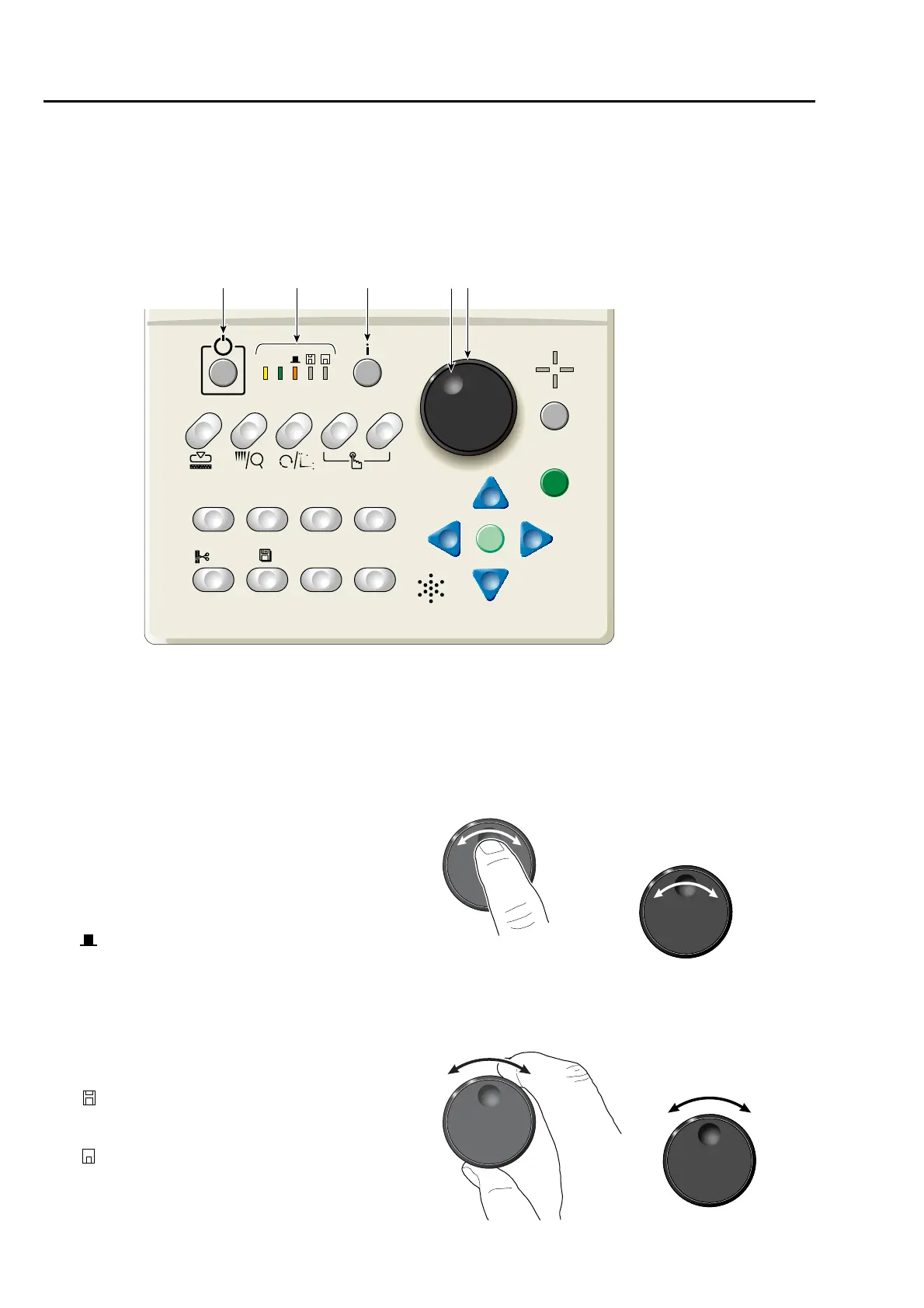
2. How to use each part
2-1. Operation panel
2-1-1. Front
3. Design confirming mode key (i key in this manual)
(→p.29)
It is possible to check the detail of the design to be
embroidered from now.
4. Jog dial
Move the frame at low speed.
5. Jog shuttle
Move the frame at high speed.
1. Sleep mode key(→p.22)
Switch to power save mode. To release, press
this key again.
2. Condition of the machine
AS (Auto Start)
To perform: Lit
Not to perform: Unlit
FB (frame back / foward)(→p.69)
Frame Back: Lit
Frame Forward: Unlit
(Main shaft stop position)
Fixed position: Lit (normal)
Other than the fixed position: Unlit
(abnormal)
Lower dead point, or main shaft brake
"NO": Blinking
(FDD)
Not used currently
(USB port)
During operation: Lit
12 534



 To Next Page