To turn ON the power
36
Chapter 4
1-2. To turn ON the power
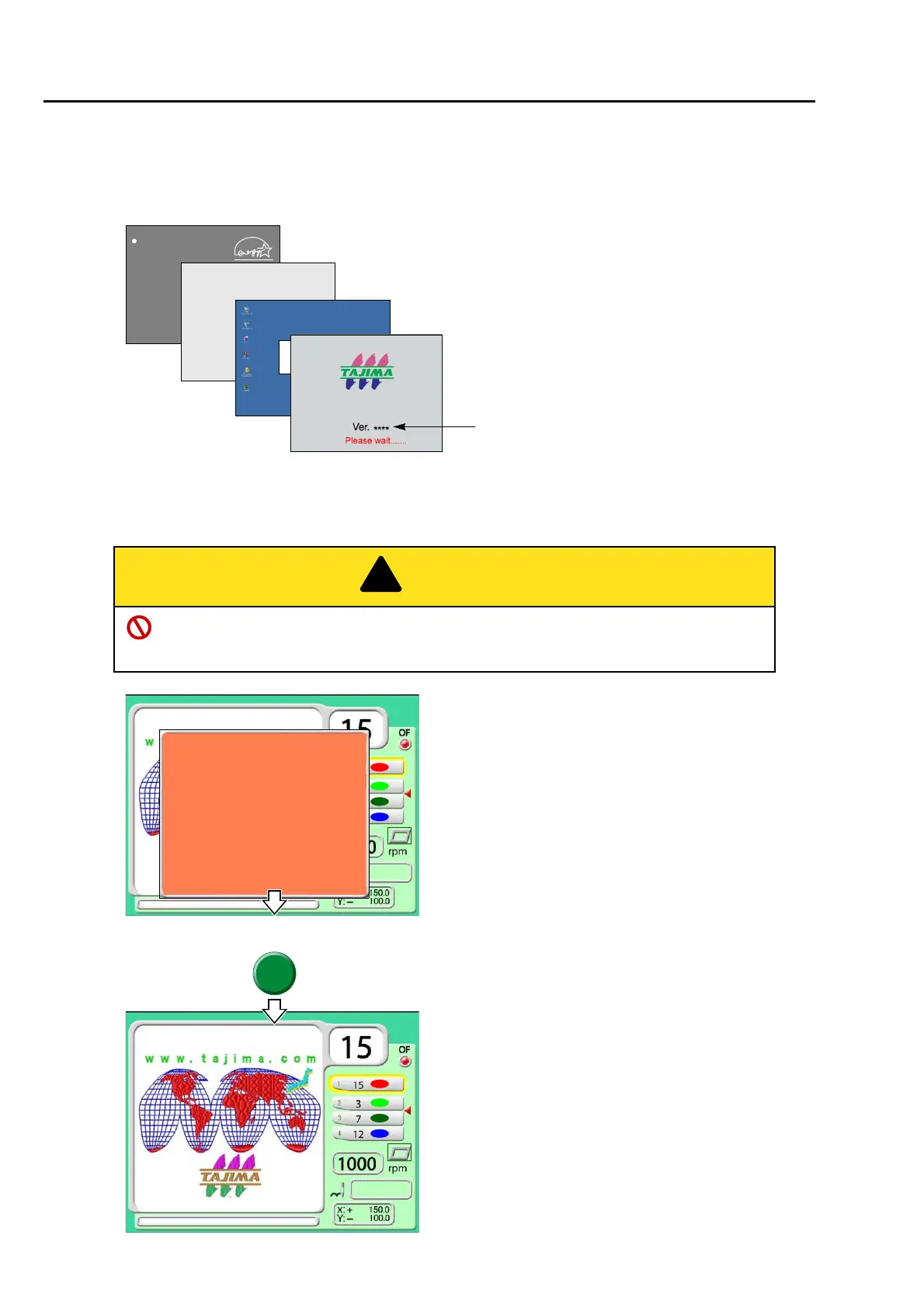
(1) After turning on the power, the screen will switch as the figure below. Wait for a while until the power
starts up.
(2) When the power starts up, the following message will appear. Then, press SET (this message will not be
displayed in L-spec. machine).
When performing this operation, do not put your hands etc. on the machine table. Moving
frame could injure you.
Award modular BIOS ********
***************
***************
***************
***************
***************
Press DEL to set up
*********************
Software version installed in the machine will
be displayed.
>> Now System Loading...40[%]!!
Windows CE.net
Microsoft
T*MX-C
Press SET.
The frame will move and return to the original position.
TAJIMA_W 14117
0
Frame origin memory
"YES">>SET
This operation is to grasp accurately the frame
position and it is displayed every time when the power
is turned ON.
This message will be displayed only when "Frame
Origin Memory with the power-ON" is set to "YES".
(→p.160)
When you do not want to display this message, set to
"NO".
TAJIMA_W 14117
0
Main screen
is executed
Frame origin memory
is executed.
"YES" >> SET



 To Next Page