Decision of an embroidery design and the color change sequence
53
Chapter 4
1
2
3
4
5
6
7
8
9
10
11
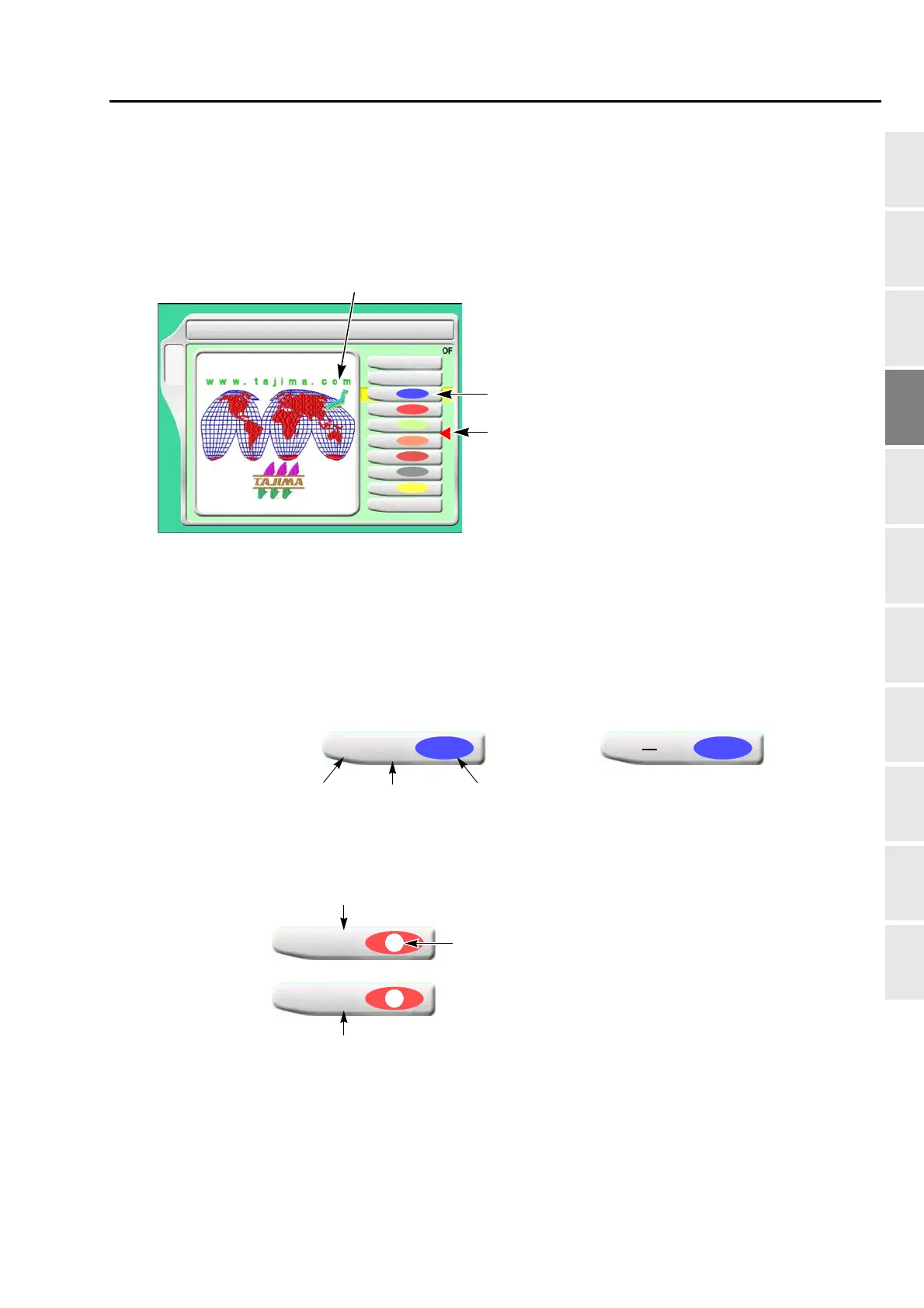
4-2. To decide color change sequence (Needle Bar Selection)
This setting is unnecessary when the color change sequence is already included as the condition data in the
design to be embroidered from now.
4-2-1. Screen
[a] Design (data set design) to be embroidered from now
[b] Step
The section divided by a color change code in the design data. The first section is called step 1,
and the next section is called step 2.
Step display differs depending on with/without setting of "Auto Color Change (AC)".
When Sequin device III is mounted, the following display will appear.
[c] Offset mark
The illustrated example shows that the frame moves to the front after finishing of step 3.
(→p.167)
However, to move the frame, the setting of "Automatic Offset" is necessary.(→p.165)
2 Needle Bar Selection
1
2
3
4
5
6
5
B
7
9
1
3
2
6
4
[a]
[c]
[b]
1
5
Step No.
Needle bar No.
Setting color of needle bar
The color can be changed per each needle bar.(→p.137)
With setting Without setting
2
1
When sewing with the right device
2
9
When sewing with the left device
Replace Sequin 1 and 2.(→p.209)
(An example of 9-needle machine)



 To Next Page