
 Need help?
Do you have a question about the VBrick dme and is the answer not in the manual?
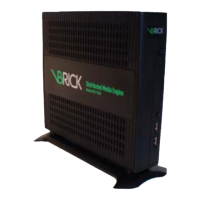
Describes the Vbrick Distributed Media Engine (DME) system and its capabilities.
Lists the various applications supported by the DME.
Details the key features and benefits of the DME.
Lists the network protocols supported by the DME.
Describes the different DME server models available.
Describes the option to install DME software on customer hardware.
Details the DME Software Development Kit (SDK).
Lists DME compatibility with other Vbrick products.
Defines terms used throughout the document.
Provides an overview of the DME installation process.
Explains the core functions and operation of the DME.
Guides the planning and considerations for DME deployment.
Details the major system components of the DME.
Describes the DME's RTP, Multi Protocol, and HTTP servers.
Describes the DME's VC Gateway solution.
Details the Video on Demand servers and supported file types.
Explains the FTP server for populating VOD files.
Describes the internal web server for caching and serving VOD.
Discusses options for extending DME storage space.
Provides an overview of DME streaming capabilities.
Details how stored VOD files are served by the DME.
Explains how the DME pushes live streams to destinations.
Details how the DME pulls live streams from sources.
Explains the process of converting stream formats without re-encoding.
Explains the process of changing stream bit rate or resolution.
Describes the VBAdmin web-based management interface.
Provides instructions for logging into the DME.
Instructions for logging out of the DME interface.
Details the end user license agreement for Vbrick software.
Provides instructions for registering the DME.
Explains how to activate features on the DME.
Explains the function of common UI buttons.
Instructions for resetting the DME appliance.
Information on how to access the DME's online help system.
Overview of the DME's current status indicators.
Details software versions and installed licenses.
Explains system load and throughput metrics.
Monitors the DME's CPU usage status.
Monitors the DME's memory and swap status.
Reports disk usage and health status.
Provides a historical view of DME health measures.
Graph showing HTTP/S traffic through the caching engine.
Provides insights into local DME cache usage.
Monitors the DME's aggregated CPU usage.
Accessing various DME configuration parameters.
Shows the most common input and output streams supported by the DME.
Details the main components of the DME system.
Describes the DME's RTP, Multi Protocol, and HTTP servers.
Summarizes typical input and output stream use cases.
Lists the default listeners configured on the DME.
Details the various types of input streams for the DME.
Configures RTMP push as an input stream.
Configures the encoder for RTMP push to the DME.
Configures RTP auto unicast as an input stream.
Configures Transport Stream (TS) as an input stream.
Configures RTMP pull as an input stream.
Configures RTSP pull as an input stream.
Configures Unicast/Multicast RTP as an input stream.
Configures RTMP serve as an output stream.
Configures Transport Stream serve output via RTSP.
Configures RTP serve as an output stream.
Configures RTP serve as an output stream.
Configures Transport Stream push as an output stream.
Creates HLS streams for Apple devices.
Configures RTP relay for multicast or unicast streams.
Configures RTMP push as an output stream.
Configures RTP push via RTSP.
Configures RTP push via RTSP.
Serves various file types via progressive download.
Configuration options for HLS streams.
Configuration options for HDS streams.
Configures the DME's network settings.
Configures the Fully Qualified Domain Name (FQDN) for the DME.
Manages SSL certificates for secure communication.
Configures the primary IPv4 network interface.
Configures additional IPv4 network interfaces.
Configures Network Address Translation (NAT) settings.
Configures the Domain Name Server (DNS) settings.
Synchronizes DME's time with a network time server.
Configures proxy settings for HTTP/S traffic.
Configures various network ports used by the DME.
Configures security settings like SSH, FTP, and VBAdmin access.
Configures SNMP settings for network management.
Configures general system settings like name and location.
Accesses system maintenance functions like shutdown and reset.
Configures login messages and banners for the DME.
Configures the system time and timezone.
Instructions for resetting the DME appliance.
Configures streaming constraints and parameters.
Sets the maximum number of RTP connections allowed.
Sets the maximum number of multi-protocol connections.
Sets the maximum throughput for the RTP server.
Sets the maximum throughput for the multi-server.
Sets the RTP buffer length for stream delivery.
Sets the RTCP timeout for connections.
Sets the default authentication scheme.
Configures differentiated services for Quality of Service (QoS).
Configures cache system usage levels.
Adjusts the number of caching workers.
Reflects Akamai streams for Rev VC Live Webcast.
Overview of the DME's caching functionality.
Configuration for mesh caching with Rev.
Manages DME configuration settings like defaults and backups.
Standalone or VEMS caching configuration.
Sample network diagram for multiple DME configurations.
Sets the default parent for the Mystro server.
Enforces secure HTTPS communication between DME and parents.
Configures specific parents for different content types.
Configuration options for Apple HLS streams.
Configuration options for Smooth Streaming.
Configuration options for Adobe HDS.
Configuration options for MPEG DASH.
Configuration options for WM Session Files.
Configuration options for MPEG Multicast Session Files.
Configures alternate sources for caching.
Configures HLS CDN reflection.
Rules for operating within the DME mesh architecture.
Standalone or VEMS caching configuration.
Sample network diagram for multiple DME configurations.
Sample network diagram for multiple DME configurations.
Sample network diagram for multiple DME configurations.
Sample network diagram for multiple DME configurations.
Sets the default parent for the Mystro server.
Enforces secure HTTPS communication between DME and parents.
Configures specific parents for different content types.
Configuration options for Apple HLS streams.
Configuration options for Smooth Streaming.
Configuration options for Adobe HDS.
Configuration options for MPEG DASH.
Configuration options for WM Session Files.
Configuration options for MPEG Multicast Session Files.
Configures alternate sources for caching.
Configures HLS CDN reflection.
Rules for operating within the DME mesh architecture.
Standalone or VEMS caching configuration.
Manages DME configuration settings like defaults and backups.
Manages SSL certificates for secure communication.
Generates a certificate request for a Certificate Authority (CA).
Configures the Fully Qualified Domain Name (FQDN) for the DME.
Configures SAN/iSCSI connections for storage expansion.
Explains how to activate DME features.
Explains how to activate DME features.
Configures the DME to interface with Rev.
Ingests content into the Vbrick Rev system using EdgeIngest.
Specifies file types needed for bulk video uploads.
Provides formatting notes for JSON metadata files.
Starts the bulk video upload process to Rev.
Monitors the status of bulk video uploads to Rev.
Details the types of announcements available for DMEs.
Configuration for management SAP announcements.
Configuration for live stream announcements.
Accesses the announcement configuration fields.
Details the fields for Management SAP configuration.
Details the fields for Announce SAP configuration.
SAP configuration for unannounced streams.
Configures Flash and RTSP streams to pull into the DME.
Details how to create and manage RTP playlists.
Steps to create or edit an RTP playlist.
Configures transport stream inputs to the DME.
Details the capabilities of MPG2TS streams.
Configures HLS streams to pull into the DME.
Prepares HLS streams for pulling into the DME.
Illustrates use cases for DME HLS streams.
Configures Flash push as an output stream.
Configures Flash multicast as an output stream.
Steps to create or edit an RTP relay.
Overview of RTP relay functionality.
Configures RTSP push as an output stream.
Configures transport stream outputs from the DME.
Configures HLS streaming output.
Configures segment creation time for HLS/HDS streams.
Tunes latency for HLS and HDS streams.
Configures automatic detection for HLS segments.
Conventions for creating HLS playlists.
Configures HDS streaming output.
Input stream used for HLS content generation.
Master playlist name for HLS stream groups.
Program name for SAP announcements.
Overrides stream bandwidth information for HLS/HDS.
Defines how DME handles generated HLS/HDS segments.
Number of segments to include in a playlist.
Length of media segments, affecting latency.
Changes administrator username and password for DME and FTP.
Changes readonly user credentials.
Configures stream input authentication credentials.
Displays the current stream input authentication username.
Overview of the VC Gateway functionality.
Known issues and limitations of the VC Gateway.
Lists compatible vendors and products for VC Gateway.
Configures VC Gateway stream settings.
How to deliver VC Gateway streams.
Details playback of VC Gateway streams.
Integration between VC Gateway and VEMS Mystro.
Known issues and limitations of the VC Gateway.
Configures incoming lines for VC Gateway calls.
Steps to create or edit an incoming VC Gateway line.
Identifies the videoconferencing destination endpoint.
Sets the maximum duration for a VC Gateway call.
Sets the desired video encoding resolution.
Sets the packetization mode for incoming/outgoing streams.
Sets the interval for IDR frames.
Sets the audio bit rate for VC Gateway streams.
Activates or deactivates a VC Gateway line.
Configures destination RTP relay for VC Gateway.
Sets the title for recorded VC Gateway streams.
Sets the description for recorded VC Gateway streams.
Sets keywords for recorded VC Gateway streams.
Automatically records VC Gateway calls to Rev.
Specifies the Rev user for recorded streams.
Sets Rev categories for recorded streams.
Automatically records VC Gateway calls to VEMS.
Specifies the VEMS Mystro user for recorded streams.
Sets the VEMS Mystro password for recorded streams.
Sets VEMS categories for recorded streams.
Adds a link to VEMS reference material.
Steps to create or edit an outgoing VC Gateway line.
Sets the page refresh interval for line status.
Configures the name for a VC Gateway line.
Displays the current state of a VC Gateway line.
Edits an existing VC Gateway line.
Deletes a VC Gateway line.
Controls placing or hanging up VC Gateway calls.
Records VC Gateway streams to VEMS Mystro.
Resets VC Gateway lines to default settings.
Identifies the videoconferencing destination endpoint.
Configures the IP address of a proxy server.
Automatically initiates a call when enabled.
Sets the DME's IP, host, or domain for line identity.
Shows the total number of available lines based on license.
Sets the SIP call RTSP port.
Determines the number of incoming lines available.
Determines the number of outgoing lines available.
Automatically activates newly created incoming lines.
Automatically calls newly created outgoing lines.
Sets the desired video encoding resolution.
Sets the interval for IDR frames.
Sets the audio bit rate for streams.
Sets the log level for VC Gateway diagnostics.
Sets the maximum number of log files stored.
Sets the maximum file size for log files.
Configures the never hang up option for calls.
Sets the maximum duration for incoming calls.
Sets the maximum duration for outgoing calls.
Configures SIP registration for VC Gateway lines.
Sets the audio welcome prompt for VC Gateway calls.
Sets the VEMS Mystro address for recorded streams.
Configures the Set Top Box connector for Rev integration.
Shows information about discovered MF-STBs.
Toggles the display of the last STB report.
Navigates to Rev interface communication logs.
Manually refreshes the list of discovered STBs.
Filters the list of found STBs.
Displays the STB's IP address.
Displays the STB's host name.
Displays the STB's model.
Displays the STB's software version.
Displays the date and time of the last STB report.
Displays the status of the STB.
Enables and configures error and access history logging.
Monitors MultiProtocol Server (MPS) connections.
Monitors RTP connections to the DME.
Shows information about connected users.
Shows the status of all defined relays.
Shows the history of accessed files.
Shows the history of DME upgrade activity.
Displays status messages and errors.
Logs user login activity to the DME.
Shows the status of files ingested from Rev.
Performs system maintenance functions.
Restarts the streaming service on the DME.
Clears the DME's cache of HTTP traffic.
Removes active streams (use with Vbrick Support).
Shows the status of existing and new disks.
Provisions new disks for storage expansion.
Configures SAN/iSCSI connections for storage.
Captures network traffic for troubleshooting.
Performs ping tests to check network reachability.
Performs traceroute tests to check network routes.
Runs diagnostics on caching features.
Advanced debugging settings for caching.
Overview of how to play DME streams.
Plays RTSP/RTP streams using various players.
Plays multicast RTP streams using SDP files.
Plays HLS streams on iOS devices.
Plays transport streams.
Plays streams using a Flash client.
Overview of multicast relay use cases.
Configures a multicast relay with a unicast source.
Configures a multicast relay with an auto-unicast source.
Sets up the DME for configuring relays.
Installs periodic security updates for the DME.
Manages disk space and monitors usage.
Saves and restores DME configuration settings.
Configures Vbrick encoders to stream to the DME.
Configures VBOSS for streaming to the DME.
Configures RMD to stream to the DME.
Configures RMS to stream to the DME.

 To Next Page
 General