RA_6360_6375_01 - EN 22
- Handlebar -
02.12 Replacing charging
socket
02.12.01 Removing charging
socket
02.12.02 Installing charging
socket
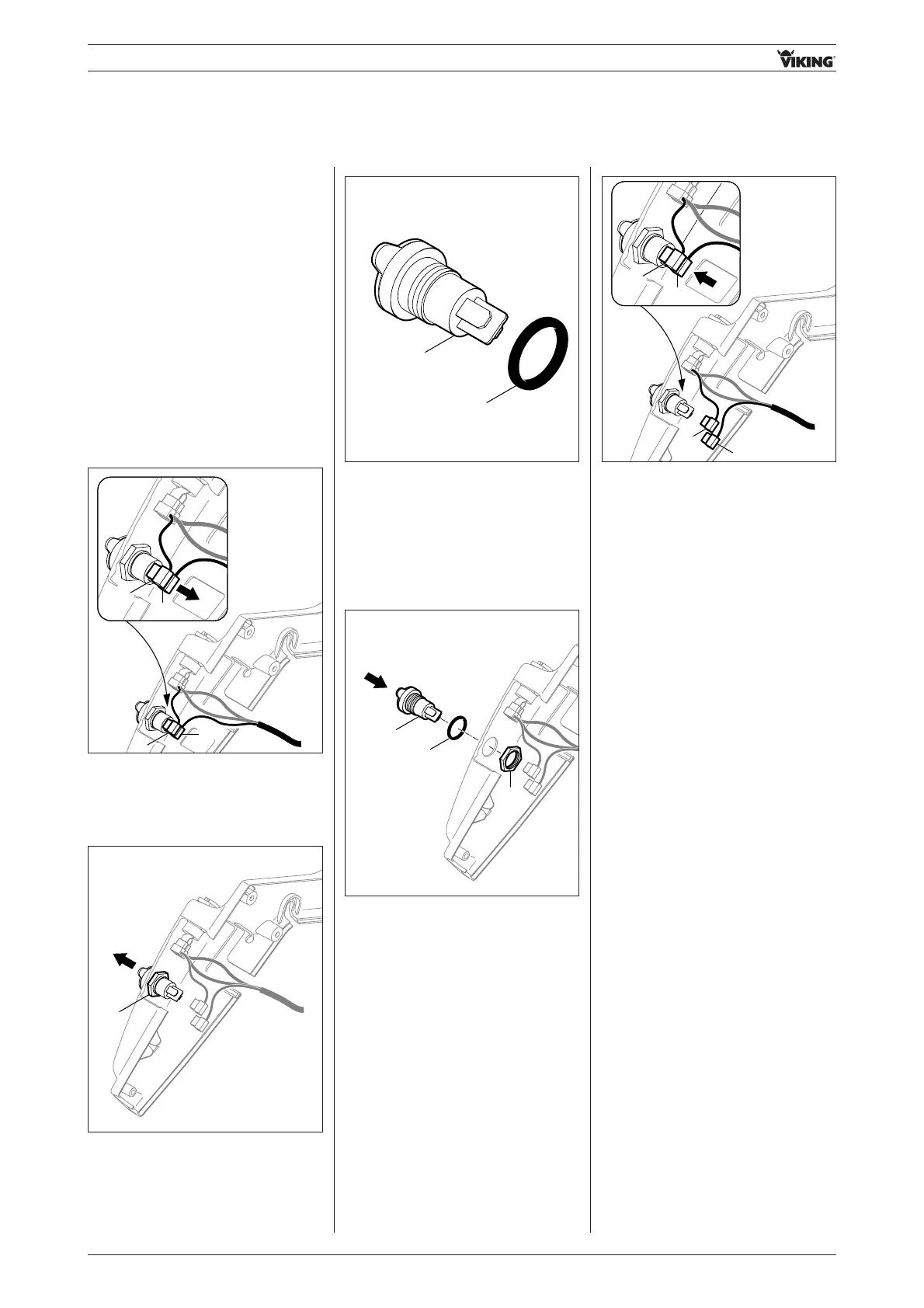
• Detach connection cables 1 (red), 2
(black).
- Remove inside left housing half
(see section 02.03.03)
- Attach inside left housing half
(see section 02.04.03)
- Disconnect battery
(see section 13.01.01)
- Connect battery
(see section 13.02.02)
• Remove nut 1 and remove charging
socket from housing half.
• Remove sealing ring 1 from
charging socket 2.
• Attach connection cables 1 (red),
2 (black) (polarity is indifferent).
• Fit sealing ring 1 onto charging
socket 2.
• Insert charging socket 2 from
outside through opening in housing
half.
• Tighten nut 3 (hand-tight, 1-2 Nm).


 To Next Page