RA_6360_6375_01 - EN
- Blade clutch -
- Remove blade mounting
(see section 11.01.01)
- Install blade mounting
(see section 11.01.04)
11.02 Replacing clutch
linings
11.02.01 Removing clutch
linings
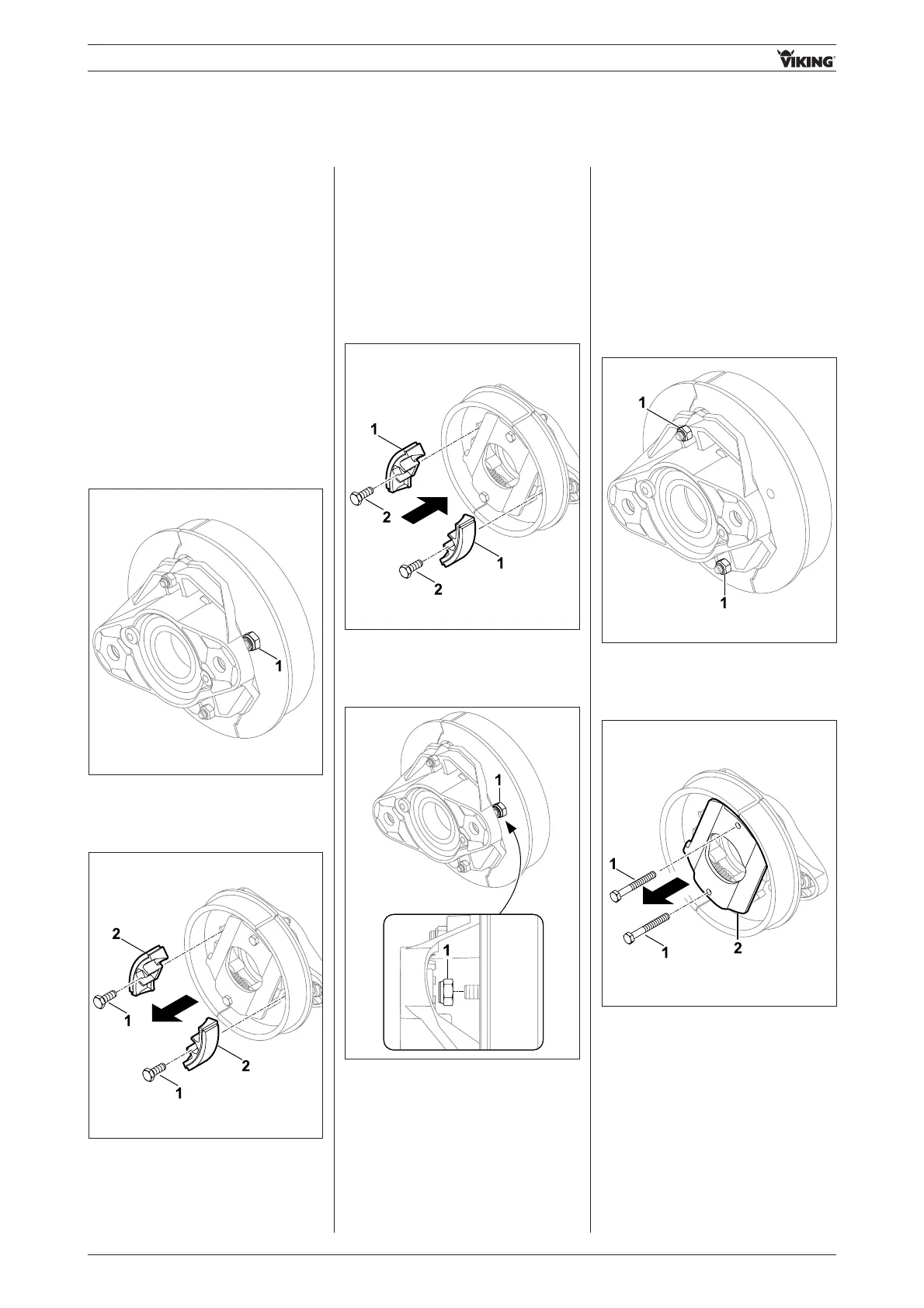
• Remove nuts 1.
• Remove clutch linings 1 together
with bolts 2.
11.02.02 Installing clutch
linings
• Install clutch linings 1, insert bolts 2.
• Tighten nuts 1 (10 Nm).
Note:
Always replace clutch linings in
pairs.
- Remove blade mounting
(see section 11.01.01)
11.03 Replacing stop plate
11.03.01 Removing stop plate
• Remove nuts 1.
• Pull out bolts 1, remove stop plate 2.
Note:
Always replace clutch linings in
pairs.
87


 To Next Page