Which mode the analyzer executes is determined by comparing the actual time the analyzer is ready
to the user set times: Time Continue and Time Restart.
⎯ Analyzer Ready is defined as the number of minutes from when the analyzer lost power until
the time the schedule is ready to run its first analysis for a given Schedule. This includes
analyzer boot time and time for oven(s) associated with the analysis to reach the low
temperature limit.
⎯ Continue Time is the user-defined time period, in minutes, in which the analyzer comes up in
Continue mode.
⎯ Restart Time is the user-defined time period, in minutes, in which the analyzer comes up in
Restart mode. Additionally, this mode allows assignment of a Clearing Analysis. The Clearing
Analysis is an optional analysis executed as the first analysis used to purge or condition the
system if the analyzer comes up in Restart mode. Each Schedule has only one Clearing
Analysis defined in that Schedule.
The Restart mode can be disabled by setting Time Restart to a value less than the value for Continue
Time. If the Restart mode is disabled, the Clearing Analysis is disabled.
If both values in the Power Failure Recovery Option are set to zero, the schedule restarts in an idle
mode. Upon recovery, the SBC compares the actual time to Analyzer Ready to the user-defined
values.
Modes are determined as follows:
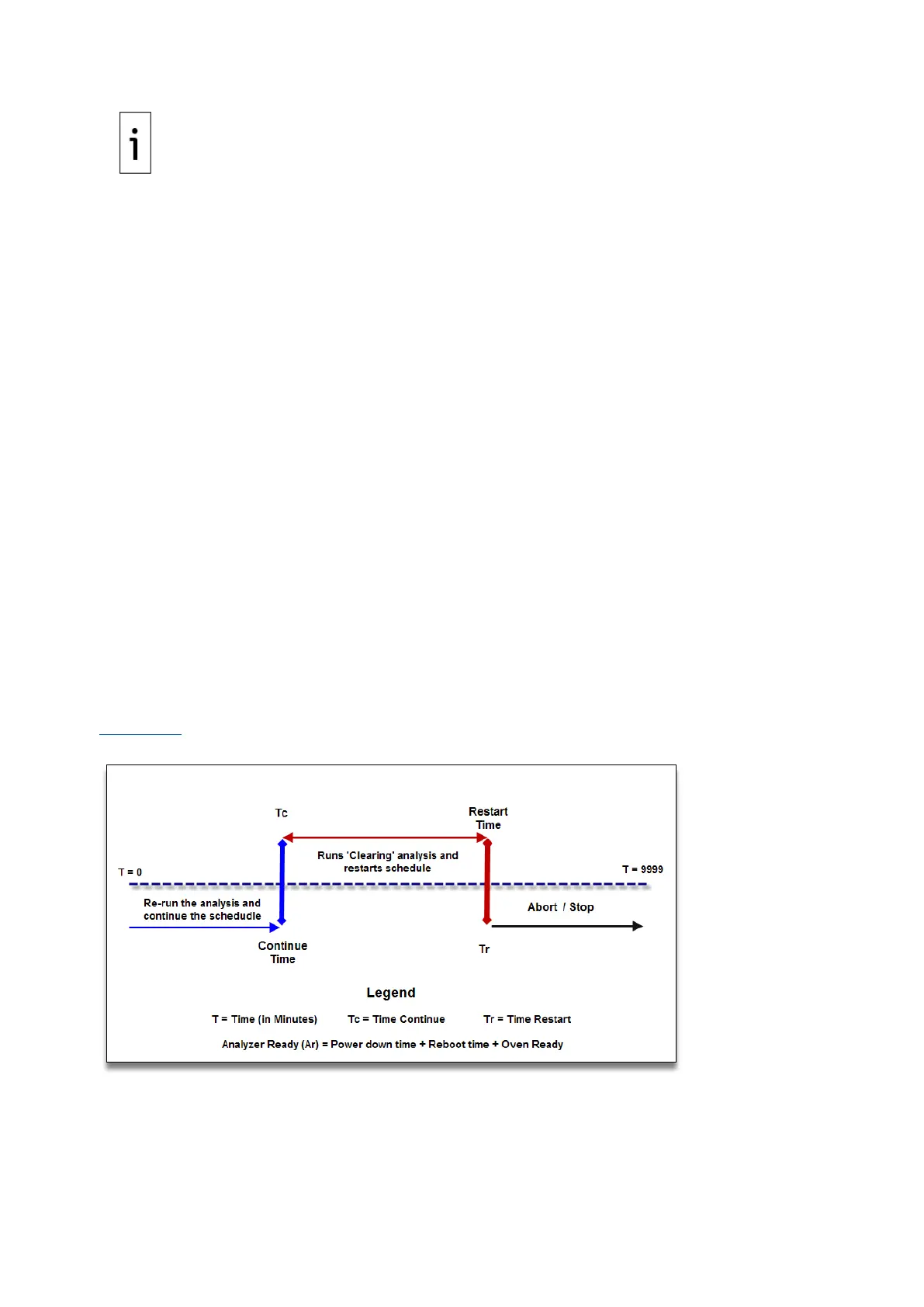
⎯ If the Analysis Ready time is less than the user-defined Continue Time, then the analyzer
comes up in Continue mode.
⎯ If the Analysis Ready time is less than Time Restart and Time to Ready is greater than
Continue Time, then the analyzer comes up in Restart mode.
⎯ If the Analysis Ready time is greater than Time Restart and Time Ready is greater than
Continue Time, then the analyzer comes up in Abort mode.
⎯ If the Analysis Ready time is greater than Continue Time and Time Restart is less than
Continue Time, then the analyzer comes up in Abort mode.
⎯ If the Time Continue and Time Restart = 0, then the Schedule comes up in the STOPPED/IDLE
state.
Figure 4-11 illustrates the determination of the schedule recovery modes.
Figure 4-11: Power Recovery Options



 To Next Page