892 J006 MNAH | PGC5000 G EN 2 | 73
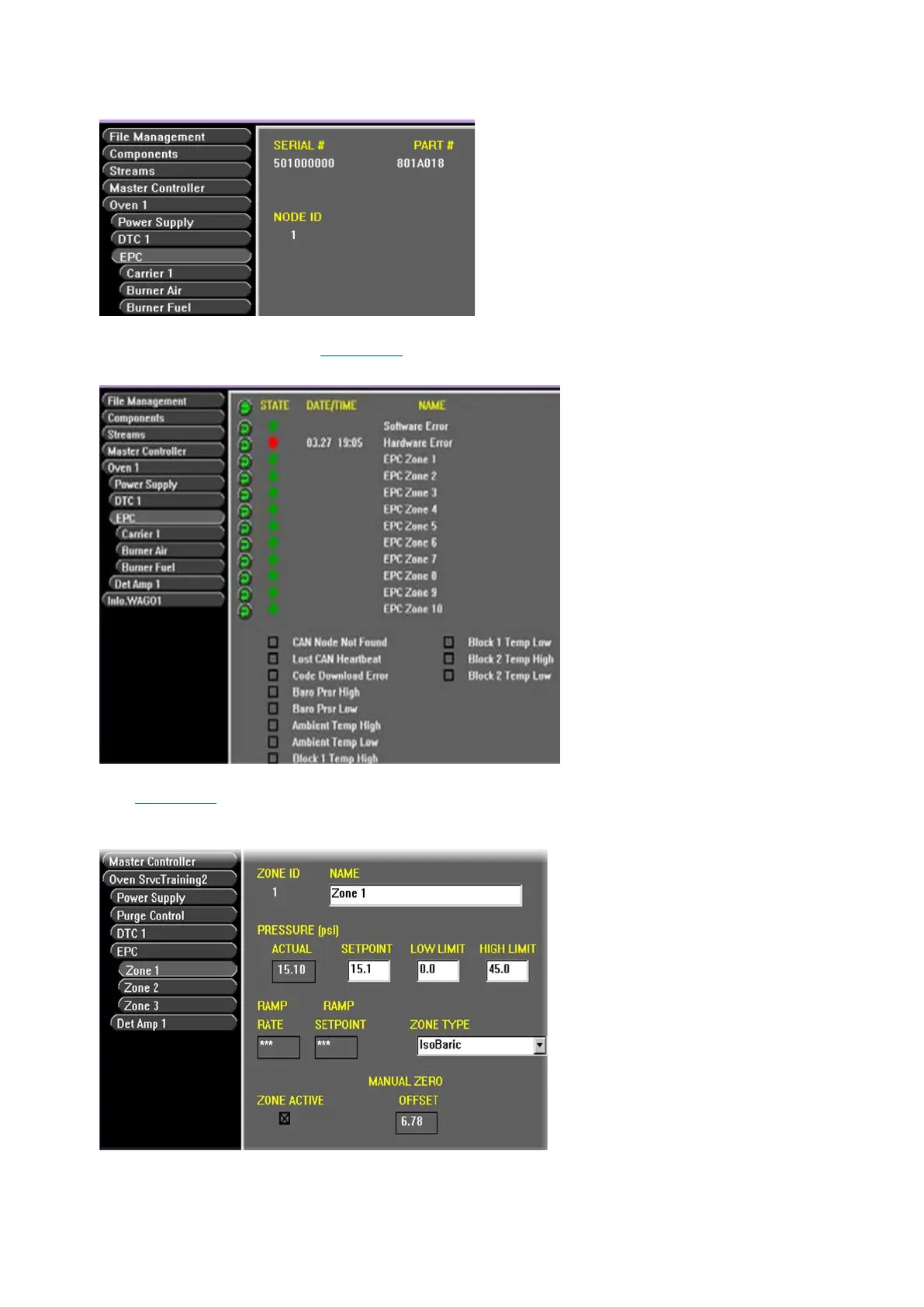
Figure 4-40: EPC Configuration Subtab
The Oven>EPC> Status subtab displays the state and date/time of all active indicators in the EPC
zone's group of indicators (see Figure 4-41). Diagnostic information is also displayed.
Figure 4-41: EPC Status Subtab
Zone # Configuration subtab displays the Zone ID, Name, Actual Pressure, Ramp Rate and Setpoint
(see Figure 4-42). Enter the NAME, SETPOINT, LOW LIMIT, HIGH LIMIT, ZONE TYPE and mark ZONE
ACTIVE to activate the zone from this screen.
Figure 4-42: EPC Zone 1 Configuration
⎯ NAME: Edit the name for easier reference (Function Selector button reflects new name).
⎯ SETPOINT: Normal operation pressure



 To Next Page