Programming | Conversational programming
Machining your part
Before running a program step, check the Status bar (located
along the top of the control's screen) to ensure that the tool
identified by the control matches the tool in the spindle. If there’s
no tool identified, or if it’s incorrect, start with a Set Tool step that
accurately identifies the tool that is to be used.
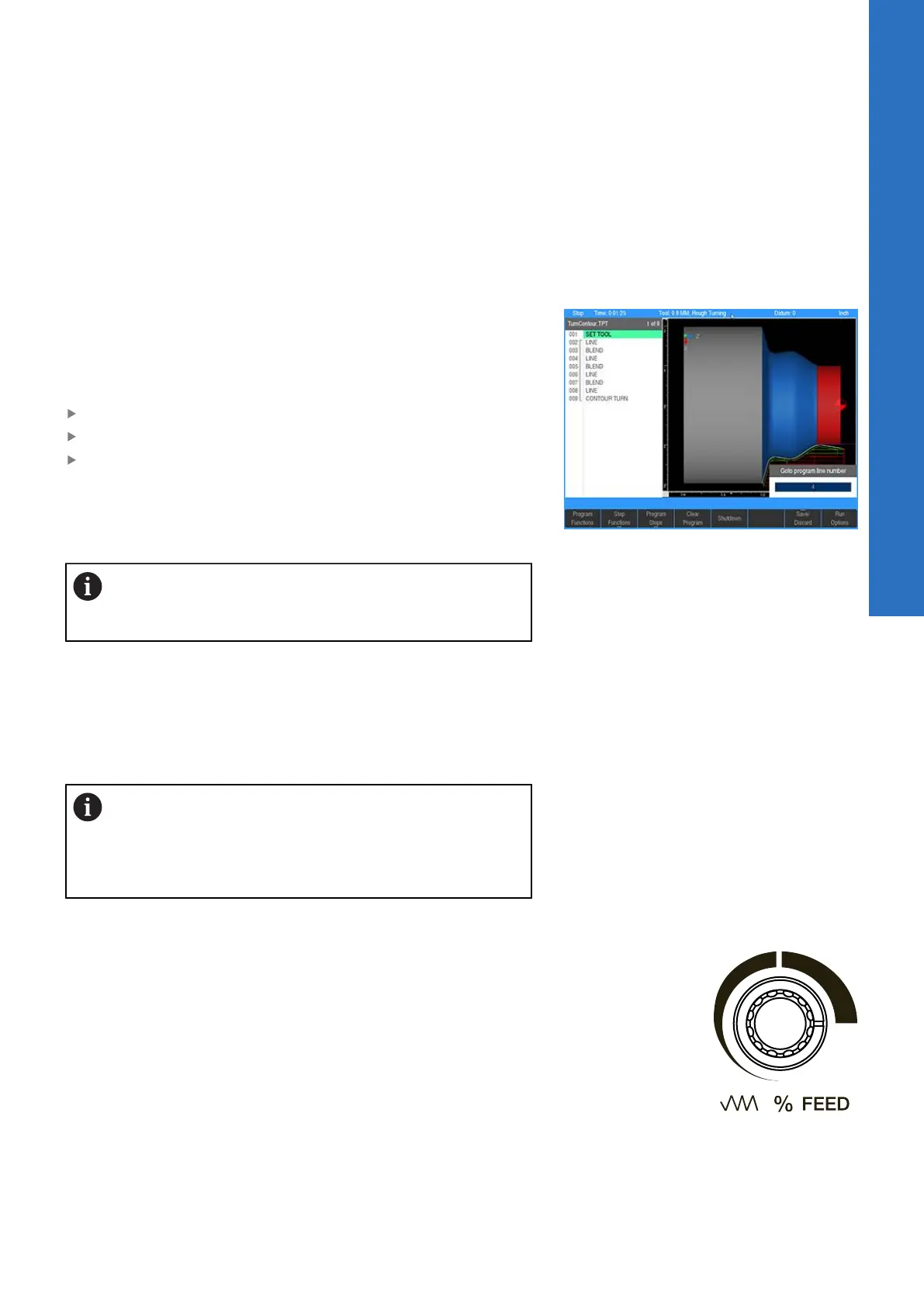
To move quickly to a step, use the Up Arrow or Down Arrow keys
to highlight the required step, or just enter a step number using
the numeric keypad. A Goto program line number program line
number popup dialogue is immediately displayed. The total number
of lines in the program are shown in the Line Count: field.
Enter the desired line number
Press ENTER
Press ENTER or USE again to edit the program step
After highlighting the step to begin with, press the GO key. An
Operator Intervention Message may ask to confirm that the tool is
correct. Confirm that the correct tool is being used, then press the
GO key again to begin machining.
The remote STOP/GO switch acts as a pause switch if
the table is moving, and as a GO switch if the machine is
paused or stopped.
The control will automatically pause at points that require action to
be taken (e.g., change tools). After each task has been completed,
press the GO key.
If the STOP key is pressed once while cutting, the tool will pause in
its cutting path and an Operator Intervention Message will appear.
Press GO to resume machining, or STOP again to end the program.
If machining is started from the middle of a program,
the control will determine which tool should be used,
and will prompt the operator to mount the tool if it is
not mounted. It will also begin at the beginning of the
current path.
Potentiometer for feedrate override
Feedrate Override is controlled with the potentiometer which
will change the feed rate by a certain percentage with the knob
rotation. The feed rate percentage will be displayed in the status
bar at the top of the screen. A feed rate percentage of 100%
means that actual feed rates will run at 100% of the programmed
feed rates. If the feed rate percentage is 50%, actual feed rates will
run at half of the programmed feed rates.
Adjustment of the feed rate with the potentiometer can be done at
any time, even while the tool is moving.
7
ACU-RITE | TURNPWR | User's Manual | 08/2020
103



 To Next Page