DRO mode | DRO screen
4.2 DRO screen
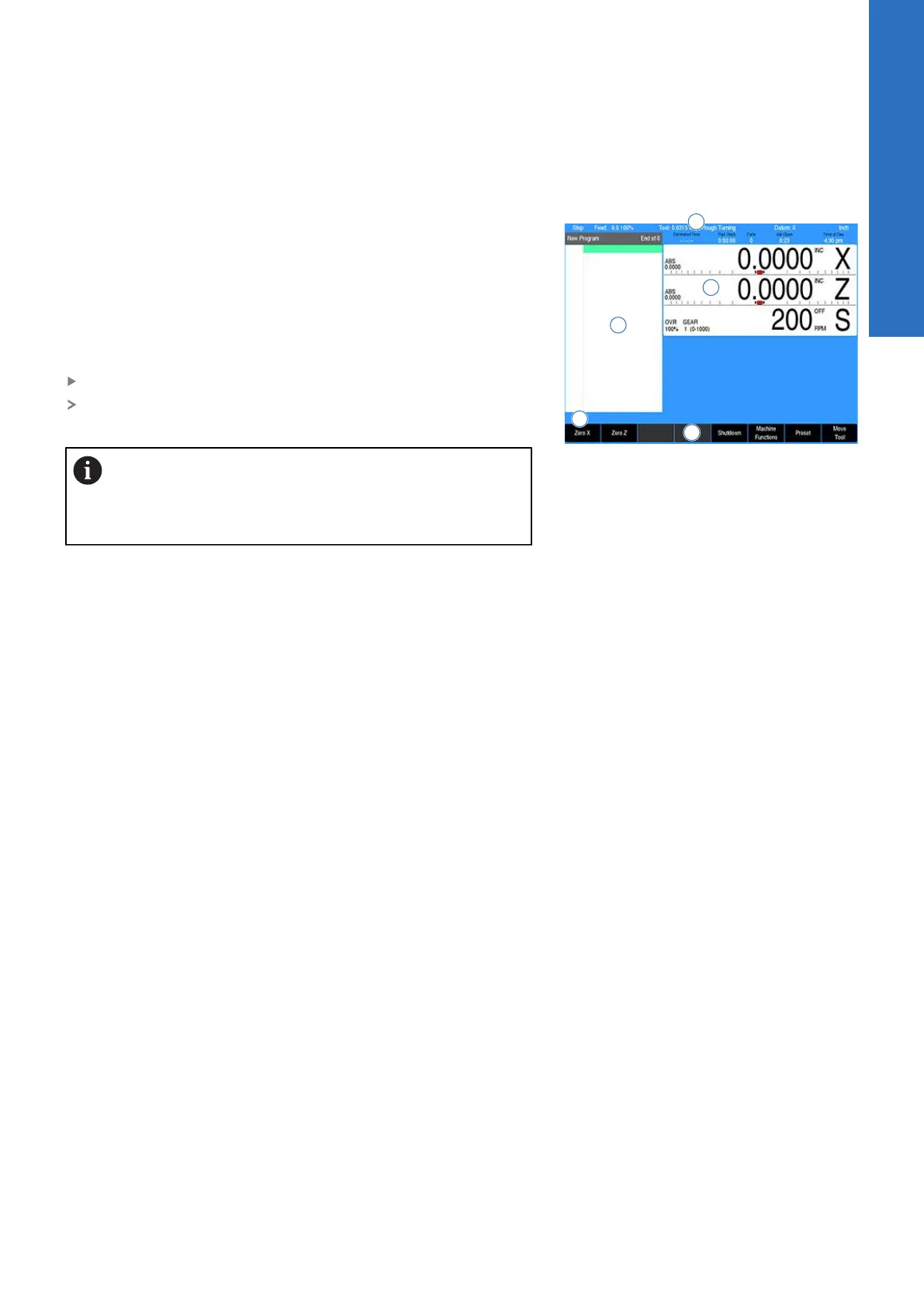
The DRO screen displays information per the current operation. The
DRO mode allows the use of the turning function hard keys, or can
be used as a DRO in manual machining operations.
In addition to the information provided in "DRO mode display", the
following table describes what is being viewed on the display in
DRO mode.
When the console is first turned on, the soft keys Shut Down, Find
Home, and Cancel are displayed.
Press the Find Home soft key
After pressing either the Find Home, or Cancel soft key, the
default DRO screen will be displayed
If the control did not perform the Find Home feature at
start up, press the Datum soft key from the default DRO
screen to display the Home soft key. Press the Home
soft key then the Find Home soft key will be displayed.
1 Status Bar displays the servo motor status Stop/Run/Pause,
feedrate override, current Tool (blank if none is selected),
Datum, Diameter/Radius mode, unit of measure selected
(Inch/MM), Estimated Time, Part Clock, Parts (run), Job Clock,
and Time of Day. For additional information, see "Status bar
display", Page 50.
2 Display current position of each axis, and relative to the
current datum.
3 Operator Intervention Message line (OIM) that provides
prompts, and messages to the operator.
4 Soft keys display. The soft keys change per the function that
has been selected. Each are activated by the associated hard
key that is directly below it. When a soft key appears as being
pressed, it is activated. If the key is not pressed in, it is not
currently active. The soft key text and background colors
change to grey when the feature of the key is not currently
available.
5 This window displays program steps if a program is loaded.
If no program is loaded, then this window is blank. When a
function has been selected (e.g. Set Tool), its dialogue would
be displayed in this window.
4
ACU-RITE | TURNPWR | User's Manual | 08/2020
49



 To Next Page