Introduction | Console
Operator prompts
For actions that require immediate input or acknowledgment to
continue the operation an operator prompt will be displayed by
the control in the message bar. The required data can be entered
with the numerical keypad, and in some instances using the
alphanumeric on screen keyboard.
Cursor
The control uses a highlighted cursor to mark a field for selection or
editing. In some instances, the cursor will default to a field without
highlighting the field. Use the Arrow keys to move the cursor. The
Up Arrow and Down Arrow move the cursor through the fields
available. The Right Arrow will open a field that contains more
choices, or subfolders in the folder tree window. The Left Arrow
will close the menu, or subfolders. The cursor will also change from
a highlighted bar to a text cursor when a field selected is having
data entered.
General operating guidelines
General operating guidelines for the control:
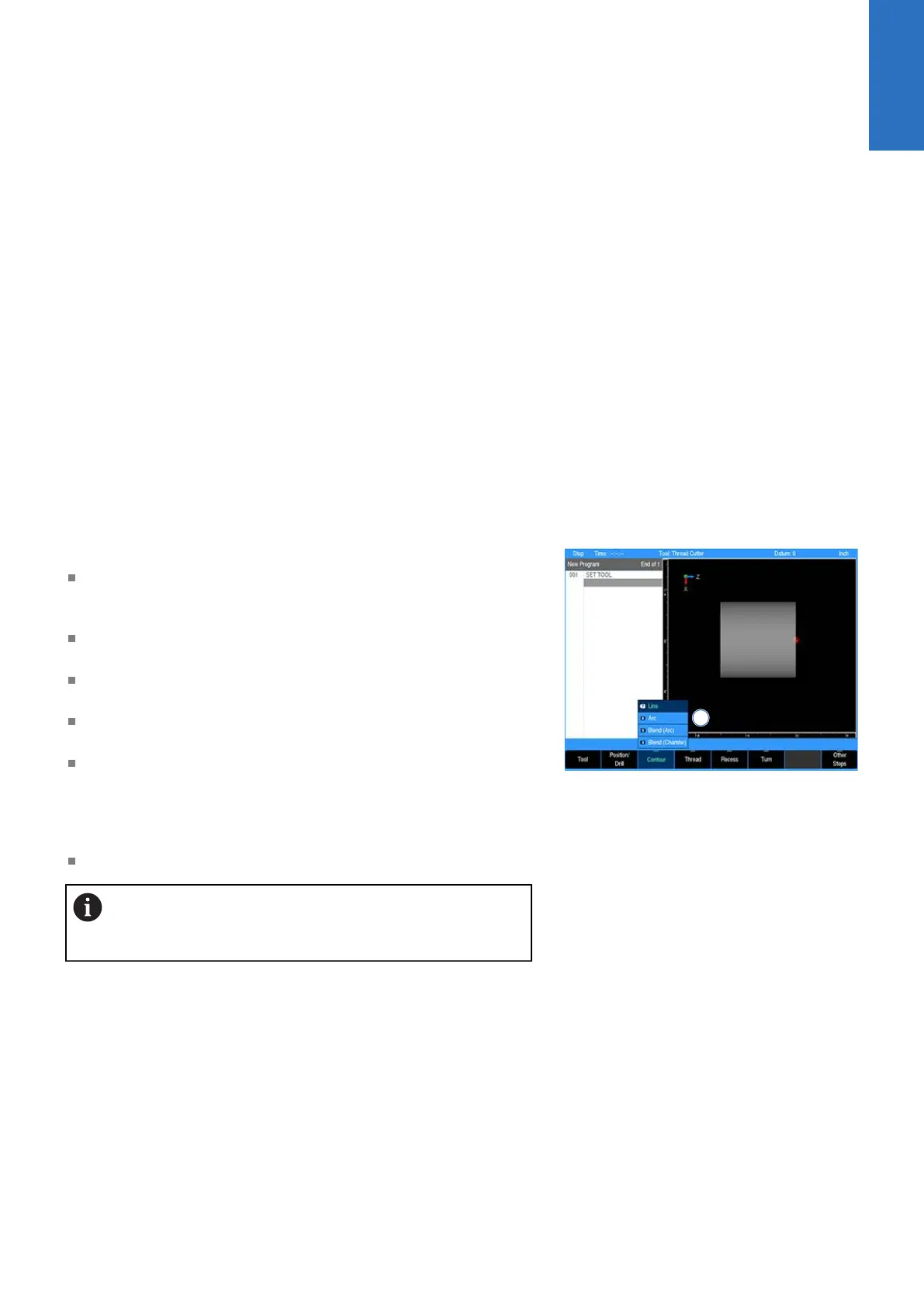
Additional operation soft keys are located in the soft key area
along with task selection and dialogue. The soft keys change in
relation to the task being performed
Selection of a particular soft key that requires additional
information may open a popup menu 1
A soft key may open a dialogue menu that requires input
necessary to continue with the operation selected
The status bar in the top of the display is constant, and reflects
only what has been selected for the current program
Use the Context Sensitive Help (INFO key) feature when
assistance is desired. This is an intuitive feature that aids the
user by going directly to the section in the manual in relation to
the feature, or key that has been selected to obtain assistance
with.
A feature that is not available will have it's soft key disabled
Soft keys that have a line at the top center indicate
that a popup menu is available. Additional choices are
available when the key is selected.
Operating modes
The control has two main operating modes: DRO and PGM
(Program). These are accessed from the DRO/PGM key. This is a
toggle key.
2
ACU-RITE | TURNPWR | User's Manual | 08/2020
27



 To Next Page