Program edit mode | Program mode functions
5.4 Program mode functions
Program type filter
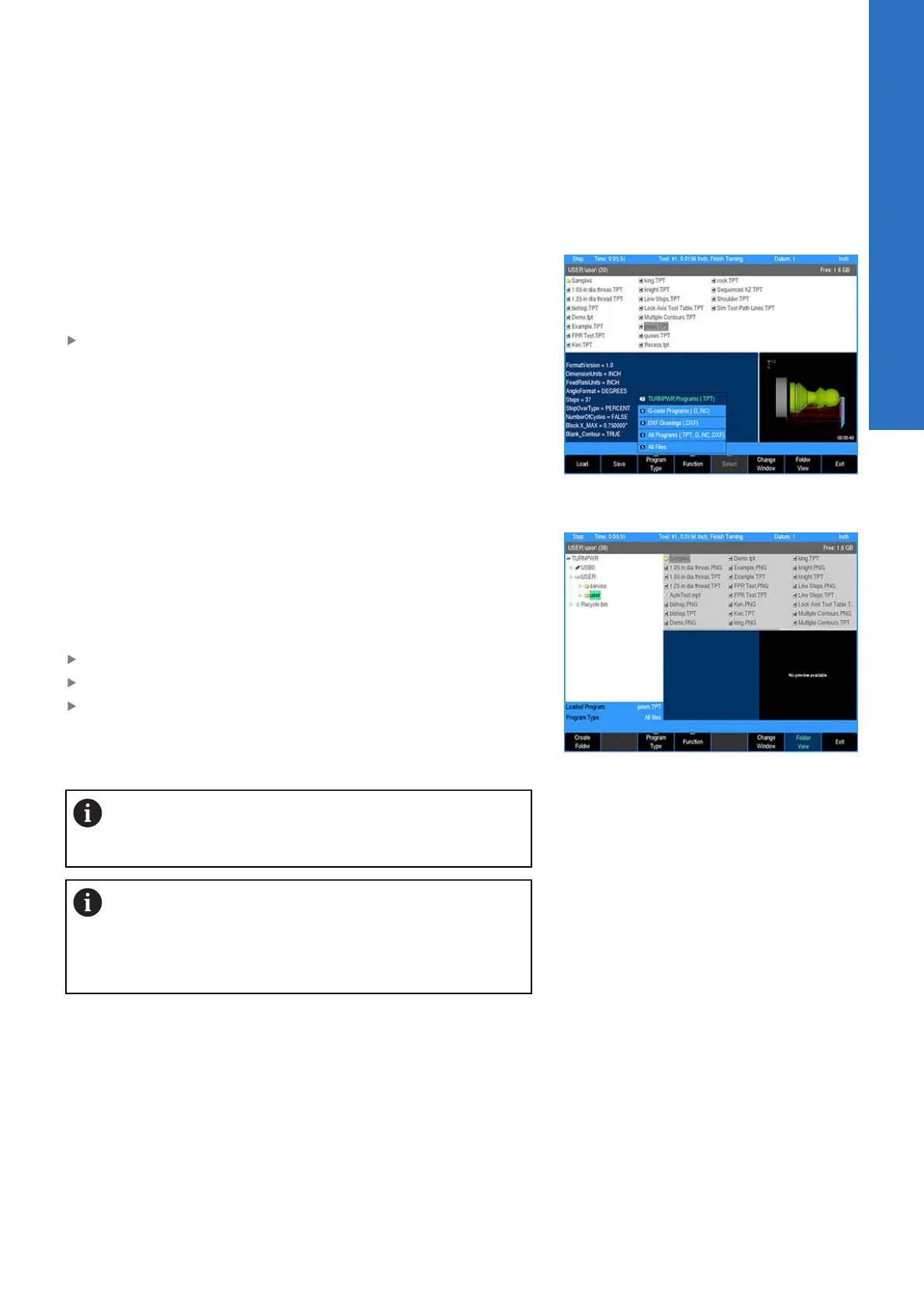
In PGM mode, press the Program Functions soft key to display the
Folder View, and Program Type soft keys. Program type aids with
locating programs by type, and reduces the number of programs
that are displayed.
To select what type of programs to show, press the Program
Type soft key, and select which program type(s) to display using
the Arrow keys.
USB access
As soon as the USB memory device is inserted, its contents will be
displayed in the Folder Contents window. From here the operator
can modify, copy, delete, etc. any of the programs, or folders on
the USB device.
In PGM mode, the operator can access a USB memory device by
inserting the USB device into a USB connection of the control.
From DRO mode, press the DRO/PGM key to enter PGM mode
Press the Program Functions soft key
Press the Folder View soft key
The display will now show the USB device in the Folder Contents
window, and when selected, will show its content in the upper
right window.
It is recommended to copy programs from the USB
device to the user folder and use the program from the
control.
Prior to removing the USB memory device, check that
the activity indicator light on the USB drive is not active
or blinking. This will ensure that all commanded disk
operations have completed, and that it is now safe to
remove the drive.
5
ACU-RITE | TURNPWR | User's Manual | 08/2020
83



 To Next Page