Demonstration program | Programming
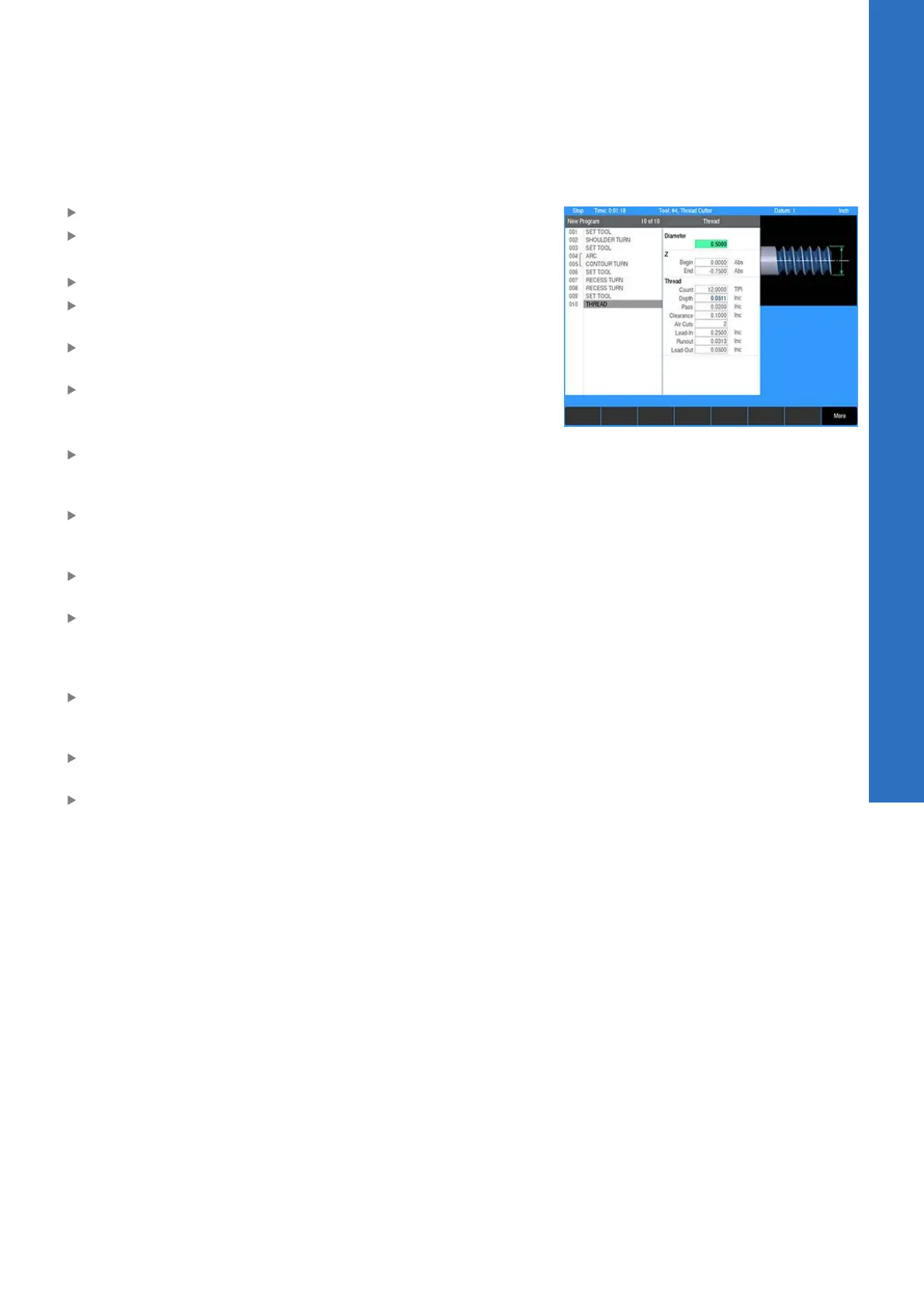
Programming a thread step
Press the THREAD key
Select Thread from the popup menu
Using the numeric keypad, enter the following information:
Enter 0.5 in the Diameter field for the threads outside diameter
Enter 0 in the Z:Begin field as the location of the start of the
thread
Enter -0.75 in the Z:End field as the location of the end of the
thread
Enter 12 threads per inch in the Thread:Count field
The thread depth is calculated based on the thread’s pitch. This
could be changed if necessary.
Enter 0.02 In the Thread:Pass field. This is the maximum depth
per pass. The system will gradually reduce the depth of each
subsequent pass but will not exceed the value entered here.
Enter 0.1 In the Thread:Clearance field. This is the distance the
tool is moved away from the thread before moving to the start
of the next pass.
Enter 2 in the Thread:Air Cuts field. This is the number of extra
passes made at final depth.
Enter 0.25 in the Thread:Lead-In field. This is the distance from
the start where the tool will begin a pass. This extra distance
allows the tool to accelerate and synchronize with the spindle
before reaching the start of the thread.
Enter 0.03125 in the Thread:Runout field. This is the distance
from the end of the thread at which the tool starts to retract out
of the thread.
Enter 0.05 in the Thread:Lead-Out field. This is the distance
past the end of the thread during which the tool decelerates.
Press the USE key
9
ACU-RITE | TURNPWR | User's Manual | 08/2020
153



 To Next Page