Demonstration program | Programming
Programming a tool for recessing
Next, the o-ring grooves will be programmed. The grooves are
machined using a recess tool and recess steps.
Press the TOOL key to access the Set Tool dialogue
Press the Tool Table soft key to open the Tool Table
Select or define a recess tool with a width less than or equal to
the groove width
Press the USE key
The tool number and its dimensions and offsets will be
displayed in the Set Tool dialogue
Select Forward in the Spindle field
Enter 500 in the Speed field
Enter 2.00 in the Tool Position:X field
Enter 3.00 in the Tool Position:Z field
Press the USE key
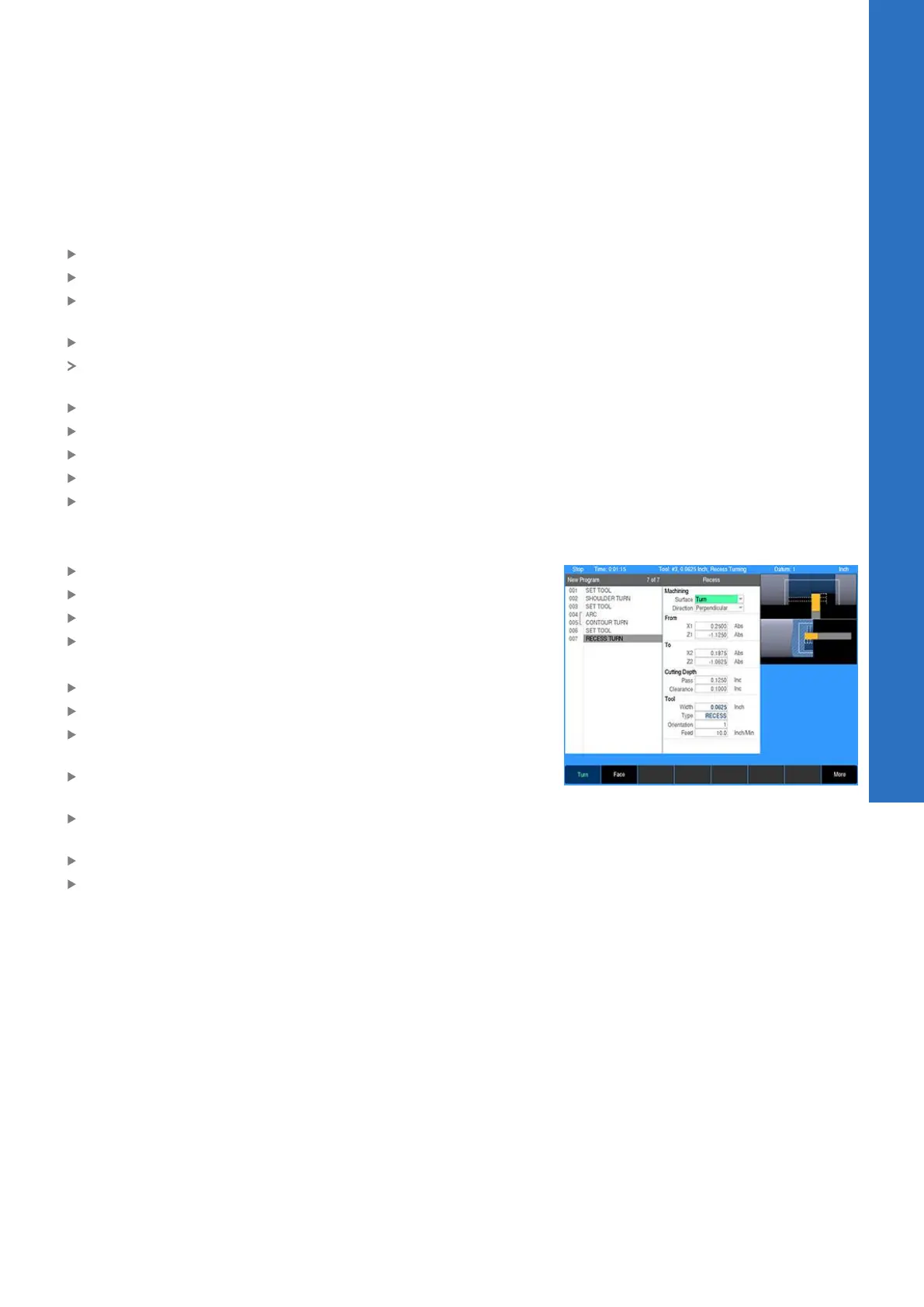
Programming a recess
Press the RECESS key
Select Recess from the popup menu
Select Turn in the Surface field for a radial recess
Select Perpendicular in the Direction field for lateral machining
Using the numeric keypad, enter the following information:
Enter 0.25 in the From:X1 field
Enter -1.125 in the From:Z1 field for the groove edge location
Enter 0.25 – 0.0625 in the To:X2 field based on the groove
depth
Enter -1.125 + 0.0625 in the To:Z2 field based on the groove
width
Enter 0.125 in the Cutting Depth:Pass field for the depth per
plunge
Enter 0.1 in the Clearance field
Press the USE key
9
ACU-RITE | TURNPWR | User's Manual | 08/2020
151



 To Next Page