Calculators | Geometry calculator
Clear calculator
Removes all Geo steps from the calculator
Loading and saving calculator contents
Press Save Calculator to save the current GeoCalc session to
internal memory
Press Load Calculator to load the previously saved GeoCalc
session into the calculator
Loading the part program into the geometry calculator
The Load Program function adds the equivalent geometry steps
(GEOPOINT, GEOLINE, and GEOARC) from the program to the
calculator listing at the current cursor location
Position / Drill steps are converted to GeoPoints
Turning steps are converted to profile GeoLines and GeoArcs
All other steps (tool, repeat, etc.) are not supported
Program example
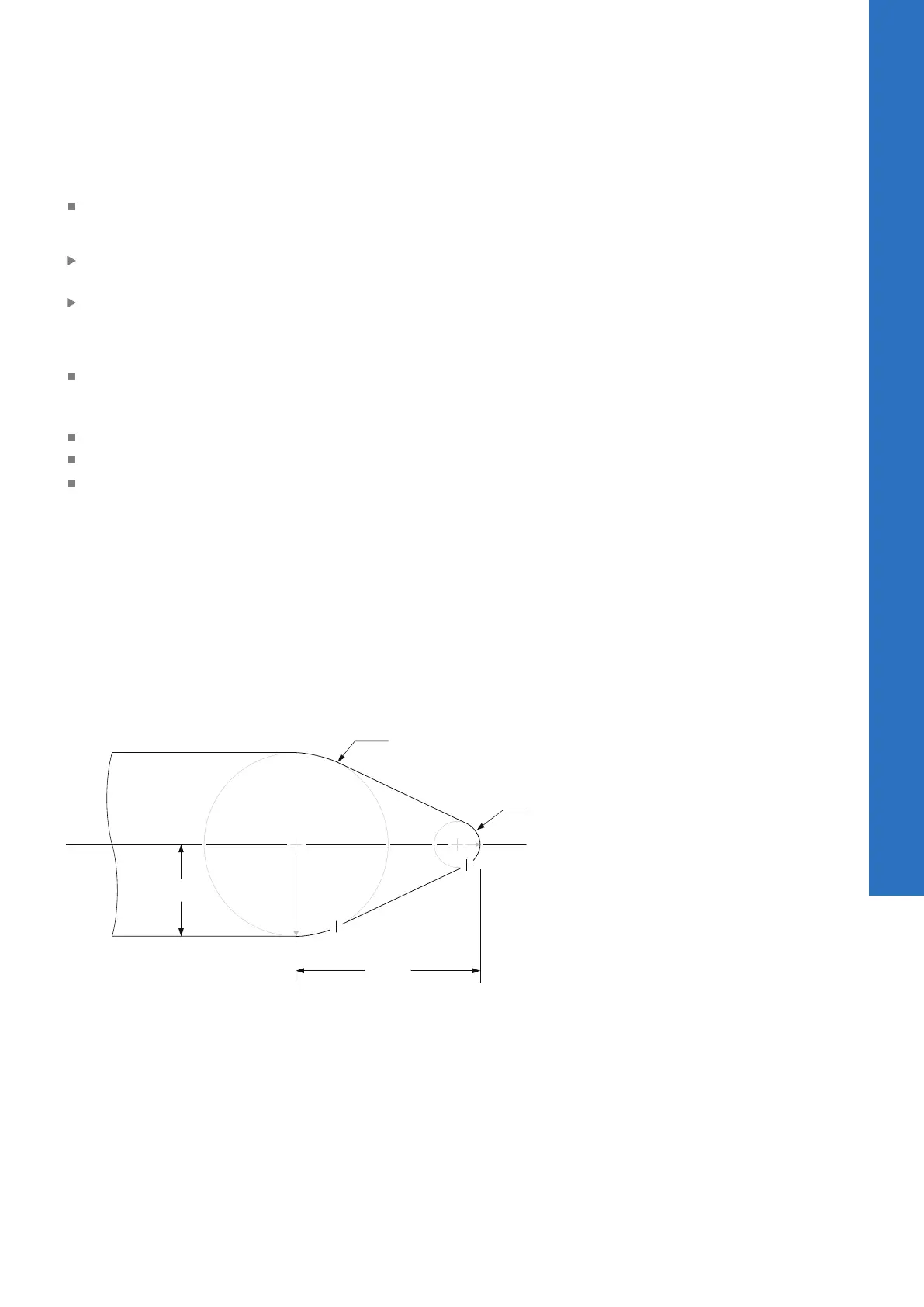
In some cases, a part drawing may not provide all of the
dimensions needed to program the part. In the following
illustration, a coned end with rounded edges is specified. But the
coordinates of the line from point B to point C are unknown. The
line is tangent to the rounded tip of the part and tangentially rounds
to the diameter of the body at a specified distance from the tip.
The circles A and D were added to the illustration to show how the
line’s endpoints will be calculated.
10
ACU-RITE | TURNPWR | User's Manual | 08/2020
167



 To Next Page