Program edit mode | Programming introduction
5
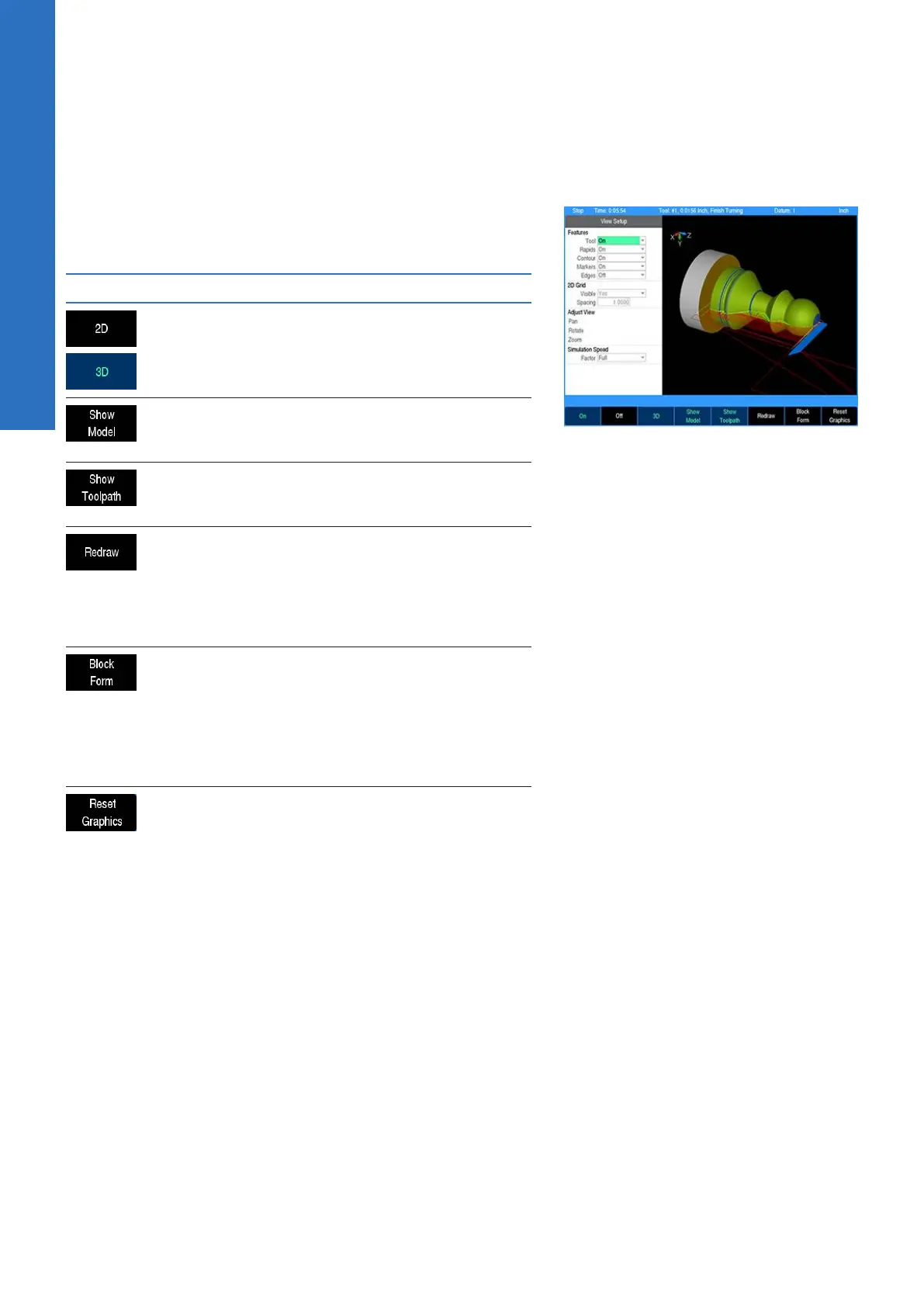
View setup soft keys
The following soft keys are always available while the View Setup
dialogue is open. Additional soft keys are also made available
dynamically depending on which setting is active in the dialogue.
Soft key Function
The 2D/3D soft key toggles the graphic
display between a two-dimensional and
three-dimensional view
The Show Model soft key displays or hides
the solid model rendering in the graphic
display
The Show Toolpath soft key displays or
hides the rapid and feed toolpath lines in the
graphic display
The Redraw soft key re-runs the program
simulation and update graphic display. If
the program is currently mid-simulation, it
will be cancelled. The decimal “.” key is a
shortcut to achieve this same behavior even
when the View Setup dialogue is not open.
The Block Form soft key displays the Block
Form dialogue, which shows the minimum
and maximum dimensions of the mater-
ial block form of the part. The values can
be overridden in this dialogue to match
the actual block of material being used if
desired, and can be saved by pressing USE.
The Reset Graphics soft key restores the
graphic display adjustments to the default
values. The Pan, Zoom, and Rotate adjust-
ments will be reset.
70
ACU-RITE | TURNPWR | User's Manual | 08/2020



 To Next Page