Program steps and cycles | Drilling and boring
8
8.8 Drilling and boring
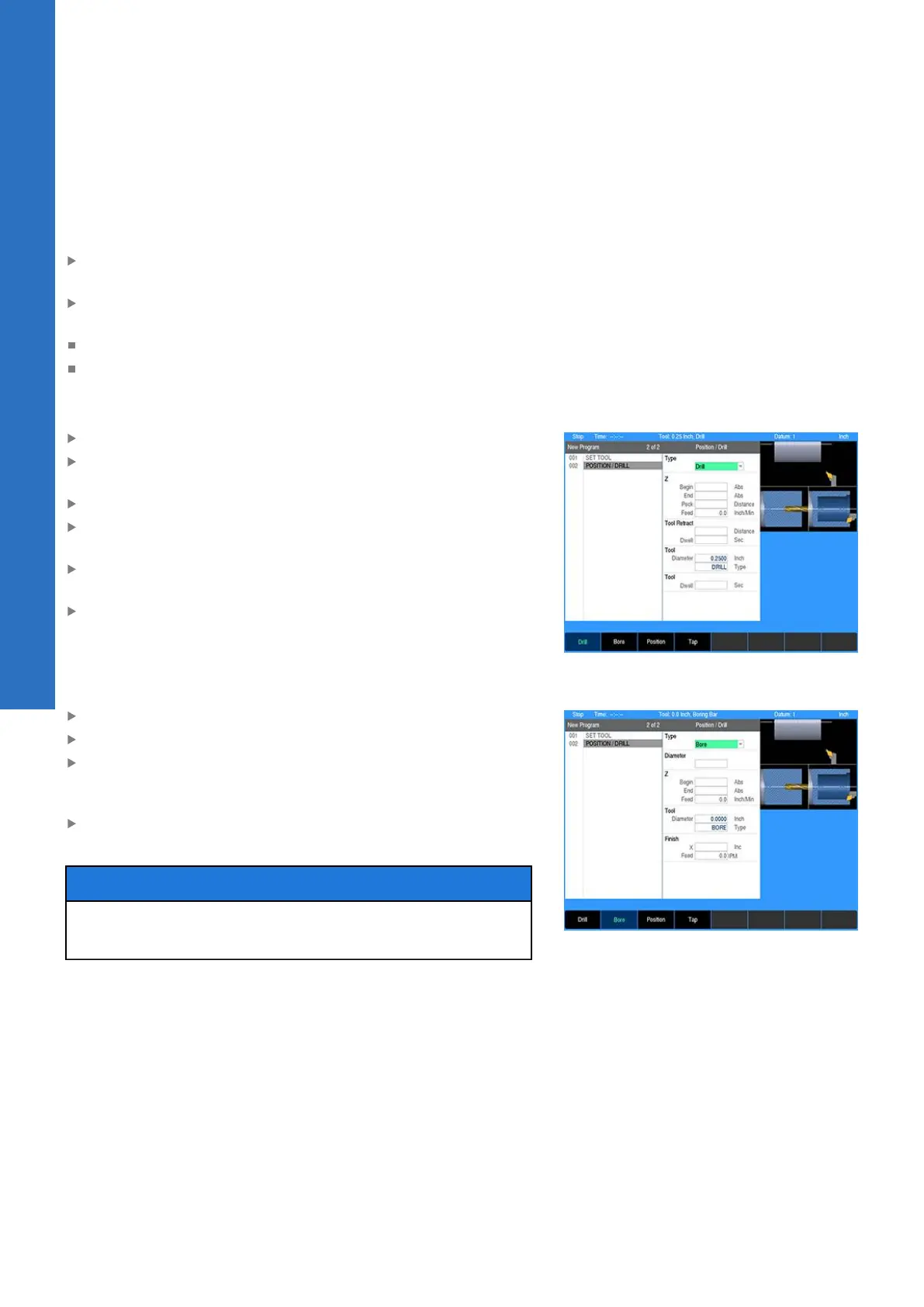
The Position / Drill function is used to perform a center drilling
operation or boring with a boring bar.
From the PGM screen, press the POS key to open the Position /
Drill dialogue
Select the job option to be used: Drill or Bore using the soft
keys, or from the drop down menu
Drill: Basic drilling cycle used for center drilling
Bore: Used with a boring bar to turn an inside diameter
Drill
In the Z field enter the Begin and End depths
Enter the distance between each Peck (also known as Chip
Break)
Enter the Z axis Feed rate
If you want the tool to periodically retract out of the part to
remove material, enter the Distance between full retracts
Enter the length of time (in seconds) the tool should Dwell
(pause) after it has retracted out of the part
Enter the length of time (in seconds) the tool should Dwell at
the end depth before the final retract
Bore
In the Z fields enter the Begin and End depths
Enter the Feed rate
Enter the Finish allowance in the X axis. This is the amount of
material left after the roughing pass to be removed on the finish
pass.
Enter the finish Feed rate. Enter 0 to skip running the finish
pass.
NOTICE
The tool rapids to the Begin depth before feeding into the
material. Program the Begin depth with enough safety clearance.
138
ACU-RITE | TURNPWR | User's Manual | 08/2020



 To Next Page