Program edit mode | Programming introduction
Program functions
Program functions soft keys
The Program Functions soft key provides access to the following
soft keys for saving, clearing, or loading an existing program to
either edit or run.
Soft key Function
The Load soft key will load the selected
program. If a program is currently loaded, a
prompt will be displayed asking for confir-
mation to clear the loaded program. If a
program is currently loaded, it must be
saved prior to pressing this key.
The Save soft key will save the current-
ly loaded program, or the program can be
saved under a new program name.
The Program Type soft key opens a popup
Menu providing the choices which type of
programs to display in the folder listing;
TURNPWR programs, G-code programs,
DXF drawings, All programs or All files.
The Function soft key opens a popup menu
providing the choices to Cut, Copy, Paste,
Merge, Rename, or Delete any program that
is listed in the folder. It does not need to be
the currently loaded program.
The Select soft key allows the operator
to select one or more programs from the
current folder, or select all the programs.
Select the Clear option to un-select the
current selected program(s). This allows
features within the Function soft key to be
done on the selected group of programs.
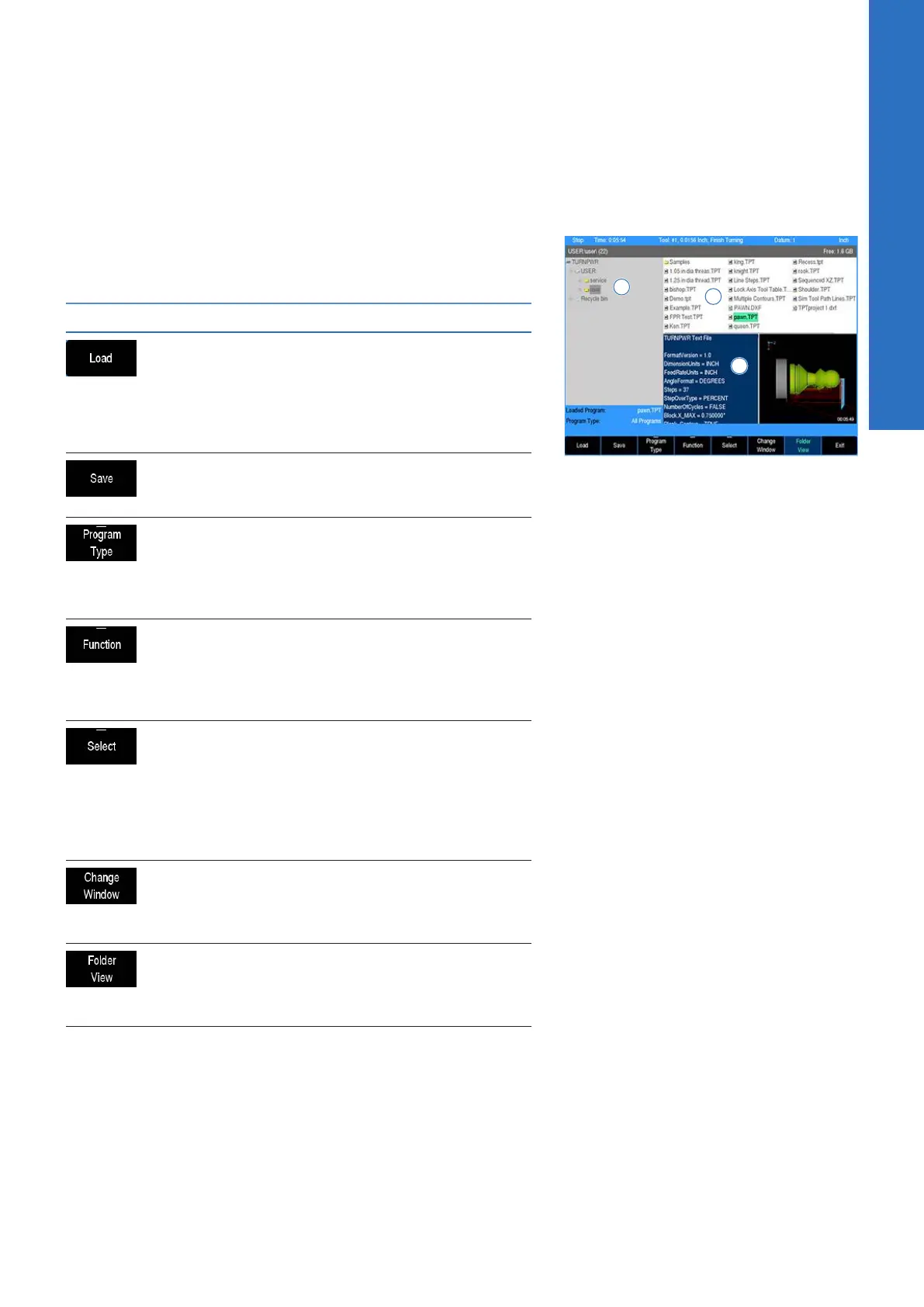
The Change Window soft key toggles the
cursor between the folder list window 1,
folder tree window 2 (if displayed) and
program list window 3
The Folder View soft key opens the folder
tree window to access all folders, and sub
folders. Use the Change Window soft key to
navigate to the available windows.
5
ACU-RITE | TURNPWR | User's Manual | 08/2020
65



 To Next Page