Demonstration program | Programming
9
9.3 Programming
From the DRO mode, begin by pressing the DRO/PGM key to
enter PGM mode
If a program is loaded, save the open program, it does not have to
be cleared.
This example is done in Inch mode.
Verify that Inch is selected
Selecting a tool
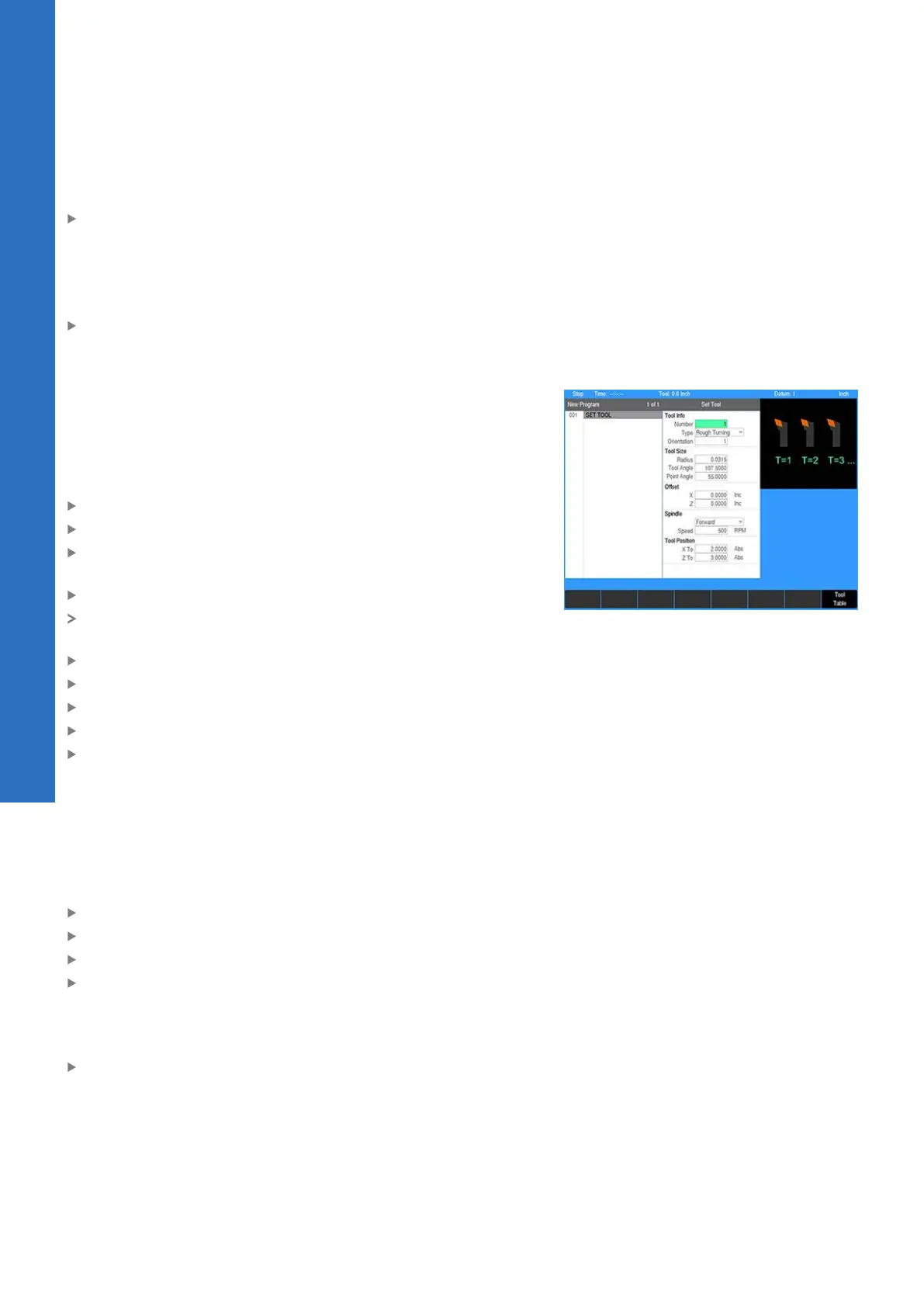
The first step for this program is to choose the tool that will be
used to turn the shoulder.
For this example, the tools will be selected from the tool table.
For additional information, see "Tool table", Page 85.
To select a tool:
Press the TOOL key to access the Set Tool dialogue
Select Tool Table in the Set Tool dialogue
Select or define the appropriate turning tool (Rough Turning or
Finish Turning)
Press the USE key
The tool number and its dimensions and offsets will be
displayed in the Set Tool dialogue
Select Forward in the Spindle direction field
Enter 500 in the Speed field
Enter 2.00 in the X To field
Enter 3.00 in the Z To field
Press the USE key
For additional information, see "Tool position", Page 116.
Setting the Block Form
It is helpful to set the Block Form to match the size of the stock in
the spindle so the graphic will more closely match the actual part.
To set the Block Form:
Press the VIEW key
Press the Block Form soft key
Enter 0.5 in the X Max field
Enter -3 in the Z Min field
For this example, turn on tool path optimization. The system will
use the size of the Block Form and monitor material removal to
optimize the tool path.
Select On in the Block Form Contour field
148
ACU-RITE | TURNPWR | User's Manual | 08/2020



 To Next Page