Program steps and cycles | Other steps
8
Auxiliary functions
In PGM mode, press the Program Steps soft key
Press the Other Steps soft key
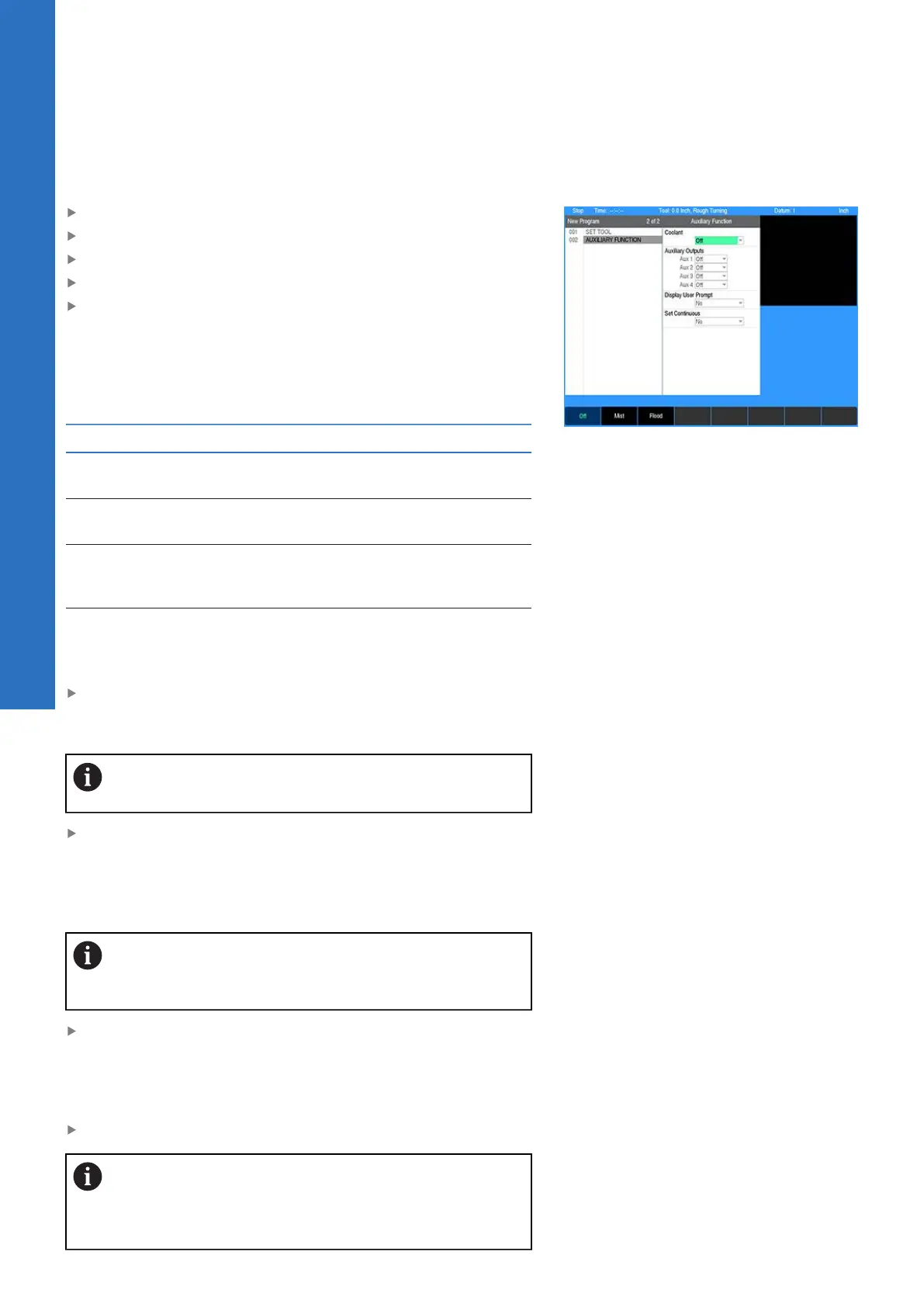
Select Auxiliary Function from the popup menu
In the Coolant field select Off, Mist, or Flood
Highlight the auxiliary relay(s) to be programed. The Aux
numbers in each field correspond to the relay output on the
AMI. Select from the Off, Pulsed, and On soft keys for each.
When Pulsed is selected, another field allows the duration of
the pulse length to be entered in seconds. Enter the required
time. The range is 0.1 to 999.9.
Position Description
On
The AMI output contacts will switch to an
energized state
Off
The AMI output contacts will switch to their
default states
Pulsed
The AMI output contacts will switch to an
energized state for the length of time that is
defined
Display User
Prompt
The AMI allows the operator to pause the
step before or after the relays are turned on
or off
If Pulsed is selected, then enter the amount of time (in seconds
or tenths of seconds) for the relay to remain on. The maximum
amount of time that a relay can pulse is 999.9 seconds.
The pulse length must expire before the program
continues to run.
Set the Display User Prompt for the step to pause before or
after by pressing either the Before Step, or After Step soft key.
If a pause is not to be included, press the No soft key. These
can also be selected from the drop down menu in the field
window.
The Auxiliary Function relays will not turn off
automatically during an Operator Intervention Message
(OIM).
Set the Set Continuous field to Yes if the step is to be part of a
continuous path. When set to Yes, the step does not break path
continuity. The step will be run with the tool at the path depth.
The Auxiliary Function step cannot be used to start or end a
continuous path.
Press the USE key
The Auxiliary Function requires the AMI hardware for
these settings to take effect automatically, otherwise
they will activate operator prompts that must be
responded to during the machining operation.
142
ACU-RITE | TURNPWR | User's Manual | 08/2020



 To Next Page