Demonstration program | Programming
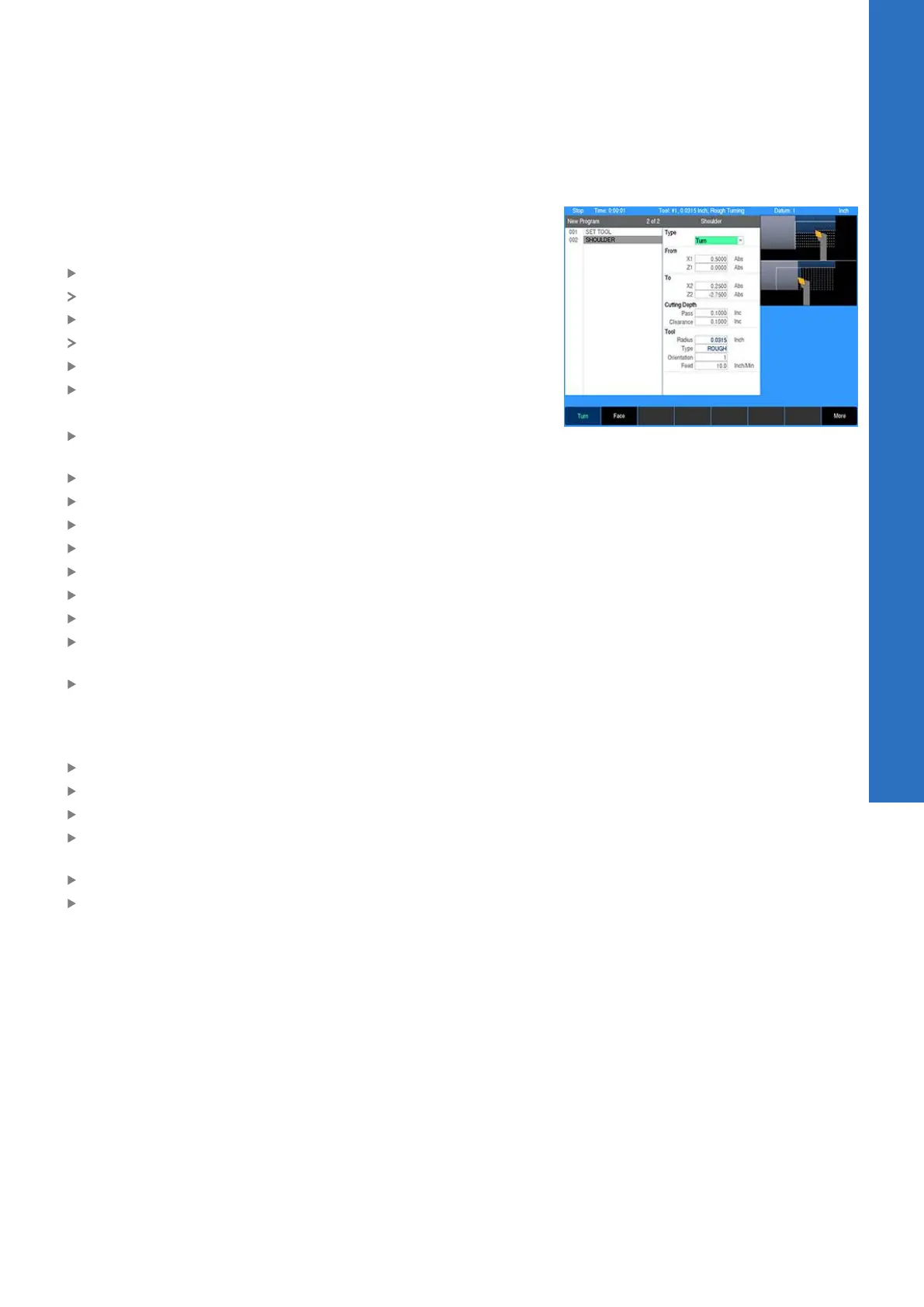
Programming a shoulder
For this example, the program will begin by turning the part to the
body diameter using the Shoulder step. The tool will machine from
right to left working toward the centerline.
Press the TURN key
A pop-up menu will appear for selecting the turning step
Select Shoulder
The Shoulder dialogue is displayed
Press the Turn soft key to select longitudinal turning
Press the ENTER key
Using the numeric keypad to enter the following information:
In the From:X1 field enter a radius of 0.5 to start away from the
part
Press the ENTER key
In the From:Z1 field enter 0
Press the ENTER key
In the To:X2 field enter the final radius of 0.25 inch
Press ENTER
In the To:Z2 field enter -2.75 inch
Press ENTER
In the Cutting Depth:Pass field enter 0.1 inch for the maximum
depth per pass
In the Clearance field, enter 0.1 inch for the distance the tool
should retract away from the part between passes
The control has been factory set with a feed rate of 10 inches per
minute. To change the feed rate:
Enter the desired feed rate in the Feed field
Press the More soft key
Select the Start Element:Type field
Press the Chamfer soft key to cut a chamfer on the right end of
the part
Enter 0.0625 inch in the Size field
Press the USE key
9
ACU-RITE | TURNPWR | User's Manual | 08/2020
149



 To Next Page