Introduction | Console
2.2 Console
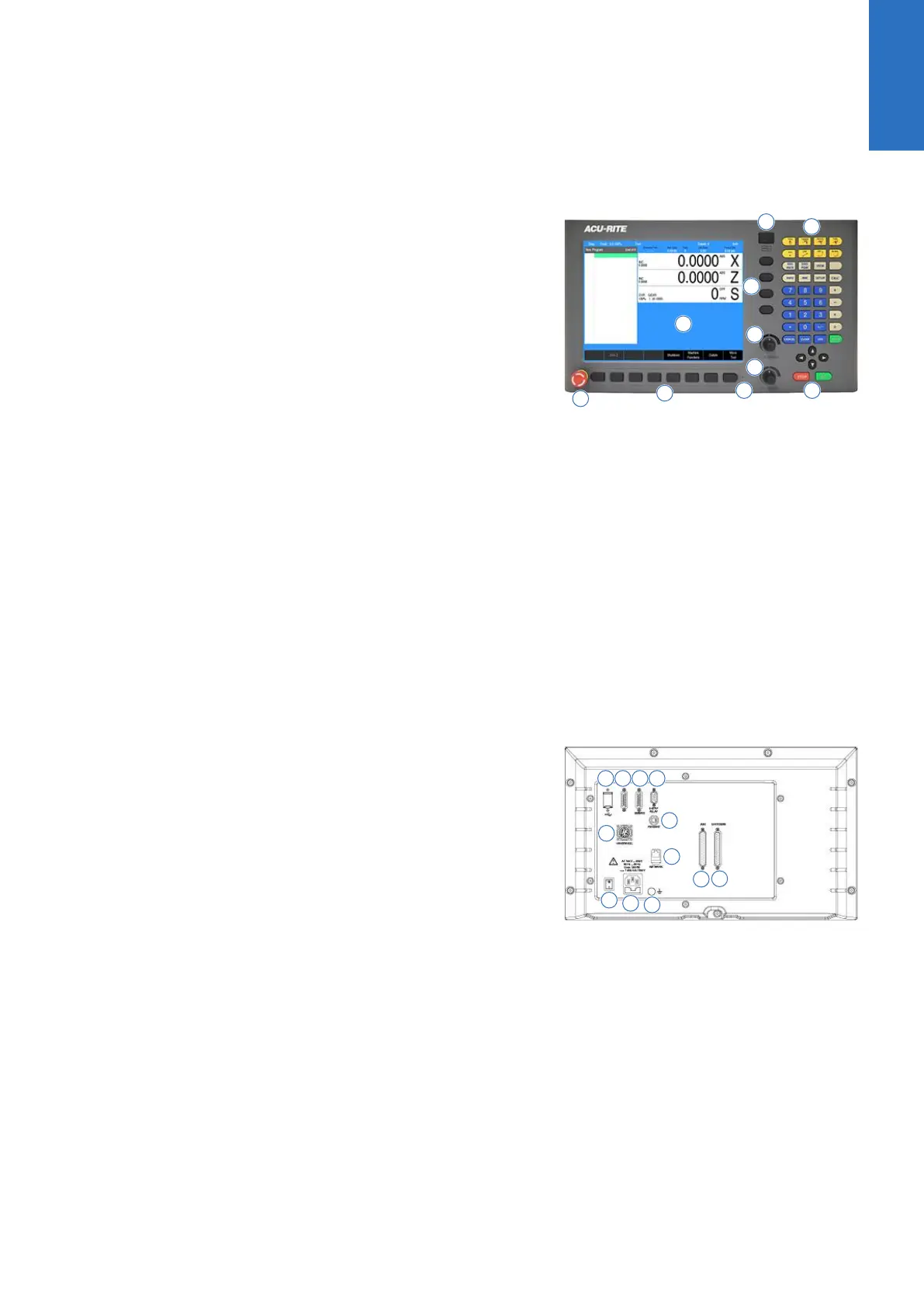
The control console has a 12.1-inch Flat-Panel Color Screen Display.
The following list of items are located on the front panel.
For mapping information of the start up screen, see "DRO display
screen", Page 34.
For a full description of the console keypad layout, see "Console
keypad", Page 33. For full descriptions of the individual keys,
see "Controls", Page 2.
The following features are located on the front panel of the
console:
1 Color flat panel screen display
2 Emergency “E” Stop
3 Soft keys
4 Power On indicator light / Error indicator light
5 Potentiometer for feed rate override
6 Potentiometer for spindle speed override
7 Go, Pause/Stop, Navigation keys, and Move Tool keys
8 Axis keys
9 Console keypad with calculator
10 USB connection
For a full description of the calculator keypad, see "Calculator",
Page 31 .
Rear panel
1 USB
2 Not used at this time
3 Servos
4 E-stop relay
5 Pendant (Remote start/stop)
6 Ethernet
7 Power switch
8 Power connector
9 Earth (ground) terminal
10 Handwheel
11 Auxiliary Machine Interface (AMI)
12 Encoders
Screen navigation
The display layout changes between DRO mode and PGM (Program)
mode by pressing the DRO/PGM key. The following illustrates the
differences between the two screen modes.
2
ACU-RITE | TURNPWR | User's Manual | 08/2020
25



 To Next Page