Program edit mode | Program management
5
Loading a program
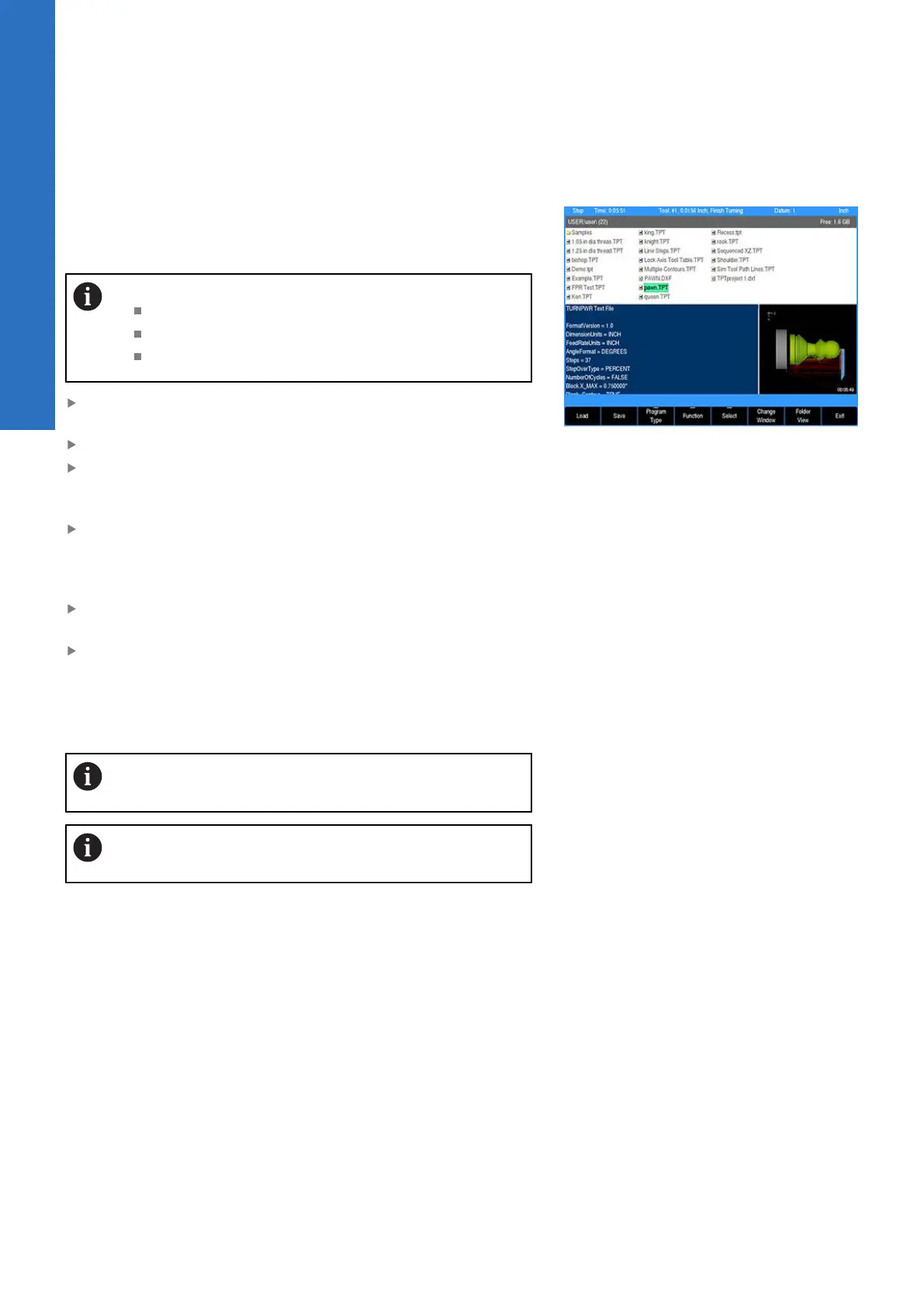
The Load soft key allows you to open programs in the folder listing.
The steps below explain how to load a program from the User
folder, a USB device, or from a network location.
Program extensions:
TURNPWR programs have a .tpt extension
G-code programs have a .G or .NC extension
DXF files must have a .DXF extension
If a program is loaded, save the open program, it does not have
to be cleared
From the PGM screen, press the Program Functions soft key
When a program is not located in the current folder, select the
location of the program using the Folder View soft key, and
Change Window soft key as needed
Verify that TURNPWR programs is selected in the Program
Type: popup menu. Only TURNPWR programs stored in the
selected folder will be displayed. For additional information, see
"Program type filter", Page 83.
Using the Arrow keys for navigation in the display window,
highlight the program to load
Press the Load soft key, and verify that the desired program is
now loaded
When loading a program from a network, or a USB memory device,
first select the device from the Folders Tree, then follow the same
procedure as would be done from the User folder.
Use Folder View for locating folders, and programs to
load.
It is recommended that all programs be copied to the
local User folder for usage.
Backing up a program
Backing up a program is similar to saving a program. A backup
program can be saved to another location (e.g. memory device, or
on a network), or to the same program location. If it is saved to the
same program location, then it can be with the same name plus an
indication in the name that it is a backup copy. The Copy and Paste
functions do this automatically, and is further explained below.
In the same manner, this can also apply to backing up a G-code
program.
It is also possible to select all programs in a folder and be saved as
a backup to the same folder.
80
ACU-RITE | TURNPWR | User's Manual | 08/2020



 To Next Page