Program steps and cycles | Recess cycles
8
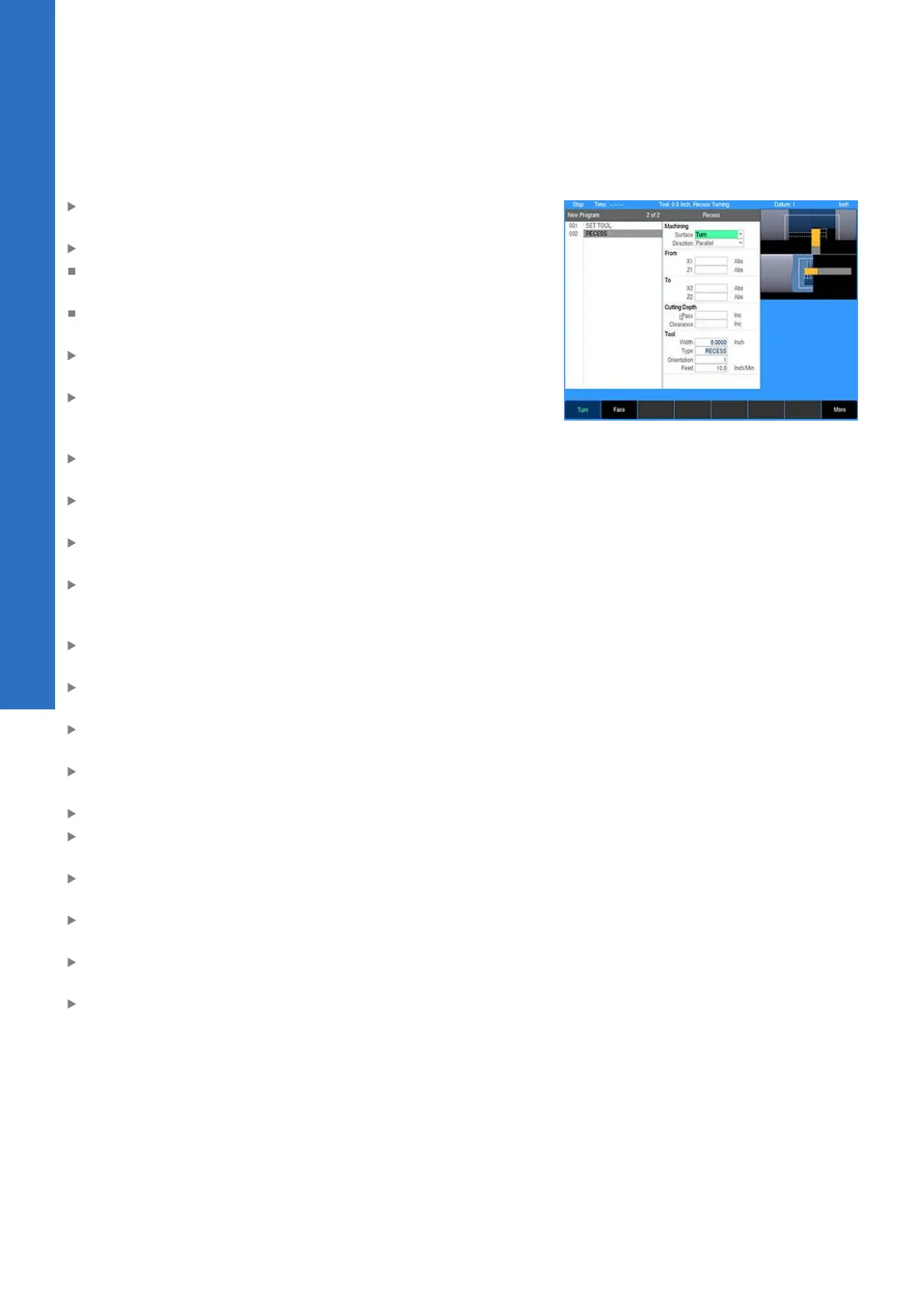
Entering data:
Select which surface the recess is to be machined by selecting
either Turn or Face
Select how the recess will be machined
Parallel: The recess is machined from the first side towards the
second side in a series of passes parallel to the surface
Perpendicular: The recess is machined in a series of plunging
moves perpendicular to the surface
Enter the From point. This is the starting surface (X1) and face
(Z1) of the recess.
Enter the To point. This is the ending surface (X2) and face
(Z2) of the recess. The location of the From and To points
determines the direction in which the recess is machined.
Enter the Pass depth. This is the maximum depth the tool may
cut on each pass.
Enter the Clearance distance. This is distance the tool is moved
away from the material before moving to the start of next pass.
Enter the roughing Feed rate in inches/min (ipm) or millimeters/
min (mmpm). Enter 0 to skip running the roughing passes.
Enter the Finish allowance in the X axis. This is the amount of
material left after the roughing passes to be removed on the
finish pass.
Enter the Finish allowance in the Z axis. This is amount to be
removed on the finish pass.
Enter the finish Feed rate. Enter 0 to skip running the finish
pass.
Enter the angle of the 1st Side of the recess. Only positive
angles are allowed.
Enter the angle of the 2nd Side of the recess. Only positive
angles are allowed.
Add rounds to the inside corners of the recess
To add a chamfer or round at the start of the recess, select
either Chamfer or Round for the Start Element.
For chamfers, enter the distance from the starting point to
where the chamfer begins. For rounds, enter the radius.
To add a chamfer or round at the end of the recess, select either
Chamfer or Round for the End Element
For chamfers, enter the distance from the ending point to where
the chamfer ends. For rounds, enter the radius.
When machining in the perpendicular direction, enter the
stepover percentage or distance.
130
ACU-RITE | TURNPWR | User's Manual | 08/2020


 To Next Page