Machining fundamentals | Manual machine positioning
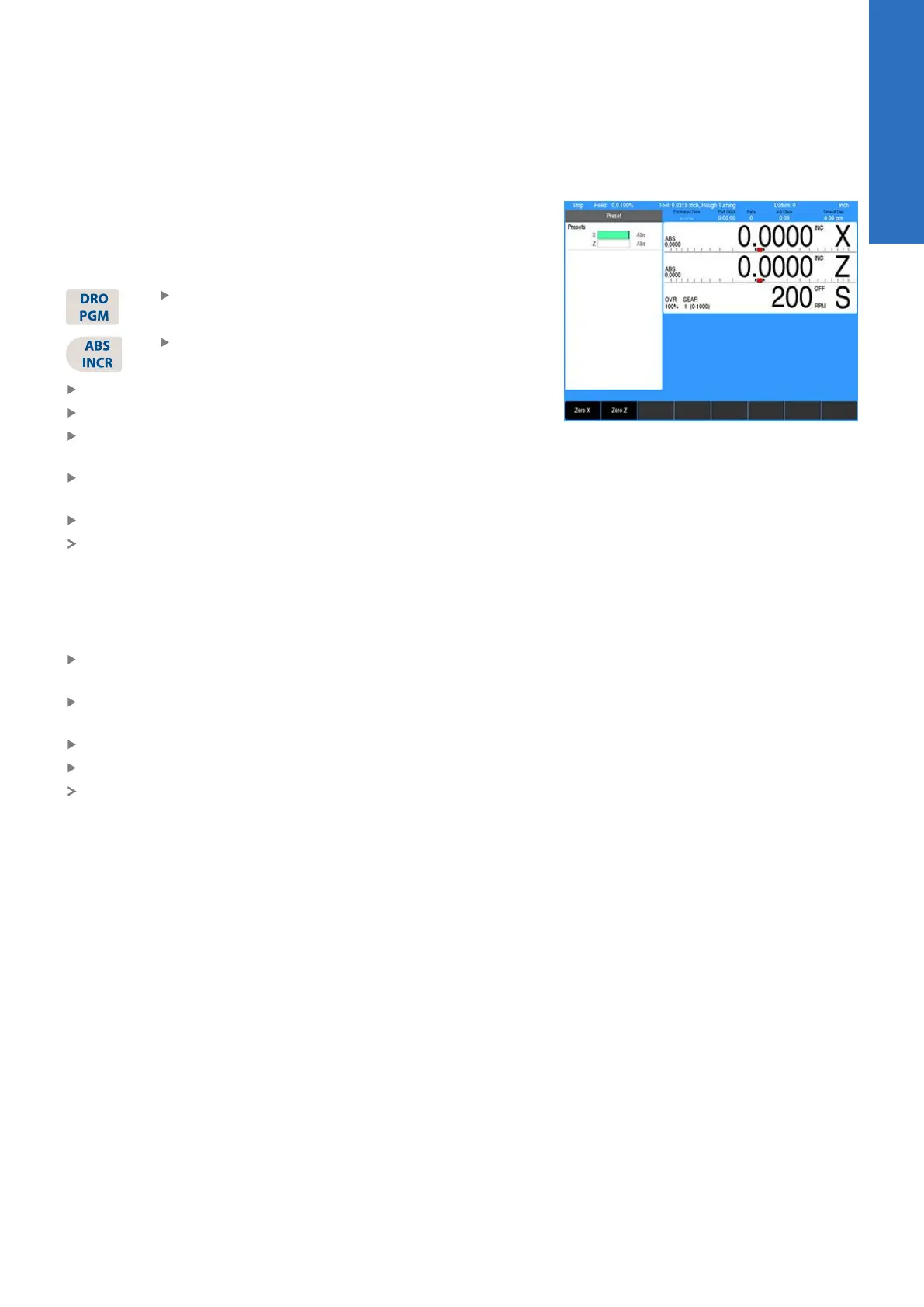
Preset moves
The Preset feature allows the machine to be used manually like a
readout. The preset dialogue is used to set a target location. After
entering a target location, the Incr display will show the distance
between the current position, and the target position.
Press the DRO/PGM key on the front panel to
place the control in DRO mode
Press the ABS/INC key on the front panel to
place the control to Incr
Press the Preset soft key to open the Preset dialogue
Enter the target coordinates for X and Z
Press the USE key to set the target and exit the Preset
dialogue
Press the CANCEL key at any time to cancel and exit the
Preset dialogue
Manually move the tool until the Incr axis positions are zero
When the Incr positions are zero, the machine is at the target
position
Zero incremental
The Incr display may be set to zero at the machines current
location.
Press the DRO/PGM key on the front panel to place the control
in DRO mode
Press the ABS/INC key on the front panel to place the control to
Incr
Press the Zero X soft key to zero the X axis
Press the Zero Z soft key to zero the Z axis
The Incr display will show zero. As the tool is moved, the Incr
display will show the distance from the current position to the
zero location.
3
ACU-RITE | TURNPWR | User's Manual | 08/2020
45



 To Next Page