U511 User’s Manual Programming Commands
Version 1.1 Aerotech, Inc. 5-57
5.5.47. LVDT
The LVDT command links an axis number (1-4) with an R/D channel number (9-16) of
an RDP-PC board for very accurate positioning. When the LVDT command is executed,
the specified axis moves in the specified direction (CW or CCW) until the RDP-PC board
determines that the LVDT sensor is at its null position (i.e., a point that is halfway
between the minimum and maximum position). The axis moves in the search direction at
the rate set by the “Home feedrate” (axis parameter x04). When the LVDT reaches a
specified point, the axis will ramp down and begin searching for the null position. The
axis stops on the null position of the LVDT sensor, completing the cycle.
SYNTAX:
LVDT axisnumber,channelnumber,direction [[speed1, speed2]]
axis number Specifies the axis number (1, 2, 3, or 4) for the LVDT
reference.
channel number Specifies the RDP channel number to be referenced by this
command. The default for unused RDP channels is 16 bit
mode. The LVDT command must specify an RDP channel
(9-16). No other axis should reference this channel through
axis parameters x38, x39, x40, or x41.
direction Direction of search (CW or CCW).
speed1 Speed axis moves in machine steps/ms until the ramp down
point.
speed2 Speed axis moves in machine steps/ms until the null is found.
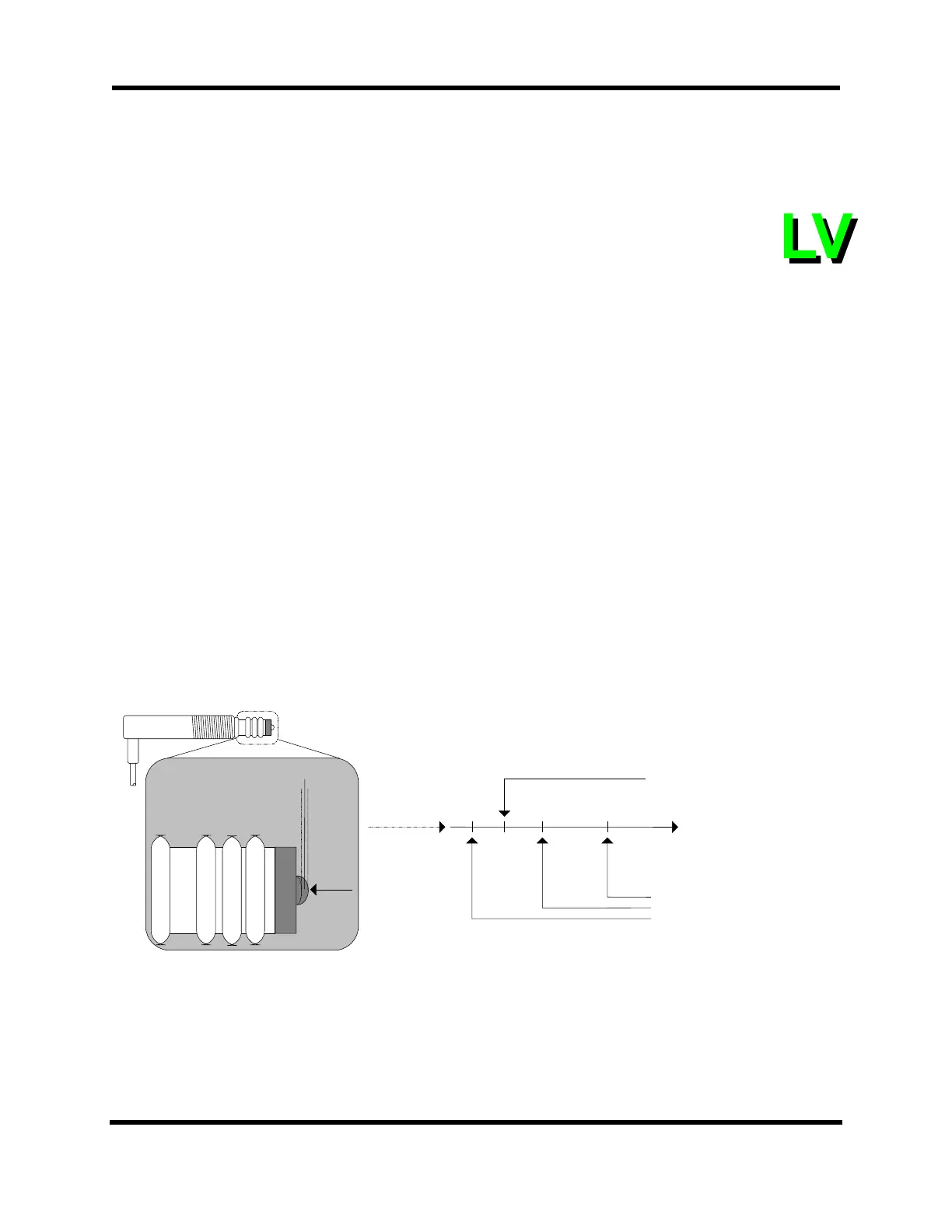
Figure 5-6. LVDT Sensor
Axis Motion
Search Direction
LVDT Minimum Position
LVDT Null Position
LVDT Maximum Position
Ramp Down Point
(CW or CCW)
LVDT Sensor
Minimum
Position
Maximum
Position
Null
Position
Artisan Technology Group - Quality Instrumentation ... Guaranteed | (888) 88-SOURCE | www.artisantg.com



 To Next Page