U511 User’s Manual Appendix D
Version 1.1 Aerotech, Inc. D-1
APPENDIX D: iSBX-IO48 BOARDS
In This Section:
• Introduction...................................................... D-1
• iSBX-IO48 Jumper Settings............................. D-5
• Configuring the iSBX-IO48 .............................D-5
• Programming the iSBX-IO48........................... D-6
D.1. Introduction
The iSBX-IO48 board allows the user to connect user-configurable I/O to the UNIDEX
511 via its iSBX port.
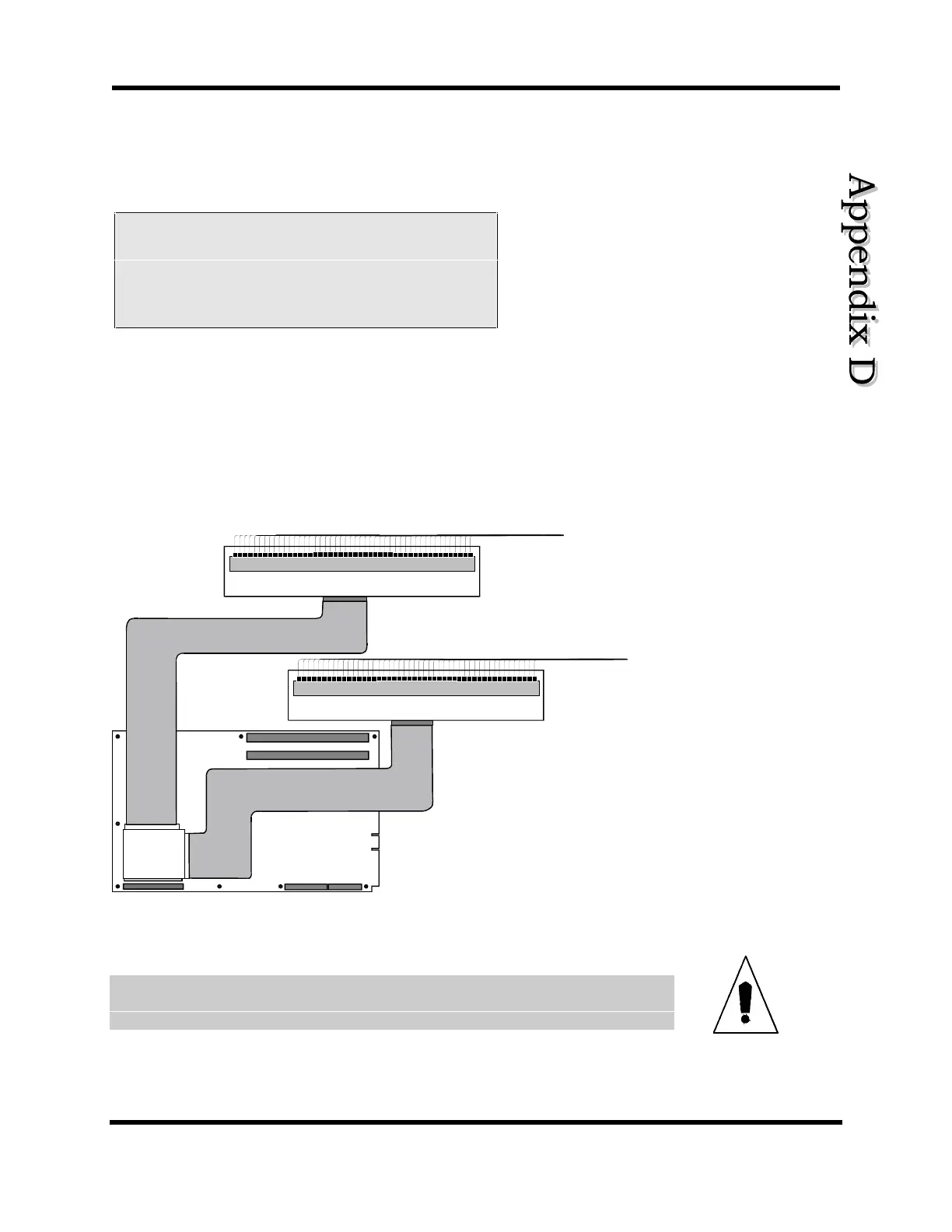
The iSBX-IO48 can drive up to two I/O boards (such as two PB24A Opto 22 boards) as
shown in Figure D-1. Because each I/O board can have up to 24 I/O bits apiece; the
iSBX-IO48 board can drive a total of 48 I/O bits. Also, each I/O board is termed a “bank”
of 24 I/O bits, thus the iSBX-IO48 board has two banks. They are labeled Bank #0 and
Bank #1 as shown in Figure D-2.
PB24
24
onfigurable I
Wiring
SBX
U511
Control Board
-IO48
PB24
24 Configurable I/O Wiring
I/O Board
I/O Board
Figure D-1. An iSBX-IO48 Card Connected to Two I/O Cards
Always disconnect main power connection before opening the U511 chassis.
WARNING
Artisan Technology Group - Quality Instrumentation ... Guaranteed | (888) 88-SOURCE | www.artisantg.com



 To Next Page