Tuning Servo Loops U511 User’s Manual
8-18 Aerotech, Inc. Version 1.1
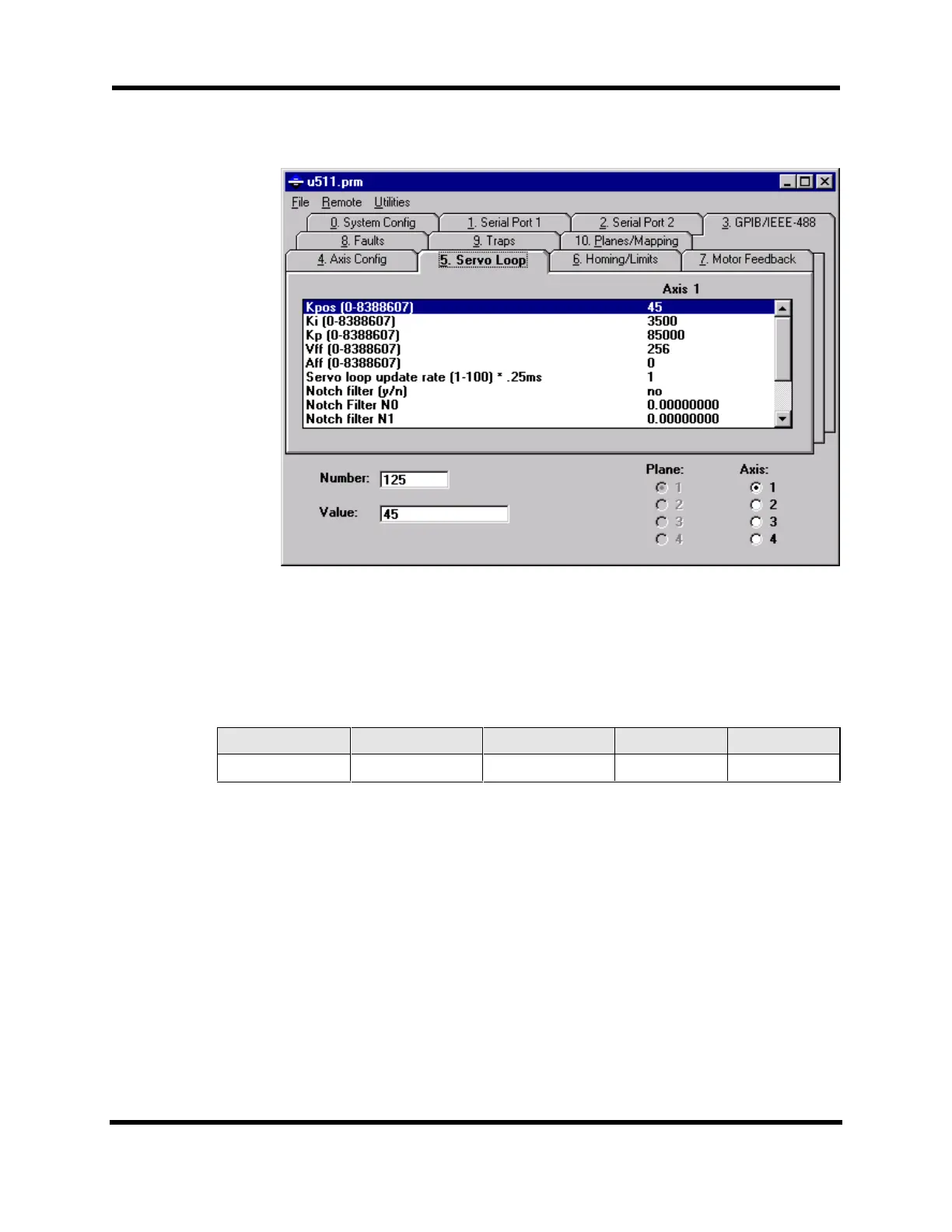
Figure 8-11. Servo Loop Tab of the Parameter Editor
3. Set servo parameters to initial values. While still in the U511 Parameter Editor
window (refer to Figure 8-11), enter in the initial values for the servo gains.
Table 8-5 has the initial values for these servo gains.
Table 8-5. Initial Servo Parameter Values
“Kpos” “Ki” “Kp” “Vff” “Aff”
00
≤10000
256 0
Save the parameters to the U511 by selecting “Save and Upload (to U511)” from
the File menu. The U511 will need to be reset for the parameters to take effect.
4. Prepare the Axis Scope window for tuning by performing the following
functions:
a. Press the MAXIMIZE button on the Axis Scope window, shown in
Figure 8-12 so the Axis Scope window fills the entire screen.
Artisan Technology Group - Quality Instrumentation ... Guaranteed | (888) 88-SOURCE | www.artisantg.com



 To Next Page