Tuning Servo Loops U511 User’s Manual
8-36 Aerotech, Inc. Version 1.1
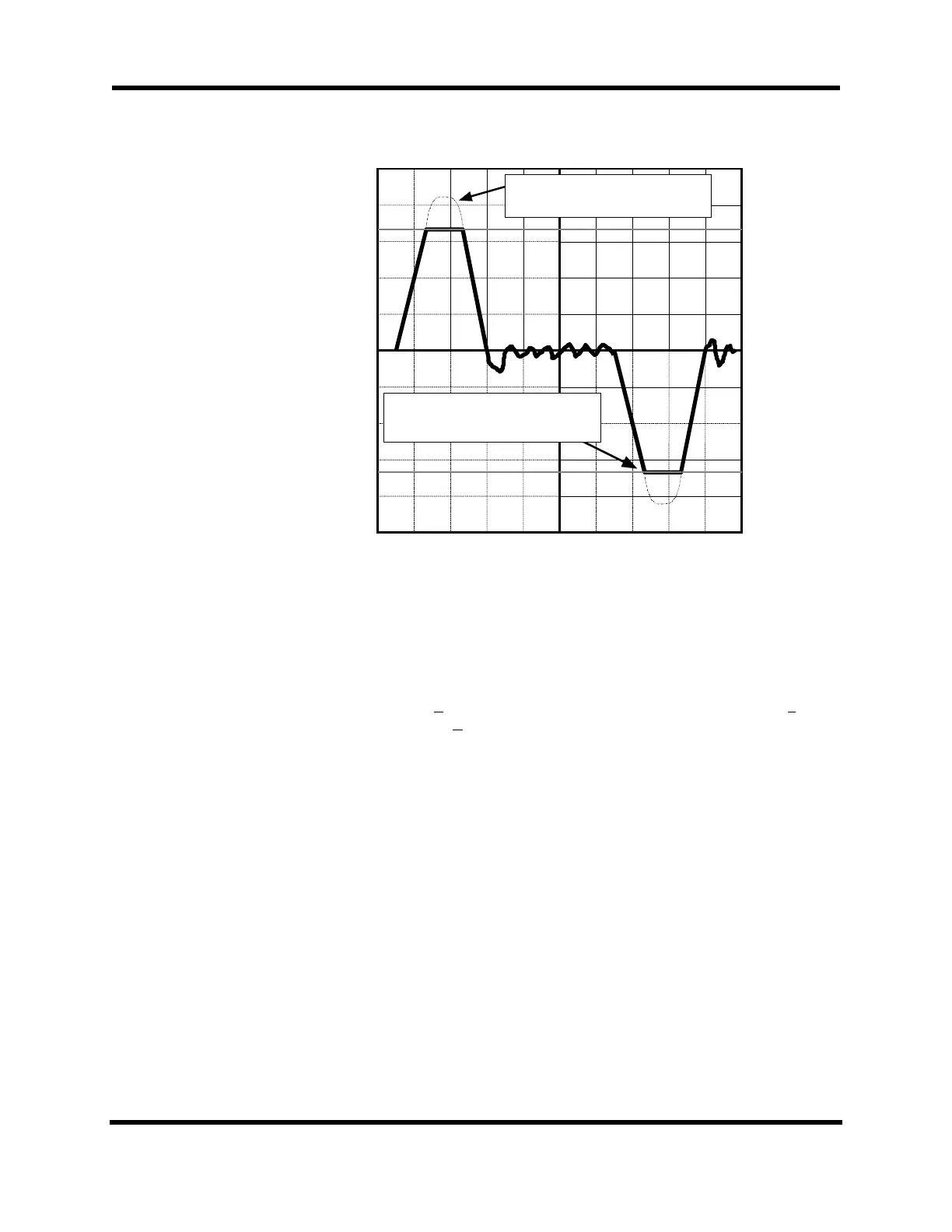
Without Clamping by Current Limit
Pot, the current would be here.
Adjusting the Current Limit Pot allows
you to clamp the current to a specific
value.
Figure 8-27. O-scope Showing Current Feedback for One Move
Third, if necessary, the user may have to fine tune the Input pot if unable to
achieve maximum speed for the motor. To fine tune the Input pot, perform the
following procedure.
a. Connect the O-scope to TP5 (Velocity Command) and TP4 (common) on
the amplifier.
b. Select the Trigger menu on the Axis Scope window and set up F
orward
Motion... and Reverse Motion... to represent a move at 1/2 of the maximum
speed.
c. Press the AUTO button and allow the stage to repetitively move in the
forward and reverse motion.
d. While the stage is moving, adjust the Input pot so that when the motor is
moving at 1/2 speed the Velocity Command on TP5 is 4 volts.
e. Press the STOP button when completed.
9. Finish adjusting the Position Loop (“Kpos”) where the main concern is to strive
for smoothness in the position error and to have the position error end at or near
the same time the Velocity Command ends. After repeating the process of
starting and stopping the axis and adjusting “Kpos” the graph should look like
Figure 8-28.
Artisan Technology Group - Quality Instrumentation ... Guaranteed | (888) 88-SOURCE | www.artisantg.com


 To Next Page