The User Interface U511 User’s Manual
3-14 Aerotech, Inc. Version 1.1
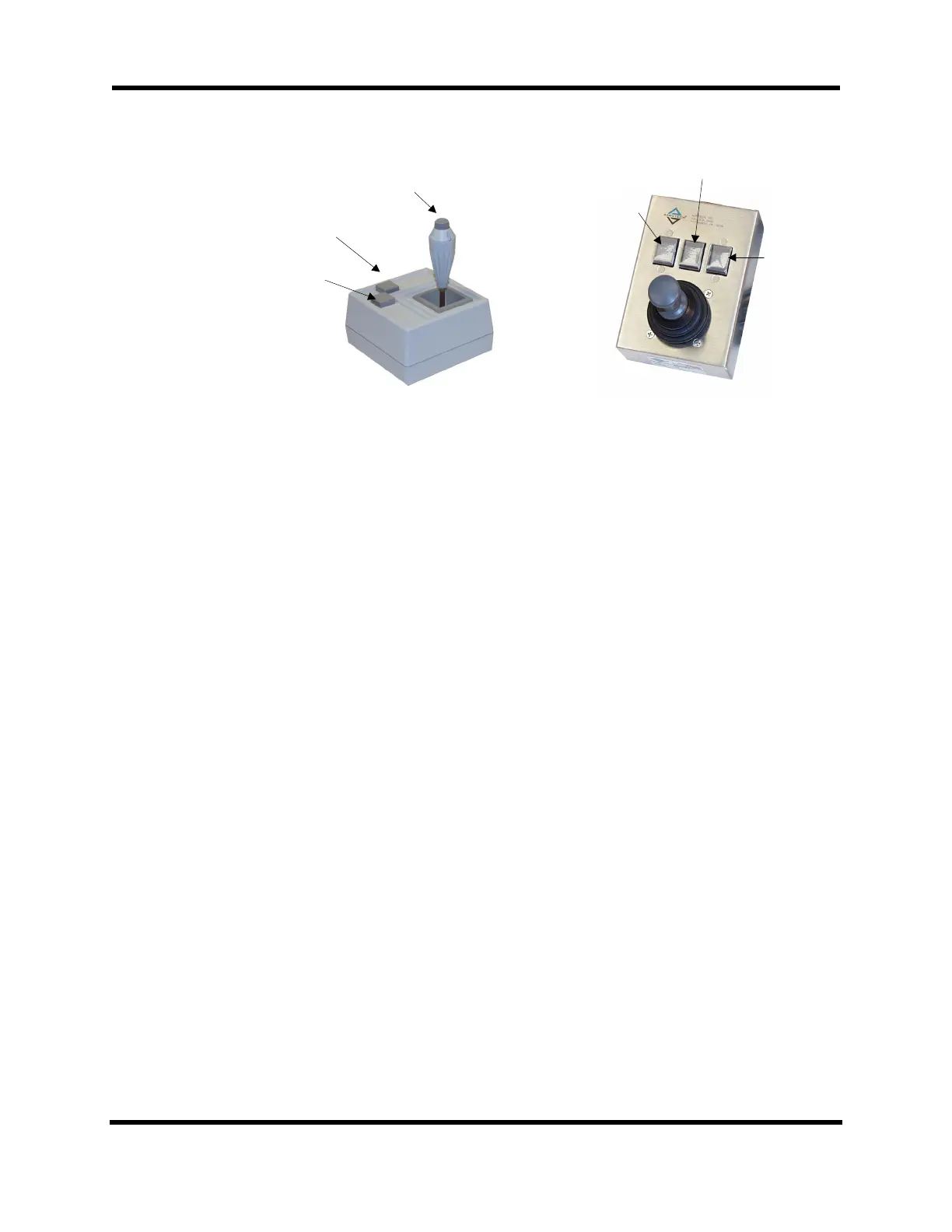
Figure 3-15. Joysticks Showing the “C” Button
In the digitizing screens that follow, the Mode (F1) key is used to select the digitizing
mode. The screens differ depending on the mode. All screens, however, show the same
information at the top of the screen. First the program name is displayed, followed by an
abbreviation that shows whether the U511 is in incremental or absolute mode. Next, the
mode of joystick slew operation is displayed. The joystick can be in linear, circular, or
spline mode and it can be in low speed (l), high-speed (h), or position (p) mode. The “B”
button on the joystick selects the latter mode. The axes that are under joystick control are
also displayed at the top of the screen. These are shown in axis pairs because the joystick
can, at most, control two axes of motion at once. The “A” button toggles between axis
pairs. When digitizing mode is entered, all enabled axes are available for joystick control.
Linear Digitizing
The Linear Digitizing screen is shown in Figure 3-16. The linear digitizing mode uses the
joystick to generate linear move commands in a program. This mode is selected by
pressing the Mode (F1) key until “Linear” is displayed at the top of the screen. Use the
joystick to slew the axes to the desired point and then press the “C” button on the joystick
to incorporate the move. Only axis positions that have changed will be entered into the
program. Any number of moves may be incorporated before quitting the screen. To see
the commands, press Quit (F5), which returns the user to the Program Editor screen with
the commands inserted.
Button B
Button C
Button C
Button A
Button A
Button B
JBV-xx Joystick
JI Joystick
Artisan Technology Group - Quality Instrumentation ... Guaranteed | (888) 88-SOURCE | www.artisantg.com



 To Next Page