Installer manual AlphaVision ML Rev. 3.60 01-01-2015 101
Using the 'Browse' button to select the new firmware file on your computer. The latest firmware version of
the AlphaVision ML can be downloaded from the Alphatronics website (Service & Support section). Then
press the "Update" button to transfer the new firmware file to the Alpha Vision ML. The progress of the
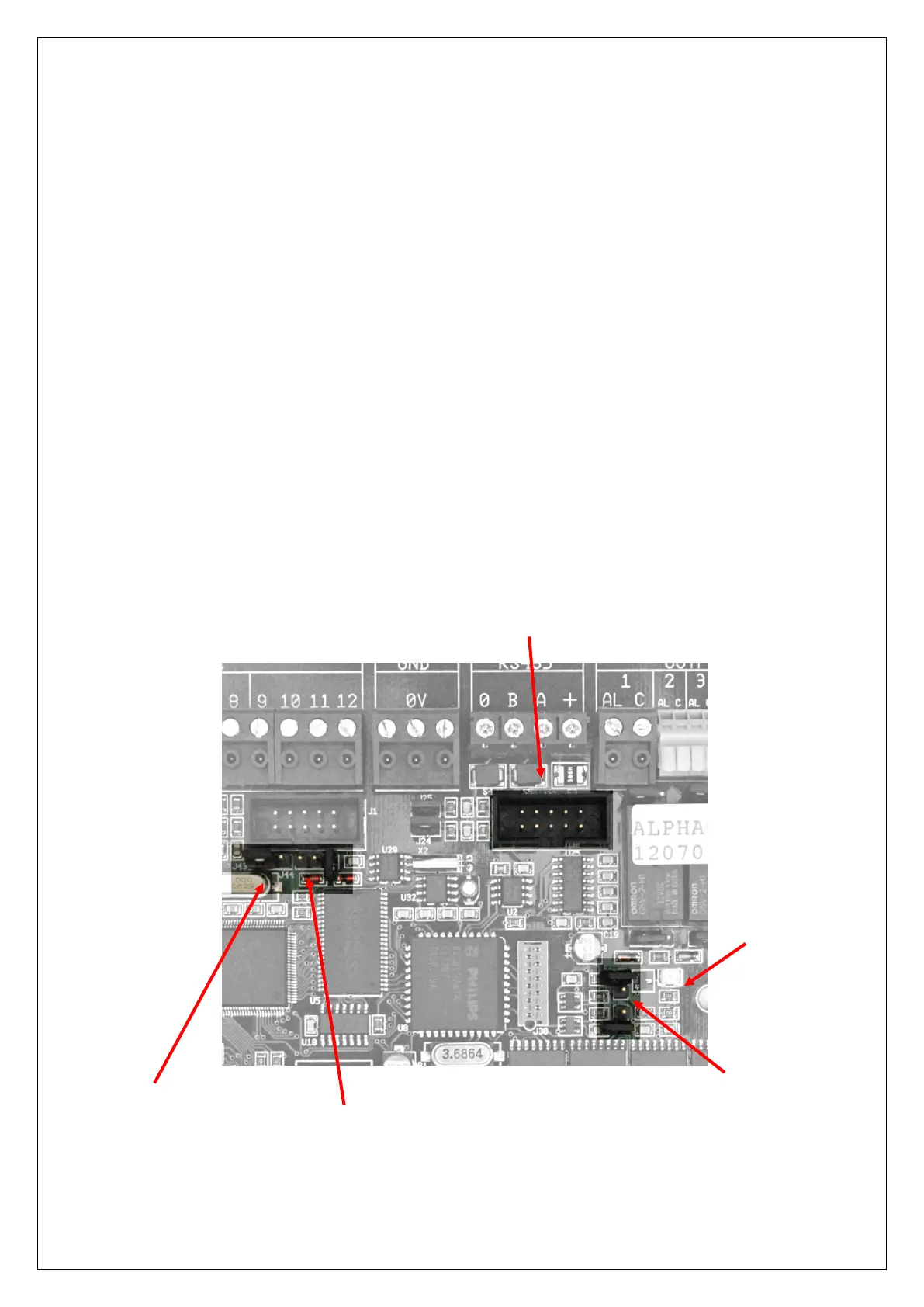
firmware update is displayed in the Progress and Status bars. If the write protect jumper J44 is in the "write
protect" mode (2 left pins are connected), then an error message will appear on the screen. Make sure the
write protect jumper is to the write enable (2 right pins are connected) mode. If the firmware update
(flashing) is successful, a message will appear on your screen.
Performing a firmware (bios flash) upgrade locally
To upgrade firmware locally in the AlphaVision ML, the installer must have the following tools:
o computer with RS-232 port (or a USB to serial converter)
o serial programming cable (art.code. 003834).
o flash program FDT (Flash Development Toolkit)
o firmware update file
Power down the AlphaVision ML XL transceiver
Connect the serial programming cable between the computer and the ‘boxed header’ J32 on the
AlphaVision ML XL board. The boxed header can be found directly next to the relays and under the AL2
output.
RS-232 connector for flashing
Jumper J44 for ‘flash’ mode
Jumper J43 for normal ‘run’
mode
Jumper J1 for ‘flash’
mode.



 To Next Page