5.5 Sensor calibration 5 SETTING UP A BASIC CONFIGURATION
5. Re-lock the calibrations and Burn.
6. Calibrate TPS. With the throttle closed, "Get Current" on the closed throttle. Then fully open the throttle and
"Get Current" on the open throttle. Close.
7. Calibrate the MAP/Baro. Typically chose from one of the preset values.
8. It is not usually needed to calibrate the battery voltage. Do not alter these values from the defaults unless
you have confirmed the actual voltage reading is inaccurate.
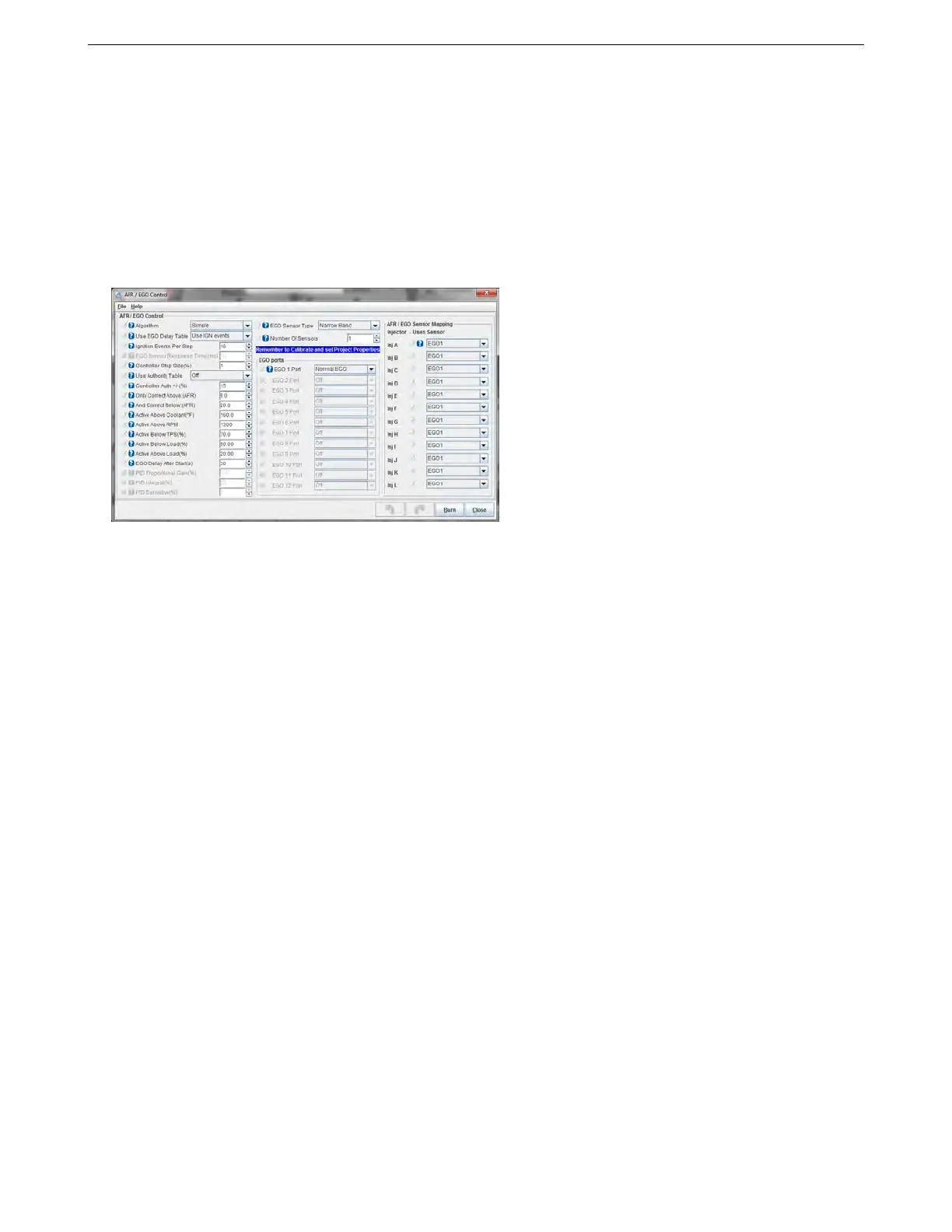
You’ll also want to set up a couple basics on how the MS3Pro uses the oxygen sensor. Go to Fuel Settings and
select AFR / EGO Control. This will bring up the screen below.
At this point, you’ll just want to set up a couple basic parameters. When first tuning, it helps to have the O
2
sensor correction off, so you’ll set Algorithm to “No Correction”. At the top of the middle column, specify if you have
a wide band or narrow band sensor, and enter your number of sensors (note that setting the EGO sensor type to
Disabled will not just disable correction; it will disable all O
2
input logging as well). The MS3Pro can read up to four
sensors over its analog inputs, and even more over the CAN bus with appropriate expansion modules.
If you have more than one O
2
sensor, you will need to set what port (input) is being used. Select which analog
input is associated with what sensor with the drop down boxes in the middle. The tab at the far right lets you pair
each injector channel with a specific O
2
sensor. The MS3Pro can use any O
2
sensor to correct for any injector
channel.
Once you’re done calibrating the sensors, check them from the main dash. To change any gauges Right-Click
on them and pick a different gauge. The ones we need here are under the Sensor Inputs categories. Check each
of the following with the key on and engine off:
• Coolant temp - is it reasonable?
• Manifold air temp - is it reasonable and within a few degrees of CLT (for a cold engine)?
• Throttle - is it close to 0% with no throttle and close to 100% with full throttle
• Fuel load - if you are running speed density, this should be close to 100kPa at sea level, down to say 80kPa
at high elevations.
• Air:Fuel ratio - this won’t read anything sensible with the engine off.
• Engine speed - should be zero. (Note! If RPM ever reads anything like 65000 rpm, it means you have made
an error in your configuration settings. Normally this will appear as an error when you first connect. In the
unlikely case that it does not, open up Communications, MiniTerminal and turn the MS3Pro off then back on
again. You’ll get a message explaining what is wrong. Close MiniTerminal and fix the faulty settings. Then
turn the MS3Pro off then back on again.)
• Fuel pump - the fuel pump output on the MS3Pro is ground switching for a relay. When the MS3Pro is first
turned on it will run for a couple of seconds. As soon as tach input pulses are seen the pump will turn on
again. If the engine stalls, the pump is turned off.
AMP EFI MS3Pro manual version 1.202, firmware 1.5.0, 4/21/2017 Page 100



 To Next Page