6.3 Tuning fuel 6 TUNING THE MS3PRO
6.3 Tuning fuel
Once you have the engine up and running, it’s time to start tuning. There are three tools to use for tuning when the
engine is in a steady state: the VE table, the AFR table, and the settings that define the injector behavior (Dead
time and small pulse widths). We’ll cover the last two first as they are applied across the board, so you will want
these pinned down before you start tuning the whole table. After these are dialed in, you can come back and dial
in the acceleration enrichment and other enrichments applied to the fueling.
6.3.1 Dead time
The dead time (or offset) of an injector is effectively the portion of the pulsewidth when no fuel is injected, this is
because the injector is an electro-mechanical valve and takes a measurable time to open and close. (Note that
documentation for some earlier MS variants referred to this as just "opening time".)
Setting the dead time correctly is an important setup step. If it is incorrectly set, you will find tuning light-load
or idle very tricky and features such as air-temperature correction will malfunction. In worst cases your engine will
be untuneable - especially if you have very large injectors.
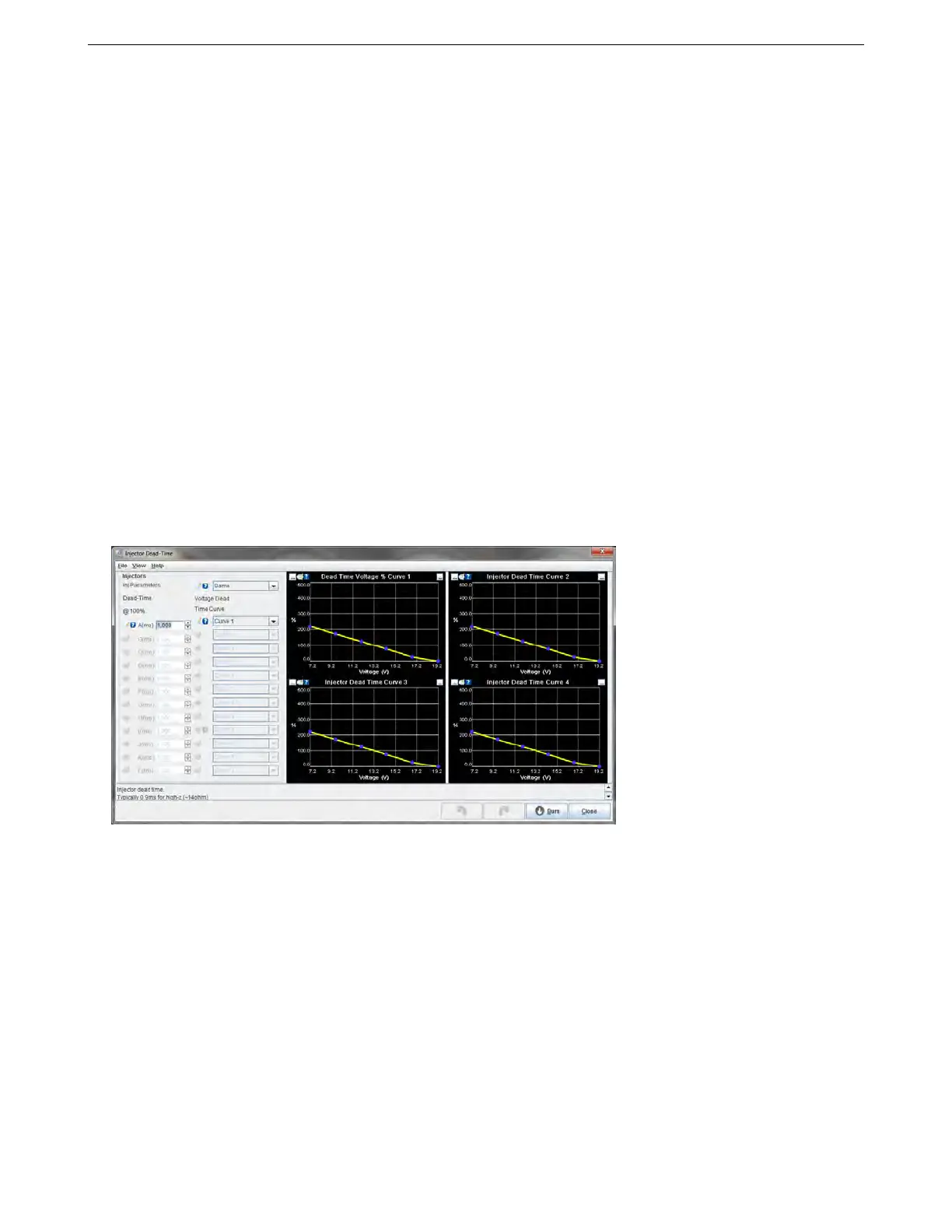
The MS3Pro dead time system is found on the Fuel Settings -> Injector Dead-time. It allows for individual or
grouped setting of these dead times. This will match up with the "Main fuel outputs setting" on the engine and
sequential settings page.
There are three main areas on this page:
• The injector settings on the left side.
• The voltage correction curves on the right side. These allow fine tuning the battery voltage correction of the
dead time.
6.3.1.1 Injector settings As previously mentioned, the injector outputs directly support high-impedance injec-
tors. Low impedance injectors may be used through an external peak-and-hold box or resistor pack.
The setting Same/Individual allows either one dead-time across all injectors, or if you have physically deter-
mined the precise dead time for each injector individually, you can use the Individual setting. Normally, use Same.
The table below allows entry of the dead times - in milliseconds at nominal 13.2 volts. You can choose one of the
four battery voltage correction curves.
If creating a new tune from scratch, we recommend setting the “dead time at 100%” setting to 1.0 and use the
curve to edit dead time (this scalar is to preserve backwards compatibility with older firmware versions and MS2
tunes). The total dead time is determined by multiplying the curve by the 100% value, so if your injector data sheet
showed a dead time of 0.650 milliseconds at 13 volts, setting the dead time at 100% to 1.0 and the dead time
curve at 13 volts to 65% will give you 0.650 milliseconds of dead time.
LPG injectors may require larger dead times.
AMP EFI MS3Pro manual version 1.202, firmware 1.5.0, 4/21/2017 Page 109



 To Next Page