6.3 Tuning fuel 6 TUNING THE MS3PRO
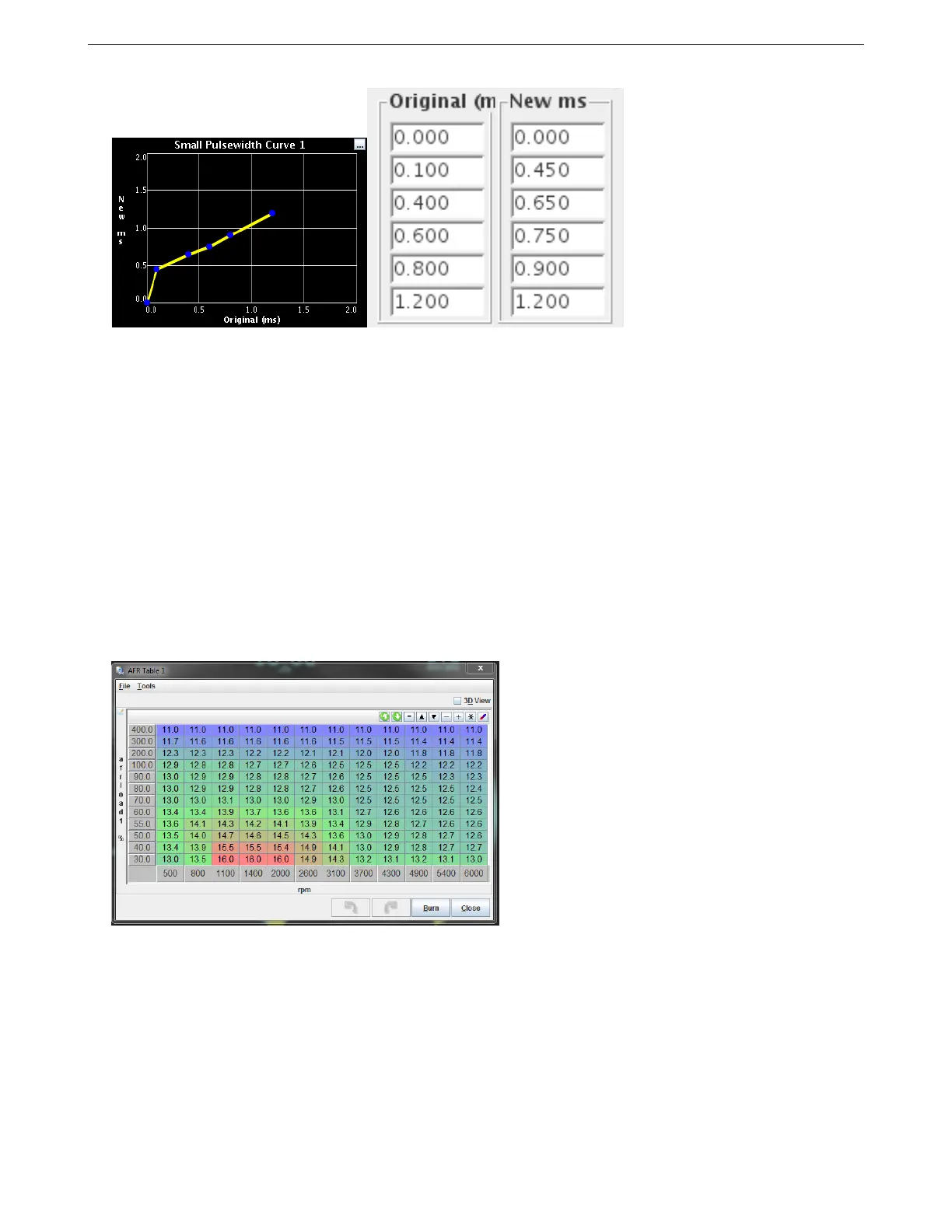
Ensure that the start and end points match. In this example, the curve starts at 0.000, 0.000 and ends at 1.200,
1.200.
However, the best approach is to avoid operating injectors in this non-linear region altogether. Size injectors
appropriately and use a second set of staged injectors if a large dynamic range is needed.
6.3.3 AFR table
The AFR table can be used in three different ways.
• In MAF mode, it is your primary fuel table.
• In all other fuel modes, it can be used purely for closed loop O
2
correction with a wideband O
2
sensor.
• If you set “Incorporate AFR Target” under the General Settings menu to “include AFRtarget,” it will scale the
pulse widths based on the numbers entered.
We recommend using the “Incorporate AFR Target” option on most installs. This allows the VE table to closer
reflect actual volumetric efficiency, and allows you to specify the air/fuel ratio by directly adjusting this table.
We took a brief look at this table in section 6.2. Now, let’s take a look at how you use this particular table.
You’ll enter the AFR you want at each RPM and load point (see section 6.2 if you need a refresher on the load
points.). Most sequential fire engines will run best at 14.7:1 at idle. At cruising RPM and low load, you can run
14.7:1 or sometimes leaner depending on the engine. Most naturally aspirated engines tend to run best at 13.2 to
13.5 at full throttle, while engines running forced induction may need to run as rich as the mid 11’s under boost.
The Tools menu in the upper left hand corner lets you bring up an AFR table generator.
AMP EFI MS3Pro manual version 1.202, firmware 1.5.0, 4/21/2017 Page 111



 To Next Page