7.10 CAN bus / Testmodes 7 ADDITIONAL ITEMS: BEYOND BASIC FUEL AND IGNITION CONTROL
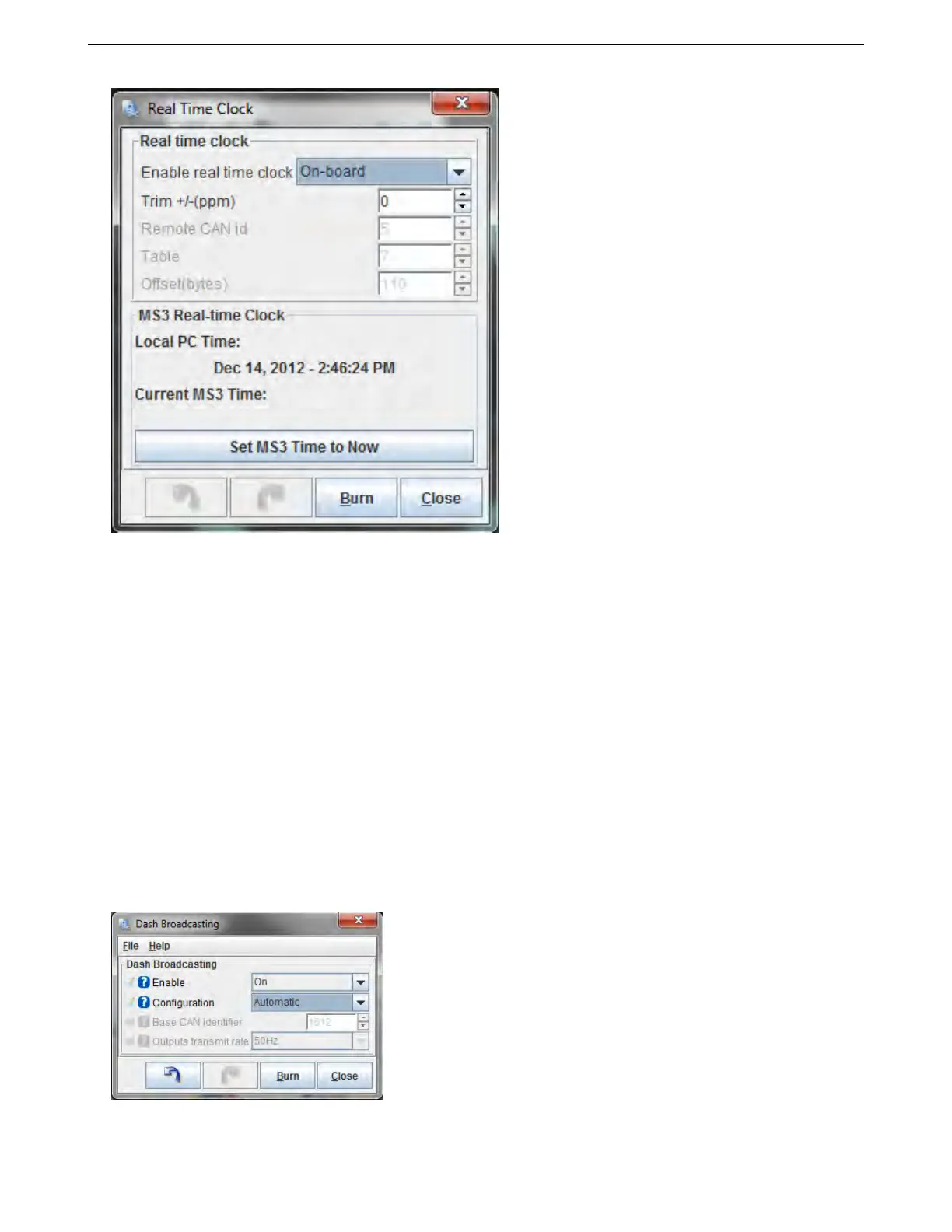
• Enable real time clock - You may set this to “On-board” to use the MS3Pro’s internal clock, or “CAN” to use
an external, CAN enabled device such as a GPS module.
• Trim - This is measured in parts per million, and lets you adjust the clock if you find it is running fast or slow.
The Remote CAN ID, Table, and Offset devices are only used if you are using a clock on a CAN device instead of
the MS3Pro’s internal clock. If you are using a remote clock, refer to your CAN device’s documentation for how to
configure this,
The “Set MS3 Time to Now” button will synchronize the MS3Pro internal clock to your computer’s clock.
7.10.9 IO Box settings
The MicroSquirt IO Box firmware allows you to connect up to four MicroSquirt controllers to the MS3Pro to provide
the MS3Pro with additional input and output channels with greatly simplified CAN settings. Consult the MicroSquirt
IO Box firmware documentation for details.
7.10.10 Dash broadcasting
A simplified CAN broadcasting mode that allows the MS3Pro to communicate with aftermarket dashes and data
logs such as Racepak V-net.
AMP EFI MS3Pro manual version 1.202, firmware 1.5.0, 4/21/2017 Page 266



 To Next Page