7.8 Advanced Engine 7 ADDITIONAL ITEMS: BEYOND BASIC FUEL AND IGNITION CONTROL
• Road race vehicles
• Boats
• Air cooled engines
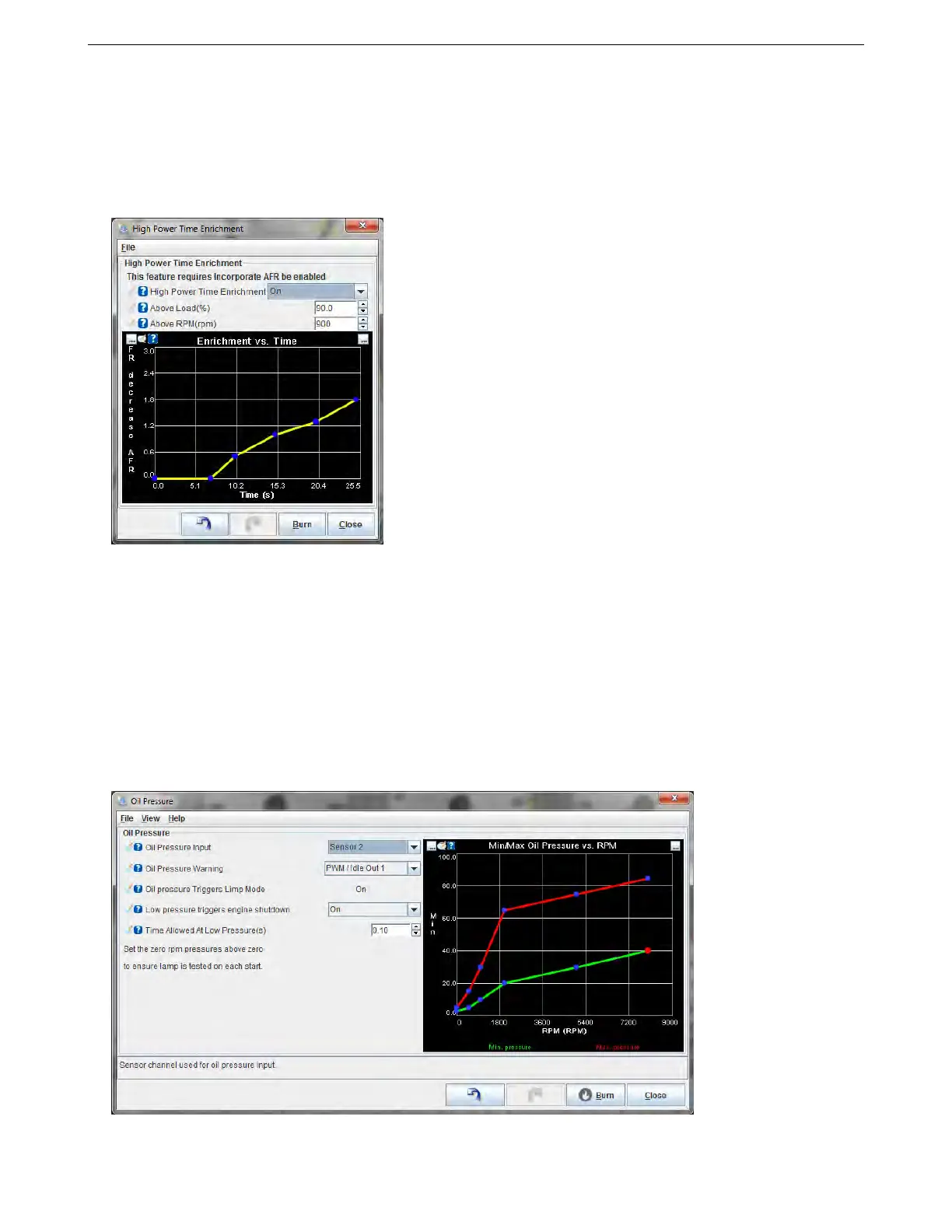
To use this feature, you will need to turn on Incorporate AFR Target under Basic / Load Settings -> General
Settings.
You can specify the minimum load and RPM to apply this feature. Once the engine is running in this range and
this feature is active, it will adjust the air/fuel ratio as a function of time until the engine drops below the active load
or RPM range. The curve specifies AFR decrease (richer) vs. time. It is normal for the first row to be 0, 0. The
second row typically specifies when the enrichment should begin. e.g. 7, 0. This means that there is no change
from 0-7 seconds as both are set to a 0 decrease in AFR. The third row onwards specify the richening.
7.8.21 Oil Pressure
The MS3Pro can monitor oil pressure and trigger a smart warning light. This feature can also be used to trigger
the check engine light. Setting the minimum pressure to more than zero on startup will ensure that the oil pressure
warning light turns on when you turn the key on, so you can make sure it is working. The light will come on if the oil
pressure goes above the maximum pressure vs RPM curve or below the minimum pressure curve. You will need
to define the input sensor under Generic Sensors.
• Oil pressure input - Specifies which sensor configured under Generic Sensors is used for oil pressure.
AMP EFI MS3Pro manual version 1.202, firmware 1.5.0, 4/21/2017 Page 254



 To Next Page